Permanent outdoor lighting is one of those things that sounds a little excessive until you’ve tried it. Why go to the trouble of permanently installing Christmas lights when you could just put them up once a year? But that’s missing the point. These aren’t just Christmas lights. They’re architectural lighting that can change the appearance of your home throughout the year, from subtle warm-white illumination to an elaborate Halloween display.
The Govee Permanent Outdoor Lights 2 Pro take that idea a step further with a new dual-light design. Rather than simply projecting a single pool of colour onto the wall beneath each module, they can produce two independently controlled lighting effects. It’s a relatively simple change that makes a big difference to the overall appearance.
Unfortunately, getting everything installed isn’t quite as straightforward.
Installation: Convenient and frustrating in equal measure
In terms of installation, there are some very frustrating but also very convenient aspects.
The distance between each module is probably the most frustrating part, particularly if your roofline has lots of short sections or awkward corners. Unlike traditional LED strips, you can’t simply cut these to the exact length required. You’re working with individual lighting modules connected by fixed lengths of cable, and that means you’ll inevitably have to make some compromises.
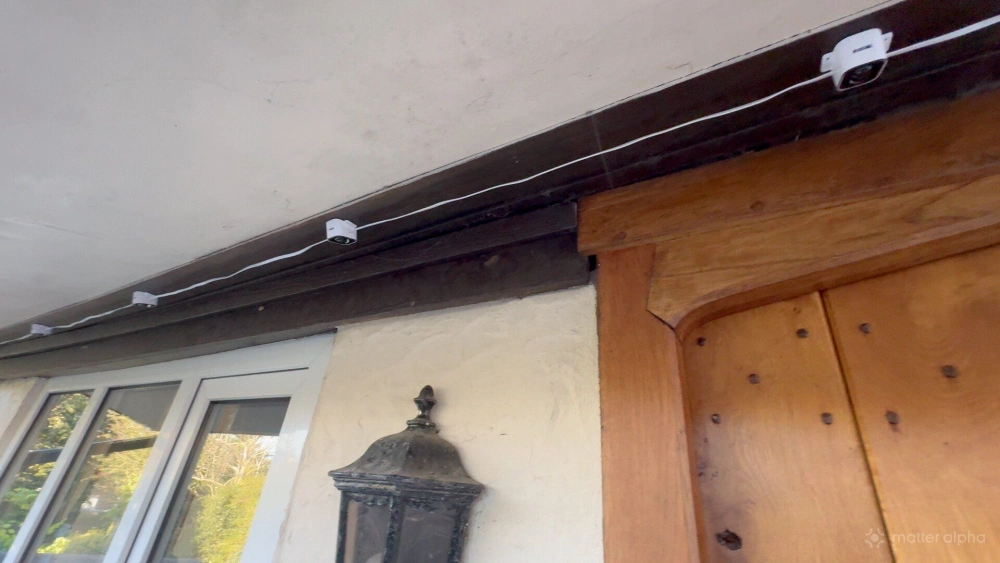
For instance, across our garage, we wanted to position one light in each corner. But doing that would either leave a massive gap between modules or put an unwanted light around the side of the building. In the end, we positioned the lights where we wanted them, left the excess cable dangling, and secured it afterwards. It’s not a particularly elegant solution, but it works. Depending on your roofline, you might need to spend quite a bit of time planning the layout before you start attaching anything. Govee provides two short and one long extension cable in the box, as well as a handful of joining pieces to cut and splice cables.
On the plus side, the mounting clips being separate from the main body of the lights offers some massive advantages. For one thing, if you discover you’ve run a section of cable backwards, you can simply unclip the modules and turn them around rather than having to pull off the adhesive pads or remove screws.
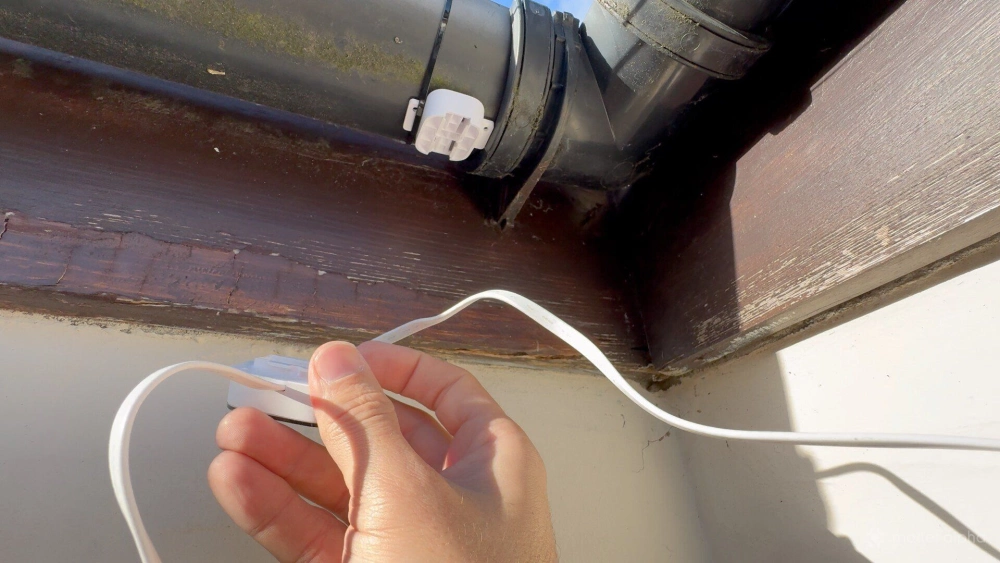
More importantly, it’s much easier to position and mount a small plastic clip without the weight of the lights and cables dangling from it. You can measure everything first, attach the clips, and then snap the lighting modules into place in a much more controlled way.
Govee provides an adhesive pad for each module, along with screw holes on either side for a more permanent installation. I also ended up using cable ties to attach some modules to a gutter in places. Obviously, that’s not the sort of thing you want to be drilling holes into, but cable ties worked well enough when there was no other option.
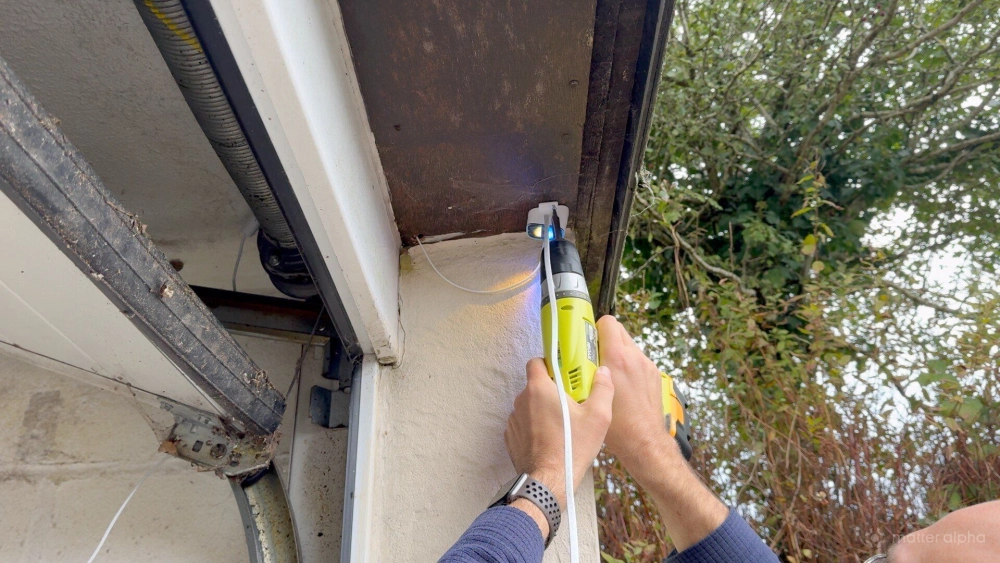
Govee recommends positioning the lights around one to three inches from the wall, although what’s actually possible will depend on your particular roofline.
In some places, I had to mount mine around six inches away from the wall, and I still think the effect is brilliant. It results in a wider wash of light, but you still get that gorgeous colour mixing and the distinctive triangular patterns. The individual pools of light overlap more than they would with a closer installation, but that isn’t necessarily a bad thing.
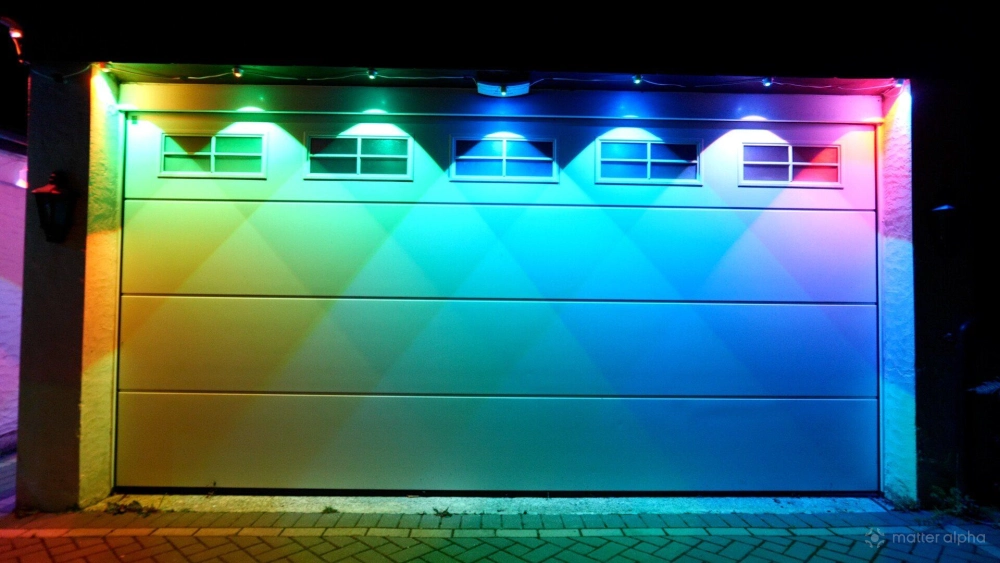
In fact, depending on the effect you’re trying to achieve, the additional blending can look rather attractive.
The main lesson here is to plan your layout carefully, but don’t get too hung up on achieving Govee’s recommended measurements everywhere. These lights are surprisingly forgiving when it comes to their final appearance, even if the physical installation can be rather awkward.
Dual lighting makes all the difference
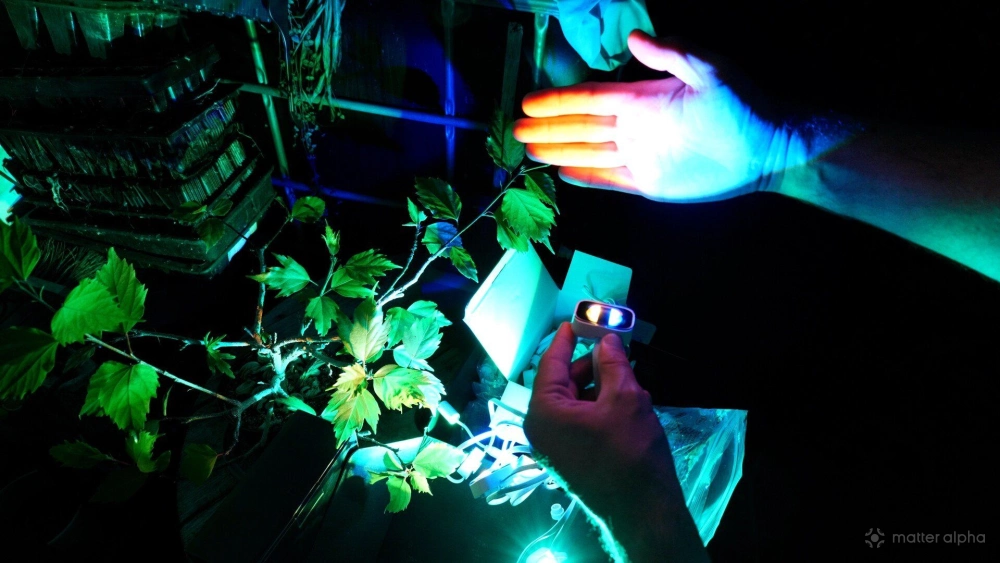
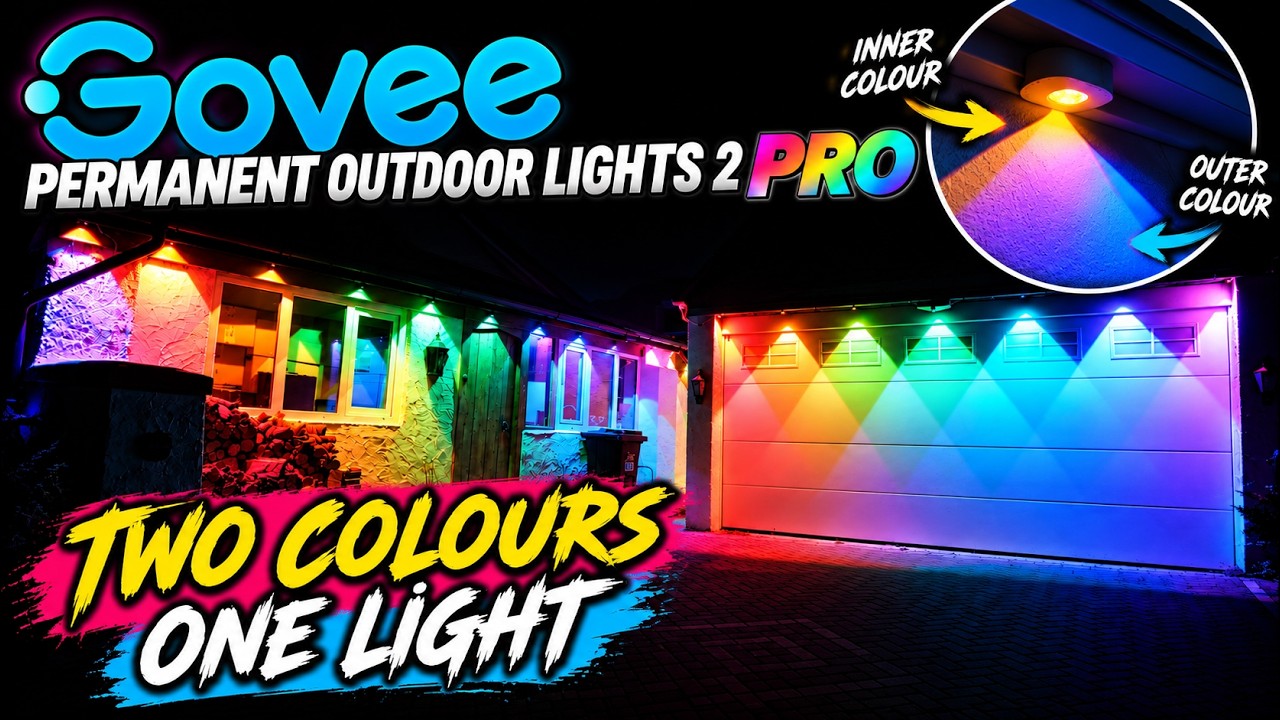
The biggest improvement with the Permanent Outdoor Lights 2 Pro is the dual-light design. Traditional permanent outdoor lights tend to create individual pools of colour beneath each module. It’s an attractive effect, particularly when viewed from a distance, but there’s a fairly obvious limitation: each module is essentially producing one lighting effect at a time.
The new design adds another dimension by allowing two different colours to be projected from each module.
The result is a much more interesting wash of colour across the wall. Rather than a series of isolated spots, you can create overlapping patterns, gradients, and combinations. It’s particularly effective when using contrasting colours. A single-colour effect can look perfectly pleasant, but combining two colours creates a much more dramatic appearance without necessarily making everything brighter.
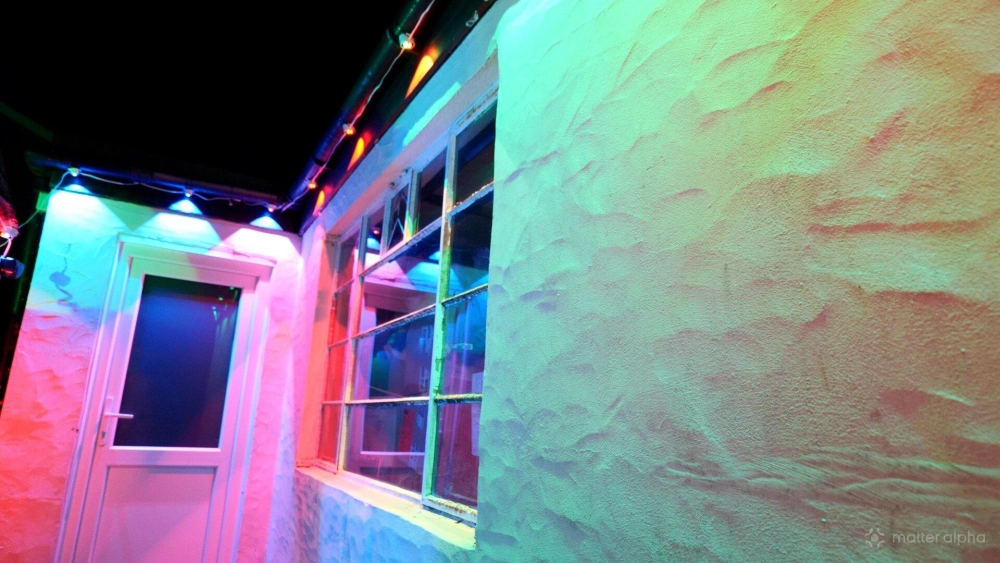
And because the individual light sources can be controlled independently, the effect isn’t limited to static colour combinations. Animated scenes can take advantage of both lighting zones, creating patterns that would be difficult to reproduce with a conventional single-source design.
Of course, how effective the lighting looks will depend heavily on the surface you’re illuminating. A relatively plain, light-coloured wall provides an excellent canvas for colour mixing, while darker surfaces will absorb more of the light. The distance between the modules and the wall also changes the effect considerably. Positioning them closer produces more defined shapes, while moving them further away creates a broader, softer wash with greater overlap.
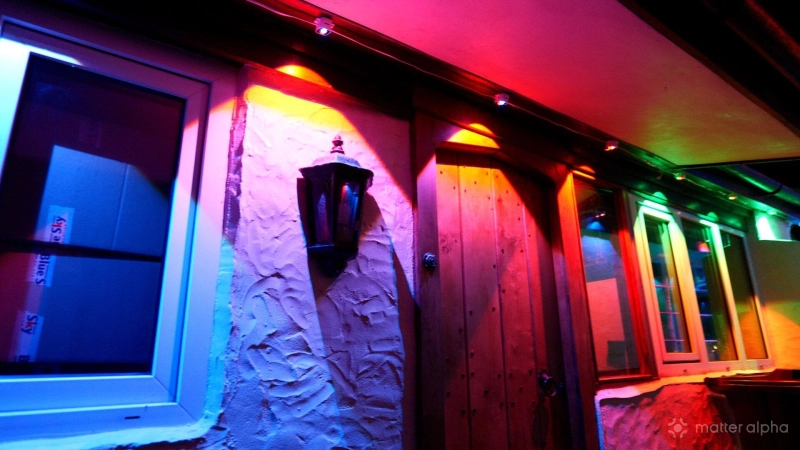
That gives you some flexibility, but it’s worth remembering that you’re effectively choosing the final appearance during installation. Once everything is screwed into place, you can't experiment with distances. Overhangs and recesses are particularly problematic — you can see in the image above that the closer module is only projecting onto the soffit, losing the dual light effect. The same would have been true on the recessed garage door, but I was able to push the light modules out further there.
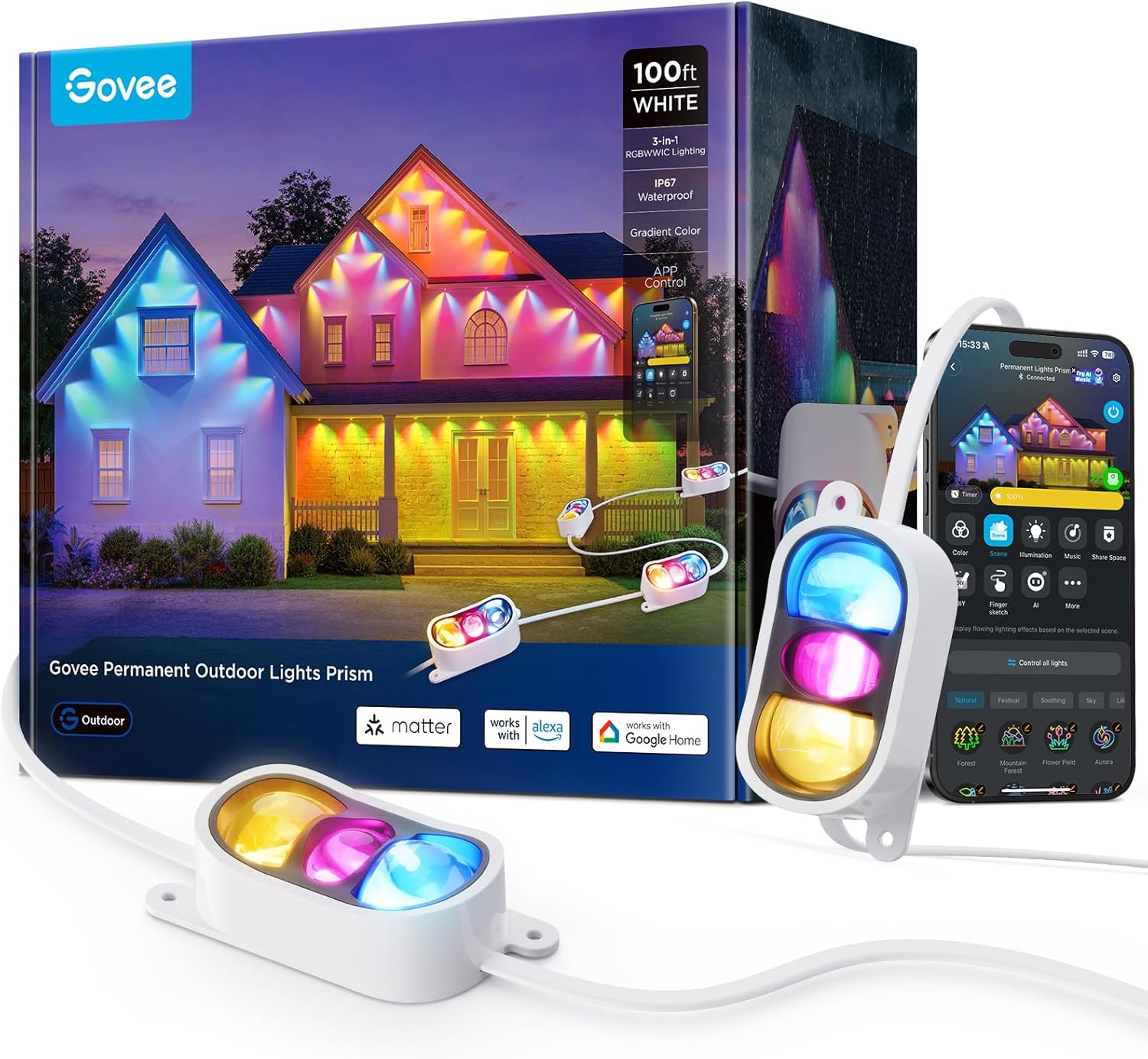
Also, the layout of the LEDs in each module is signficant: each module of the Pro 2 have two LED spots — one closer to the apex, and one projecting the larger flood, giving a fade from top to bottom. The Govee Permanent Outdoor Lights Prism on the other hand, have three modules arranged horizontally, allowing them to give the illusion of motion as the light moves along each segment. Be sure to watch both video reviews to see which you prefer before committing.
Are they bright enough to be useful?
There’s a distinction between decorative lighting and functional outdoor illumination. The Permanent Outdoor Lights 2 Pro are primarily designed to illuminate the walls and architectural features of your home, rather than replace a dedicated floodlight or security light.
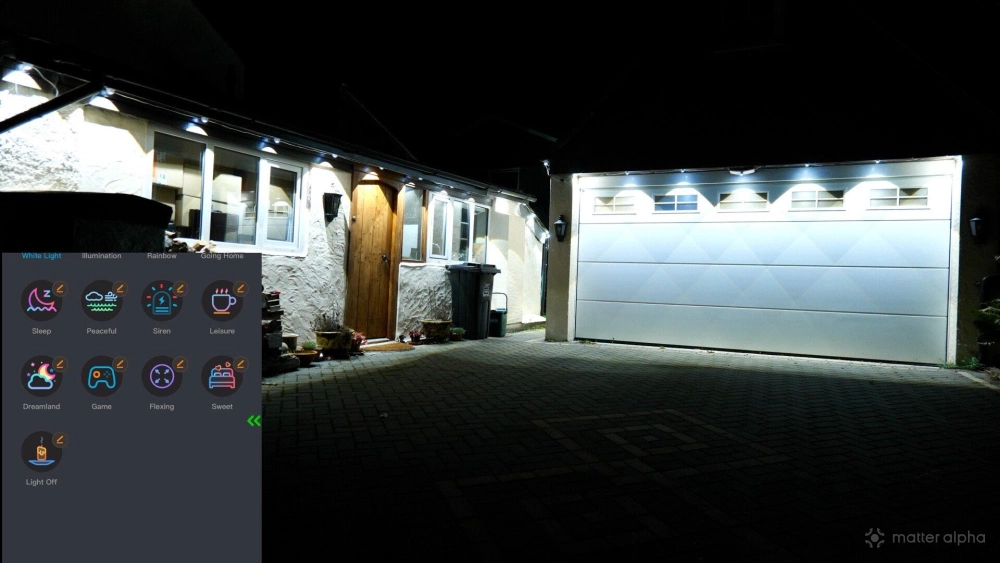
That said, a good amount of light reflects from the walls and surrounding surfaces, particularly when using white rather than saturated colours, reflecting off a white wall, or if you've placed them further from the wall than Govee's recommended 1-3 inches. This makes them useful for providing general illumination around the outside of a building, even if they aren’t necessarily the best choice for lighting a driveway or garden path.
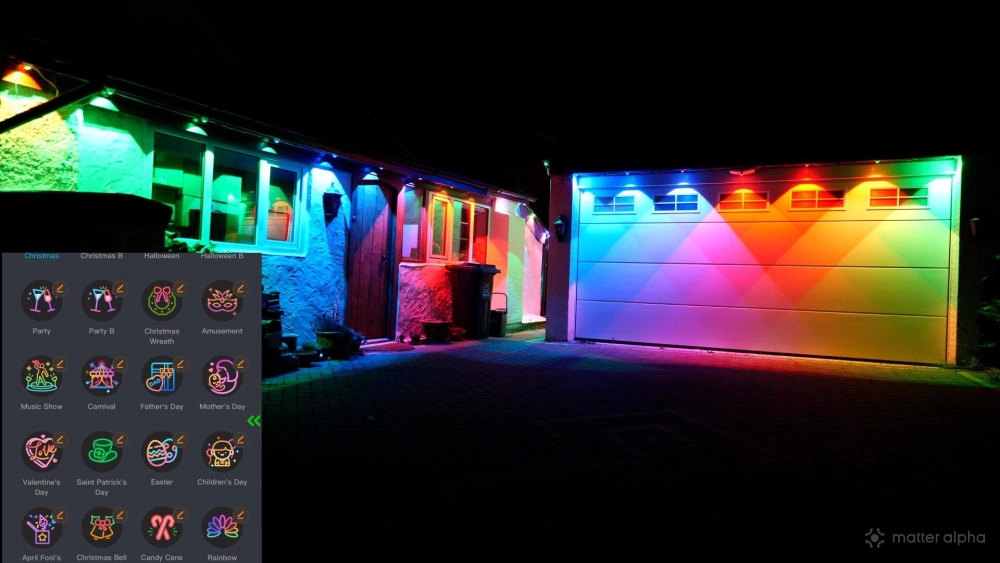
You can use the same lights to create a colourful display for a party, then switch to a more practical white lighting scene afterwards. Halloween is an obvious opportunity for animated orange and purple lighting, while Christmas offers the usual assortment of red, green, and white effects. And if you want your house to look like it’s hosting a rave (or you are, in fact, hosting an actual rave), there’s nothing stopping you — there's a handful of fun, music reactive modes.
Matter support is as weak as ever, and the Govee app is not optional
The Permanent Outdoor Lights 2 Pro support Matter, making them compatible with a wider range of smart home platforms. But there's a big difference between basic smart home control and the more advanced lighting effects available through Govee’s own app. Matter only supports power, brightness, and a single color across all the modules. While this is fine for everyday automation such as coming on at a set time or alongside a motion sensor (if you only change the power state, the previous scene remains active), the Govee app is essential for any dymanic scenes.
As with most Govee lighting products, the accompanying app offers an enormous amount of control. There are plenty of preset scenes to choose from, covering everything from relatively subtle ambient lighting to elaborate animated effects. It’s the easiest way to get started, particularly if you don’t want to spend time manually configuring individual lighting zones. The downside is that more control inevitably means more complexity. Govee’s app has never been particularly minimalist, and the sheer number of lighting modes, effects, and customisation options can be overwhelming. Finding a preset you like is easy enough, but creating something specific can involve a lot more experimentation.
Fortunately, once you’ve found an effect that works, there’s little reason to keep fiddling with it. For everyday use, I’d expect most people to settle on a handful of favourite scenes and switch between them depending on the occasion.
Are the Govee Permanent Outdoor Lights 2 Pro worth it?
The biggest obstacle to recommending permanent outdoor lighting isn’t necessarily the sticker price; it’s the installation. Unlike a smart bulb or an LED strip you can stick behind a television, these require proper planning, access to the exterior of your home, and potentially several hours of work. With the Permanent Outdoor Lights 2 Pro, the fixed spacing between modules makes that planning particularly important. If you're not doing it yourself, an installer might double the overall cost.
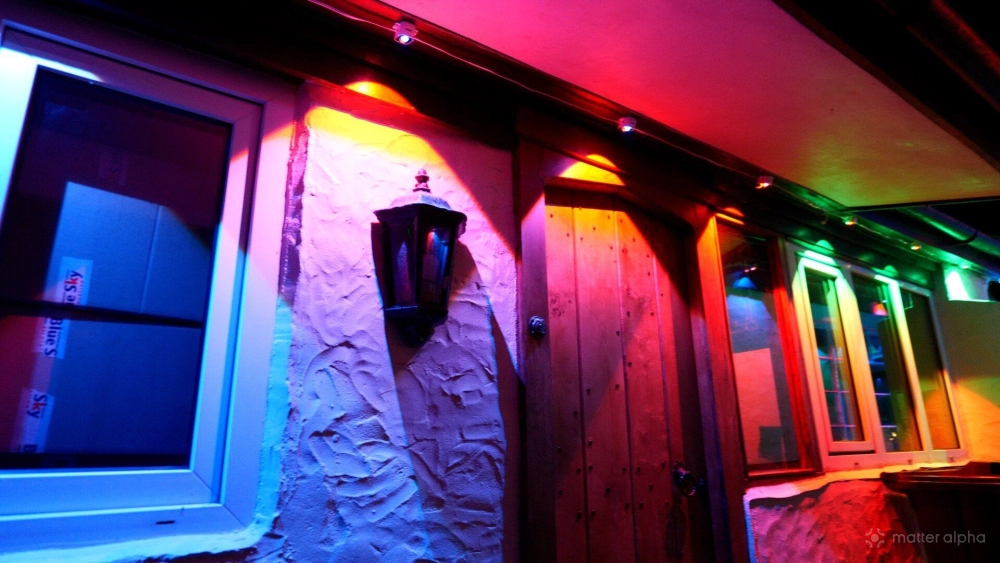
But once they’re installed, the results can be spectacular. The dual-light design makes a meaningful difference to the appearance of the lighting, producing richer colour combinations and more interesting effects than a conventional single-source arrangement. More importantly, the results aren’t limited to elaborate festive displays. The same system can provide attractive architectural lighting throughout the year, making it much easier to justify the effort involved.
I wouldn’t recommend these to someone who simply wants a few Christmas lights. There are far cheaper and easier ways to decorate your home with smart lights for the holidays.
But if you’re looking for a permanent outdoor lighting system that can transform the appearance of your house throughout the year, the Govee Permanent Outdoor Lights 2 Pro are a compelling option. Just make sure you’ve worked out where every module is going before you get the ladder out.