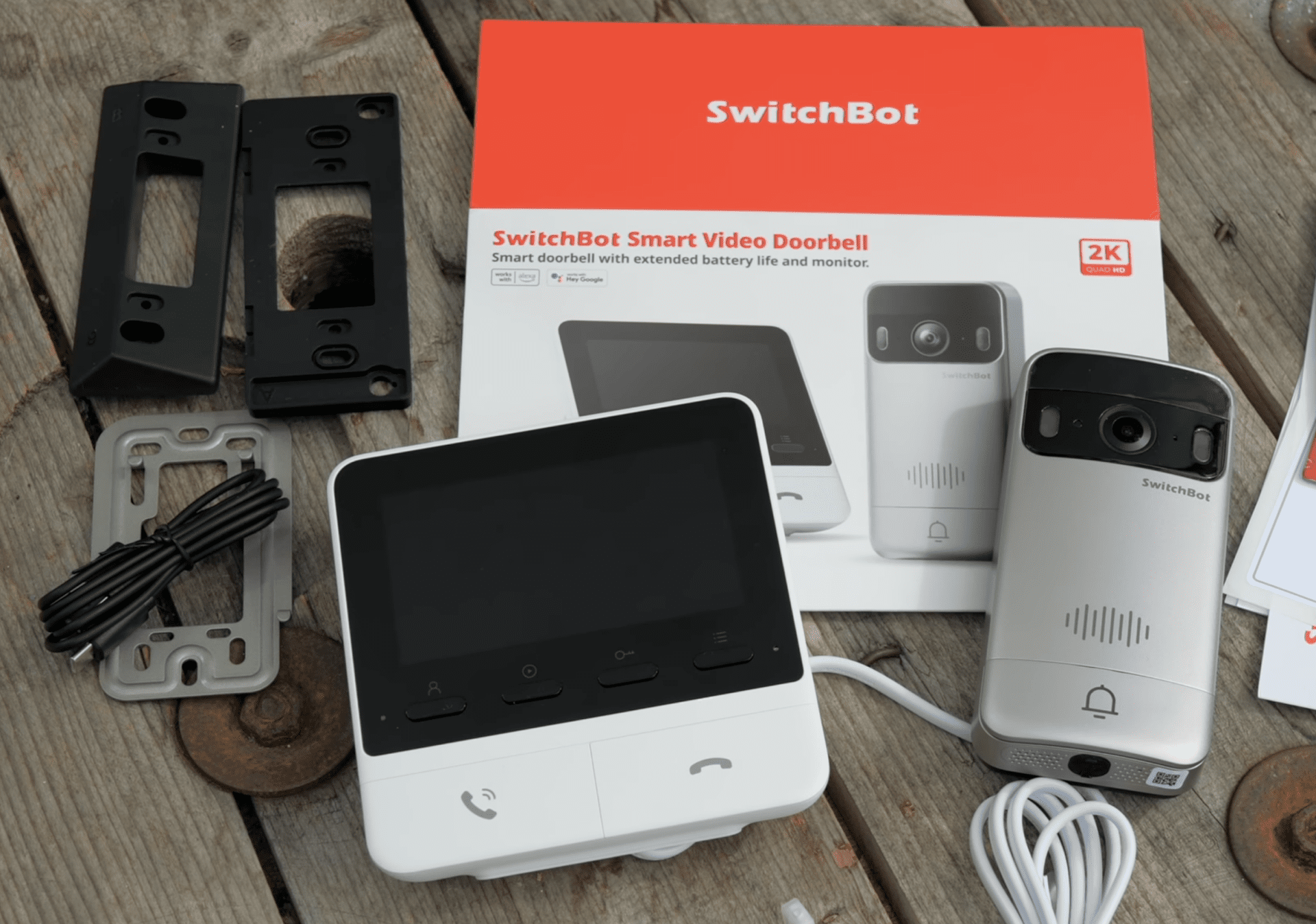
Unlike most video doorbells that demand your attention via an app only, the SwitchBot Video Doorbell comes with a handy monitor that can be placed on your desktop or anywhere within reach of a power socket. It provides low-latency video connectivity, monitoring, event viewing, and some useful hardware buttons.
It retails at $150, the picture quality is decent (at least, on a little screen), and you don’t need a cloud storage plan for any features. Ideally you’ll pair it with a SwitchBot Lock Ultra as well, though they are sold separately, and you’ll be missing out on some features if you don’t have one.
Unboxing and installation
The SwitchBot Video Doorbell consists of two main parts: the doorbell with camera, and the base station with screen.
This brand helps to support our site to remain ad-free.
Read more about our ethics policySwitchBot Hub 3
A versatile smart home hub with real-time monitoring, intuitive controls, and voice assistant compatibility for seamless automation.
This brand helps to support our site to remain ad-free.
Read more about our ethics policySwitchBot Video Doorbell Monitor
A smart video doorbell with an indoor monitor and remote access for safer, more convenient visitor interactions.
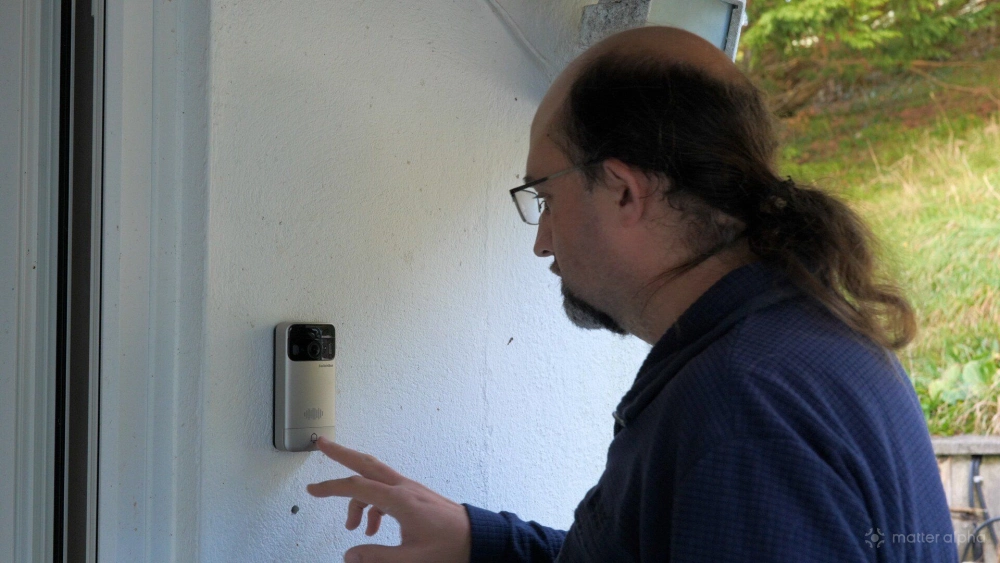
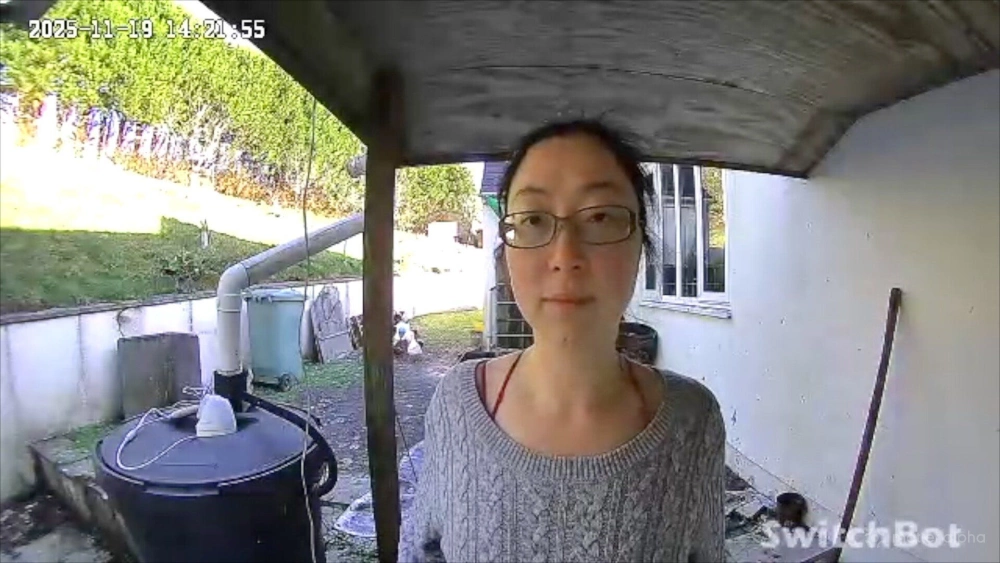
The doorbell and camera part doesn’t break the mold when it comes to doorbell design. You get a big button at the bottom, an elongated oval shape, and the camera sits at the top with a 165-degree wide angle. It’s not a full body view, but large enough to get a good view of who's there. You can angle it left or right as needed, and either hardwire it or charge the internal 5,000 mAh battery over USB-C, which is how I’ve been using it. Optionally, you can also connect a solar panel.
The hardware video monitor is the more interesting component of this package. Rather than having to open your phone, it features a reasonably large 4.3-inch video screen that pops to life when someone rings the bell, giving a clear full HD view day or night (in color), and six dedicated buttons to view the feed, answer the doorbell, lock and unlock the door (when paired with the Lock Ultra), and access previous recordings.
There’s a microSD card slot for expandable storage, and a 4 GB card is supplied, though it supports up to 512 GB. It’s simple to use. The big button on the right ends the call, while the one on the left answers it — though as a minor niggle I would have liked those reversed and some color iconography added, like red for hang up and green for answer.
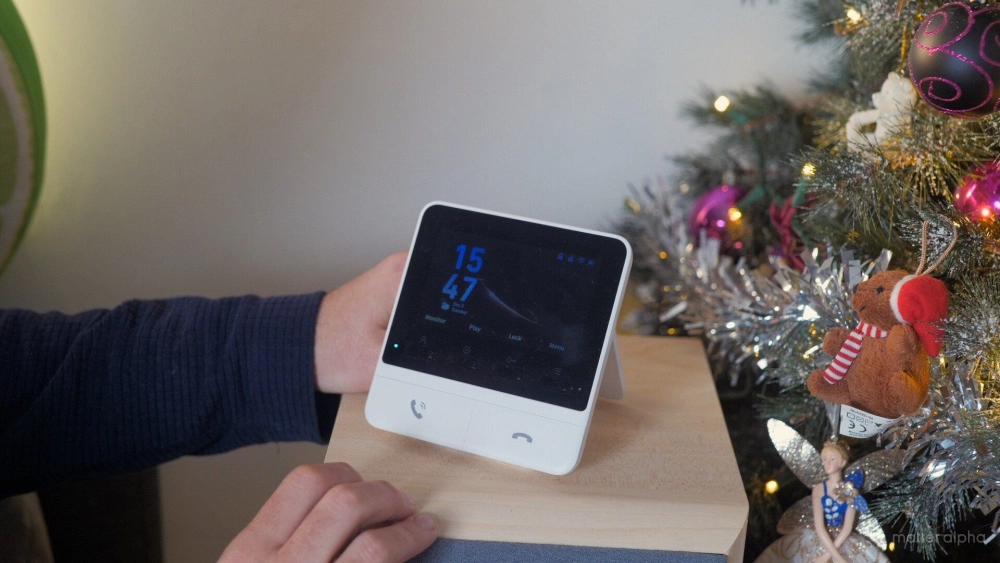
One of the four smaller physical buttons says “lock” whether or not you have a smart lock connected, but don’t worry if you accidentally press it — it’s a two-stage process, so you still have to confirm to lock or unlock.
Installation requires two holes to screw in one of the mounting plate options, or you can just use a sticky pad. I screwed mine in and sadly made a bit of a mess with one hole after I hit something inside and had to move and try again. Although technically weatherproof, you should install it under some kind of cover or awning and not leave it completely exposed to the elements.
Simple and responsive
By using its own dedicated wireless channel to the base station — not relying on your home Wi-Fi — you get a more responsive video system with only about a one-second delay. That’s a lot less than similar app-based approaches, where it sometimes takes at least five seconds just to open the app and load the feed, by which time the visitor has already wandered off.
It’s encrypted, local, and not reliant on your internet either, so if your internet goes down your doorbell still works. SwitchBot recommends a 5–10 m (16–33 ft) range. If you have concrete walls, assume the lower end. It might not reach the other end of your house, perhaps only a room or two away, but it’s not bad.
It has built-in quick replies, or you can record your own should you not wish to speak in real-time.
Like any good doorbell camera, you can also set up motion alerts and recordings, limited to human-only detection, all motion, pets, vehicles, etc. This is off by default, and be aware that any form of motion detection will consume significantly more battery power. Notifications seem to be limited to your phone; you can’t have it automatically bring up the image on the monitor when motion is detected. By default, it's only a five-second recording, and you'll want to increase that if you're looking at this more for security purposes.
As a doorbell only, they claim 570 days of battery life, but I’m going to assume that’s not if you have ten visitors a day. I don’t have actual figures because I haven’t had to charge the battery yet, but motion detection will reduce that, and I wouldn’t be surprised if you had to charge it every month or two with heavy usage.
You can record directly to the supplied microSD card, upgrade for more storage, or subscribe to an optional cloud plan — completely optional and not required for any features. That said, there’s no easy way to get recordings from the app that I can find; you’ll need to pull out the SD card and manually copy anything you want.
Matter integration and smart home support
The Matter compatibility is a mixed bag. The Video Doorbell itself doesn’t offer any Matter functionality. Yes, cameras were added to Matter in version 1.5, but nothing on the market supports that yet. It’s just a spec at this point, so don’t expect Matter camera support for a few years. Hopefully SwitchBot adds it eventually, but I wouldn’t count on it, nor recommend buying anything based on theoretical future support.
However, the Video Doorbell does act as a bridge, allowing one SwitchBot device to be brought into Matter in the same way a SwitchBot Hub does — but only one device, unlike the six-device limit of the Hub. It’s designed to be used with the Lock Ultra, which is what I’ve been testing. I wouldn’t think of this as a generic hub for curtains or other SwitchBot devices.
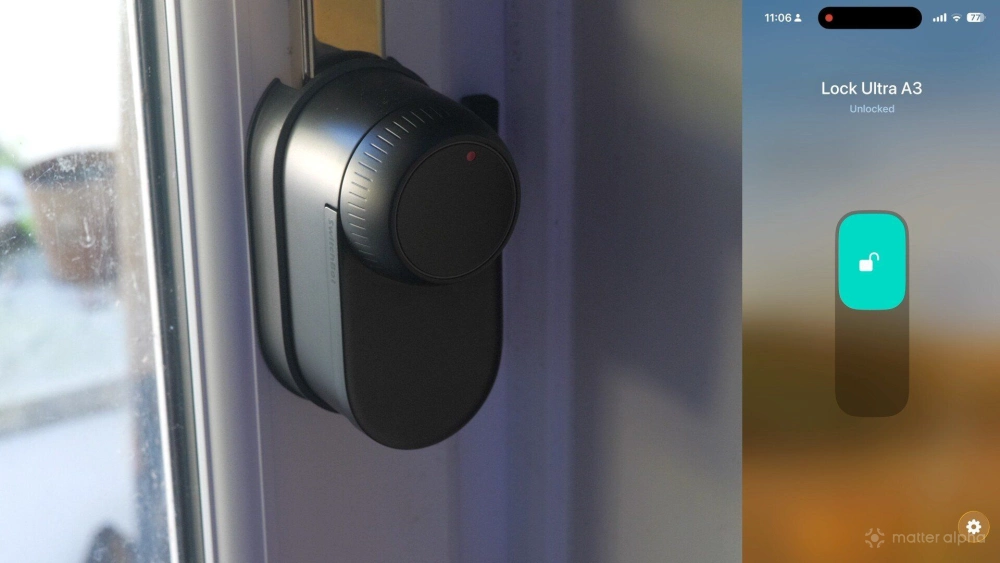
It also doesn’t bring in any sensor or event data over the bridge. The Hub includes humidity and temperature; this one does not. It is very much a single-purpose bridge, just for the Lock Ultra.
Adding it to Matter is simple, though it involves the longest pairing code I’ve ever seen. Thankfully, you can copy and paste it.
I’ve used it in Apple Home, and the camera is not supported in HomeKit. Alexa apparently supports it, and if you have the setup right, your Echo Show will automatically show the camera feed when the doorbell rings.
Home Assistant can view the feed via ONVIF, but without any doorbell-pressed events over Matter, there’s not much you can automate.
Google Home is just as limited as Apple: no video feed, no events, nothing useful for routines.
The app is also extraordinarily slow to view events and the live feed, though that could be specific to my setup.
Great when paired with a Lock Ultra
I’ll be doing a separate review of the SwitchBot Lock Ultra, but it’s the first smart lock that’s actually compatible with my door, and you get some great integration with the Video Doorbell. There are a lot of other Matter-compatible door locks, however, so it's difficult to recommend a video doorbell purely because it works with one of them.
The Video Doorbell adds Matter compatibility to the Lock Ultra by acting as a Bluetooth-to-Matter bridge. It also gives you a dedicated button on the monitor to unlock the door for visitors. Without the smart lock, that button is pointless, and it can’t be remapped to anything else. These aren’t generic programmable Matter buttons, like the Hub 3 has.
The Doorbell can also act as an NFC card reader for the SwitchBot NFC wallet tracker card. That means it’s an all-in-one solution for entry. You wouldn’t need to buy the separate fingerprint reader, keypad, or Vision Ultra face recognition panels if you don’t want to. Just the Lock, Doorbell, and compatible NFC cards.
Should you buy the SwitchBot Video Doorbell?
The hardware and core functionality of the Video Doorbell is great, but not perfect: long battery life, simple operation, low-latency offline link, expandable local storage, and a very clear video monitor so you won’t be fussing with an app all the time. The cloud plan is entirely optional, and no features are locked behind a subscription. The app is about as slow as any other video doorbell I've tried, however.
The Matter support for the Video Doorbell is disappointing, with no event or sensor data being exposed and only bridging the separately sold Lock Ultra. You can pair additional add-on monitors or rely on Echo Show devices for wider coverage.