Sonos is one of my favorite brands for a smart audio system. It strikes a good balance between audio quality and smart home capabilities. The real appeal is its Lego-like concept. You can buy one soundbar today and add surround speakers later on demand.
However, the simpler the concept appears, the more complex the underlying technology must be to keep it running smoothly. That hidden network complexity often leads to frustrating user experiences. Over the past three years of running Sonos at home, several issues have surfaced. And they took me countless hours to fix.
Here are five things I recommend you avoid -- to save your time, and money.
Avoid buying Sonos from another country
Sonos relies heavily on Wi-Fi for core features like private networks and dedicated surround connections. However, approved wireless channels vary significantly across international regions. Mixing Sonos units from different countries causes unexpected behavior. This is especially true for home theater configurations.

For example, a center soundbar generates a private 5GHz radio network to communicate with rear surrounds. Available 5GHz spectrums differentiate greatly across countries due to local regulations. Japanese and Chinese regional models only overlap on a single available channel at an 80MHz bandwidth. In a mixed setup, a domestic surround speaker will not connect to a central soundbar if the system switches to an incompatible wireless channel.
Sadly, Sonos is not as smart as your iPhone that automatically scans and determines the right legally approved channel. Think of it as a soft region lock. Think twice before making a bargain purchase while traveling. One enthusiast suggests emailing the CEO until the company changes its global radio software.
Avoid a wired and wireless mix
Most Sonos products offer Ethernet ports for wired connections. It is tempting to mix setups, hardwiring some units while leaving distant ones wireless. However, this mixed topology causes weird issues like unresponsiveness and network storms. This happens frequently in complex setups involving multiple switches.
The core problem is how the system prevents network loops. It uses a networking standard called “Spanning Tree Protocol” for internal traffic routing. This older protocol does not play well with modern prosumer gear like Ubiquiti. When the protocol clashes with managed switch software, it triggers a broadcast storm that takes your home network offline.
To avoid messing up router settings, run the entire system wirelessly or hardwire everything. If using network switches, connect your whole audio system to a single switch. Since most speakers run on 100Mbps ports, a cheap managed switch easily covers all your Sonos units.
Avoid mixing legacy and new Sonos devices
Sonos executed a major upgrade a few years ago to the newer S2 system. This ecosystem split is pretty much like transitioning between the IKEA DIRIGERA and TRADFRI gateways. You end up needing two completely different mobile apps to manage the hardware. Because of this software divide, it is just hard to group older and newer speakers together, and they are incompatible when trying to set up a unified home theater.
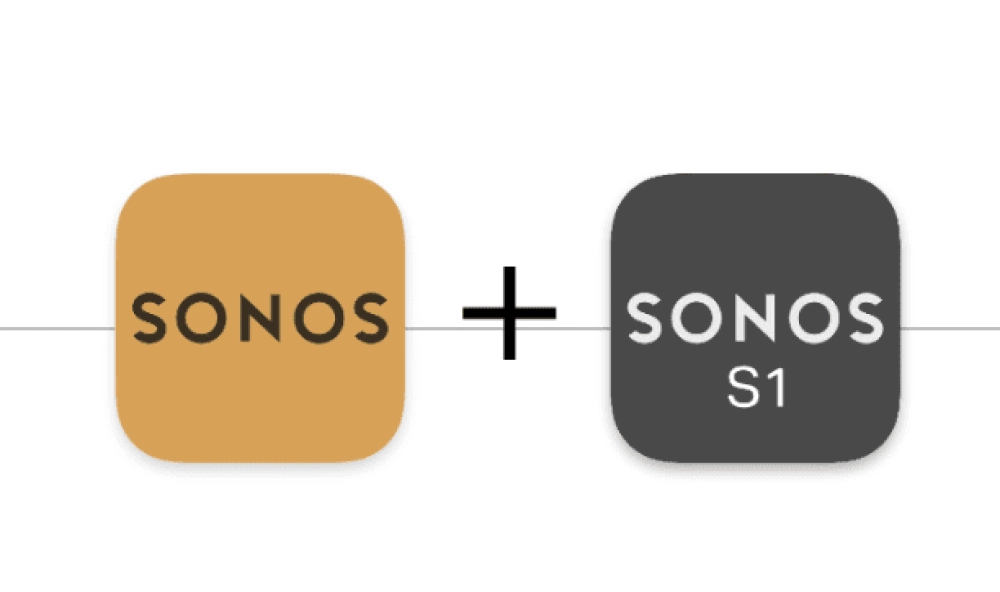
For users who do not want to tinker, you simply must do some research before a purchase to ensure all your equipment runs on the same software generation. For a quick lookup, there are older Sonos models that only support the legacy S1 controller. These include the original Bridge, the first generation Connect and Connect Amp, the CR200 dedicated remote, the first generation Play 5 and the entire legacy ZonePlayer series covering the 80, 90, 100, 120 and S5 models.
As you may have heard, a new open source protocol called “Sendspin” from the Open Home Foundation could eventually change this fragmentation. Upcoming protocols aim to bridge these exact types of proprietary gaps. Until that protocol becomes more popular and accessible, sticking to matching hardware generations remains necessary.
Avoid overlapping channels for SonosNet
If you have coverage issues with a basic consumer Wi-Fi setup, you can wire one Sonos unit to Ethernet. It will then generate a 2.4GHz private radio network and mesh with the rest of your Sonos units. Once this activates, you would see the rest of them disappear from your router admin panel.
The major flaw with this feature is radio interference. For most regions, there are only three 20MHz channels in the 2.4GHz spectrum that are none-overlapping. Those channels are 1, 6 and 11. They also happen to be the available options in your Sonos app settings. In ideal conditions, your home routers and your audio mesh network would auto-adjust to use the best channel. But in real life, they are just not that smart.
You can try to run a channel scan with your router app, fix your main network to one of the three mentioned above, and set Sonos to another one to avoid interference.
To add to that trick, also keep your wireless access points slightly away from the Sonos unit. First, placing them too close causes strong near-field radio interference. Second, a regular radio beam projects somewhat like a fan shape, meaning there are physical dead zones near the router.
Keep your network topology as simple as possible
Most users will not counter such concerns in a typical home environment. But if you have an advanced network kit with hundreds of options you have no ideas about, do not mess up things you do not know. In my daily use, I found Sonos is extremely sensitive to some network settings like proxy, virtual local area networks (VLAN) and multicast snooping.
These speakers rely heavily on multicast domain name system traffic to be discovered by controllers. If your network topology involves strict traffic isolation, the mobile app will simply fail to locate your Sonos. Try to make your network as simple as possible. If you already made changes and have no idea how to turn them back, contact official support. Their representatives usually help you identify the issue and walk you through settings for specific router brands step by step.
But for certain cases, technical support is limited. In my own experience, the support team could not provide a technical resolution for the failure. They even asked me to return my hardware for a 30% off coupon toward a new unit when it was clearly a network routing issue rather than a hardware defect. For complex issues, Sonos community can be of more help.
(Source: Sonos; Image: Sonos)