A long weekend is the perfect time to start (and hopefully complete) some household improvements. Whether you’re giving a room a new look or adding new smart home gear for improved automation, IKEA is a great place to start.
But finding Matter smart home devices in IKEA is not easy. They’re not signposted, and don’t appear on the map. So, how do you find Matter devices in IKEA?
Before you go: Know what you want
Simply turning up at IKEA is not the answer to a successful search for smart home tech.
You need to spend some time on the IKEA website (ensuring you've selected the corresponding regional variation) to learn more about what devices are available in-store. You can refer to our list of the latest IKEA Matter-compatible devices and cross-check this with what is in-stock in your nearest IKEA.
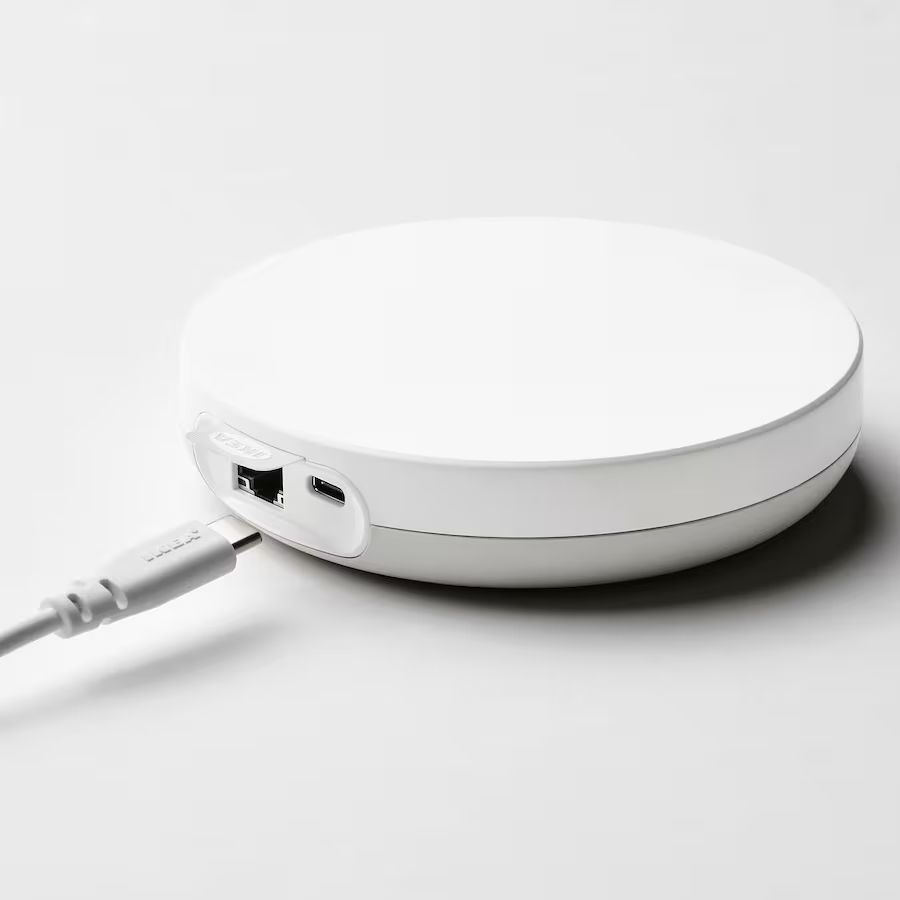
If you're exploring Matter smart home devices for the first time and find IKEA is the safest and most convenient way to go about it, you will need to start with the DIRIGERA hub. This is the heart of the IKEA smart home, is compatible with IKEA's older Zigbee devices as well as later Matter-compatible hardware, and also has Thread Border Router functionality, ideal for sensors.
Our review of the IKEA DIRIGERA hub will tell you more about what it can do.
When you get there: Food, or function?
I don’t know about you, but a trip to IKEA invariably involves something to eat. Even for a small shop, it makes sense to grab some of the store’s famous food, whether Swedish meatballs, a desert, or some other food.
What I do is head to the cafeteria first. In most cases there is a shortcut signposted, which takes you through several other sections and into the food area. This might mean passing the area where the Matter devices are stored, but it is also worth doing just for the chance to sit and have a coffee. As IKEA stores are typically located in major cities and shopping centers, driving to them can take a while (for example, I live between 50 and 90 minutes away from the two stores nearest me).
Once you've eaten (or if you prefer to forego the luxury of a Daim desert) look for a map.
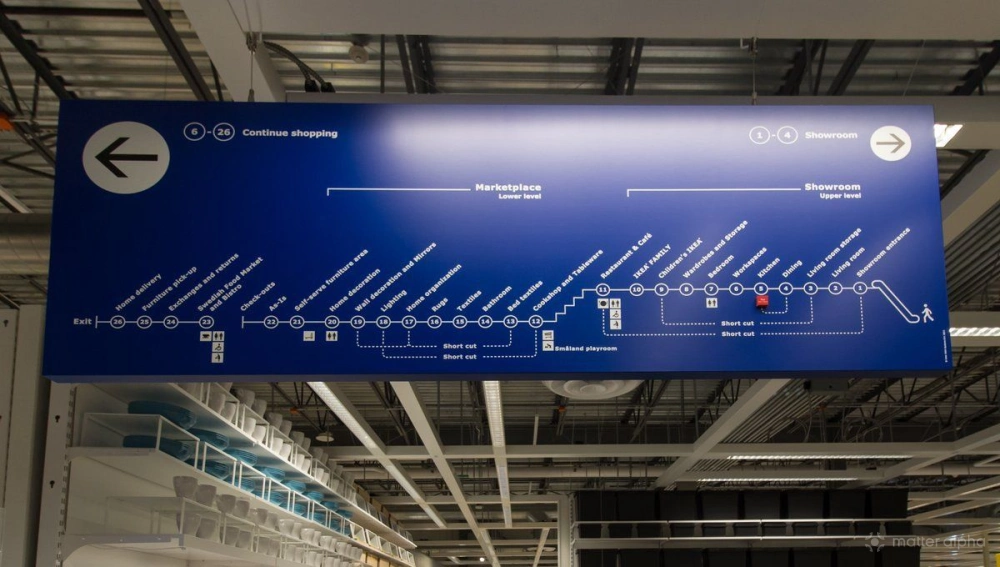
As you can see, the map highlights no just the path through the store, but also the shortcuts. Each store is laid out slightly differently, but these maps enable you to plan your route through the store, perhaps moving from entrance to restaurant, then to the self-serve "warehouse" area to find the devices you need.
Make the choice: Store shelves or self-serve
Any trip to IKEA can be defined by how long you spend there: will you browse the store shelves, popping stuff into the trolley as you go? Or head straight to self-serve and lift things off the shelf onto your flatbed?
Not all Matter-compatible equipment will be in the self-serve warehouse, as much of it is pretty compact. This is why you need to plan the trip: know where to find the devices you’re looking for.
The IKEA DIRIGERA, switches, sensors, and lamps can all be found in the lighting area of the IKEA store. So, plan your path through the store to make it to this area first. You can use the map, look for shortcuts, and if you plan it right, you will spend as little time as possible in soft furnishings and kitchenware.
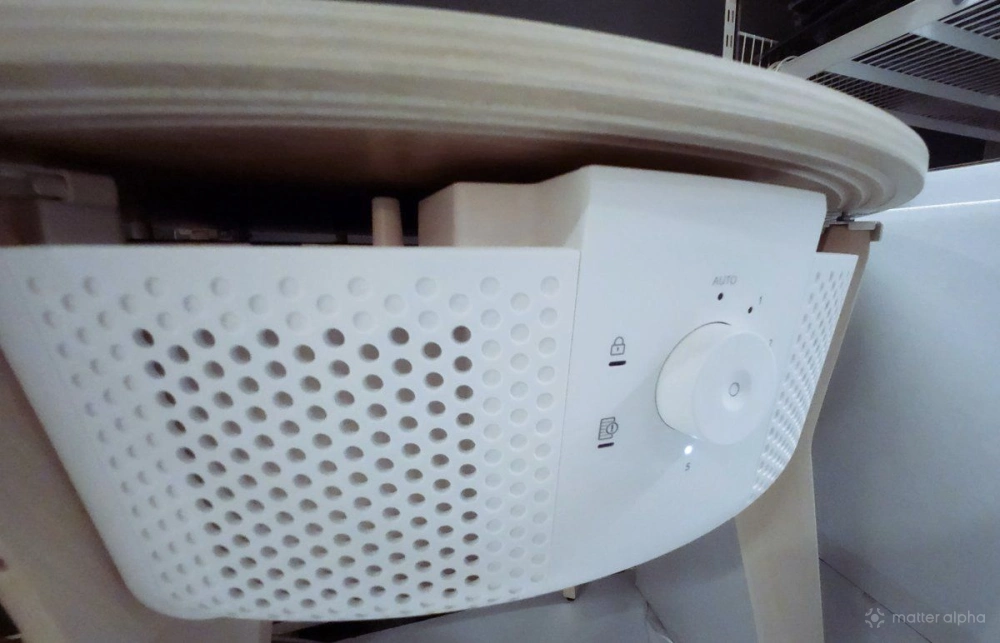
With larger devices like the Zigbee STARKVIND air purifier table, you may find this is on the shelf... but it's probably a display-only unit, and you'll probably need to visit the warehouse to find it. The smaller floor or table-standing STARKVIND purifier can often be found on the shelf, however.
For electric blinds, you will need to visit the appropriate section, which may unfortunately take you too close to cushions and rugs.
Things to know about buying Matter smart home kit at IKEA
One of the most impressive things about IKEA is its returned goods/warranty policy. If you buy something, and it doesn’t suit your home, or there is a slight miscalculation on size, they will take it back with a refund.
However, this doesn’t apply to electrical appliances like the DIRIGERA hub or smart bulbs and switches and sensors. Should you find you run into a problem with one of these devices, a different warranty is in place. Be sure to check this on the IKEA website before buying so you know what to expect.
Finally, be aware that some Matter-compatible IKEA devices are not stocked in all territories and stores. Again, take the time to research what is available where you are. Mail order/delivery is an option, but it comes with a hefty charge.
(Featured Image: Maria Kray/Pexels, IKEA store map: Atomic Taco/Flickr)