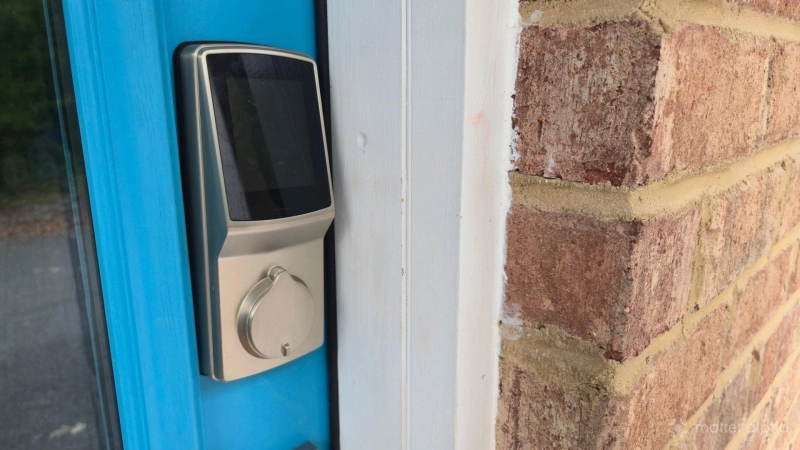
I’ve used smart locks for years, but they’ve never been Matter-compatible—until now. I recently installed adapters that added Matter to my existing Wi-Fi smart locks. Here’s what I learned.
I needed a Lockly Secure Link for my Lockly Secure Plus smart lock
I have Lockly Secure Plus smart locks on my doors. We bought these locks for their fingerprint scanner and their ability to scramble the digits on the digital keypad with each use, making it difficult to learn the PIN by looking over our shoulders. We largely ignored the Wi-Fi capabilities, since they require sending information to the cloud and using Lockly’s dedicated app.
These locks came out years ago, before there were many locks with Matter support. Plus, the Connectivity Standards Alliance is still working on the Aliro protocol specifically for smart lock features that aren't baked into Matter.
Lockly has since released a Wi-Fi dongle that retrofits Matter-compatibility onto my existing device, known as the Lockly Secure Link. This saves me from needing to replace my locks entirely, but it does introduce some problems not found in a lock with Matter built-in.
Setup was a breeze
These Wi-Fi adapters were painless to install. They come in two parts: an AC adapter with a USB-A port that goes into the wall, and a Matter dongle that plugs into the USB-A port. The latter is what connects wirelessly to my existing lock. It must be within 30 feet and, ideally, point toward the lock.
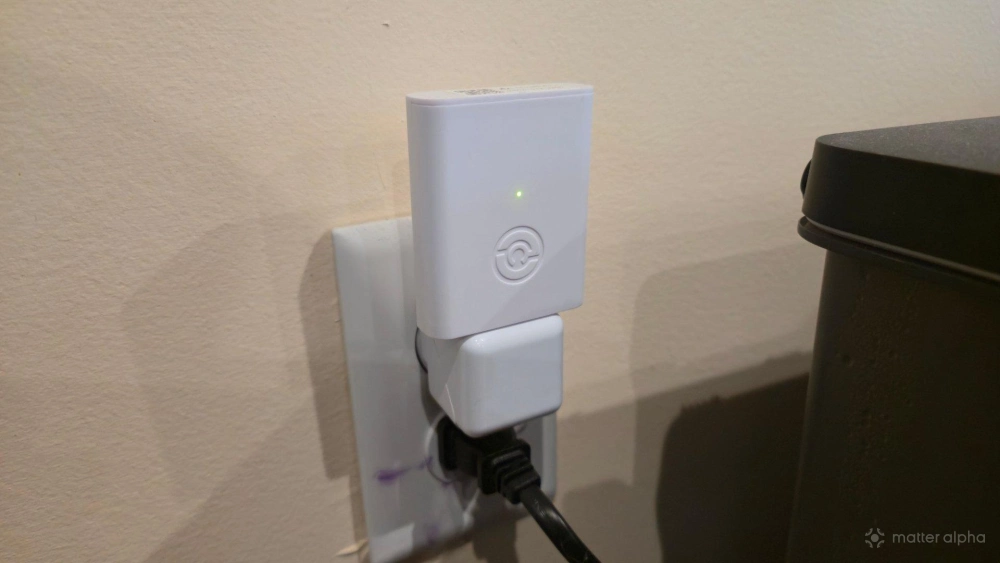
Don't ignore that last bit. I originally placed my Lockly Secure Link in the outlet closest to the door, but that one faces 90 degrees away. I found the resulting connection unreliable, dropping all throughout the day. When I placed the Secure Link on the other side of the room in an outlet that faces toward the door, the connectivity significantly improved.
The setup process was painless. Inside the Lockly app, I simply started the process of pairing a Secure Link, selected the lock I was looking to pair it with, placed the Matter Link in pairing mode, and then waited for the two to connect. It really was that simple.
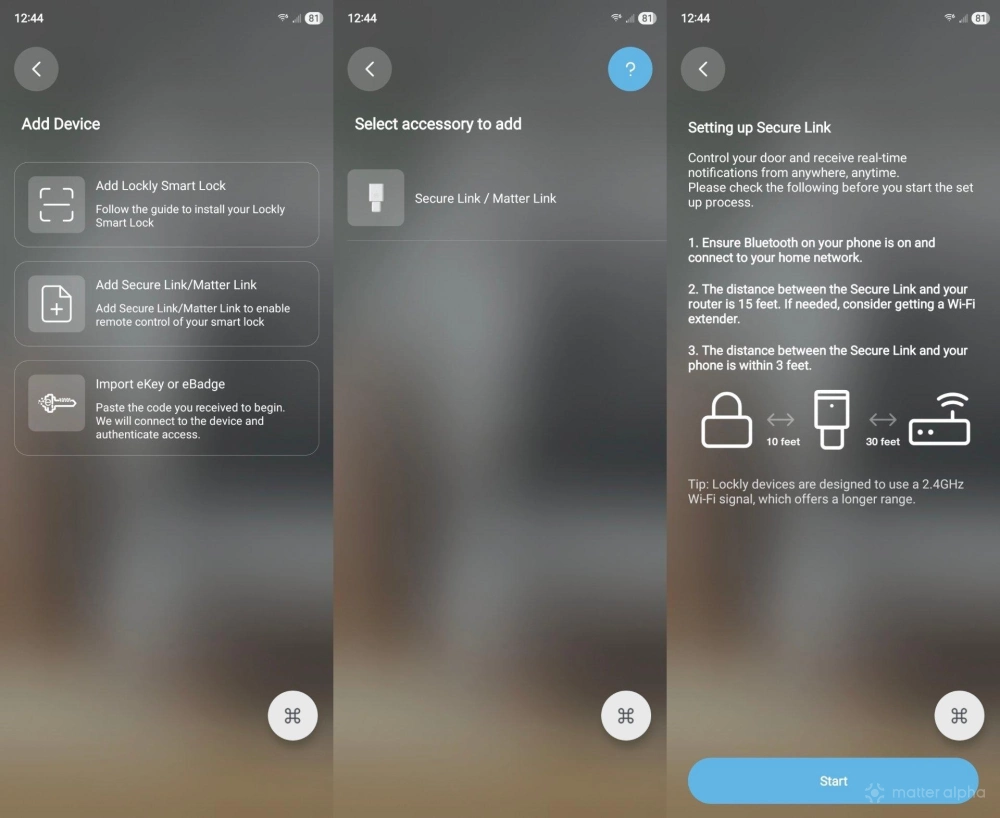
Since this requires the Lockly app, I’m not entirely free of dependency on that piece of software. Still, after installation, I’m able to ignore it. While I am saddened so many Matter products still require a bespoke app, I still consider this adapter worth a purchase in the end.
My lock now appears inside my smart home platform
With the Secure Link up and running, my next task is to import it into my smart home platform of choice. I started with Samsung SmartThings. Adding the lock is akin to adding any other Matter device, like adding a Matter motion sensor Samsung SmartThings. Simply scan the Secure Link’s provided QR pairing code. Then you assign the device a name and room.
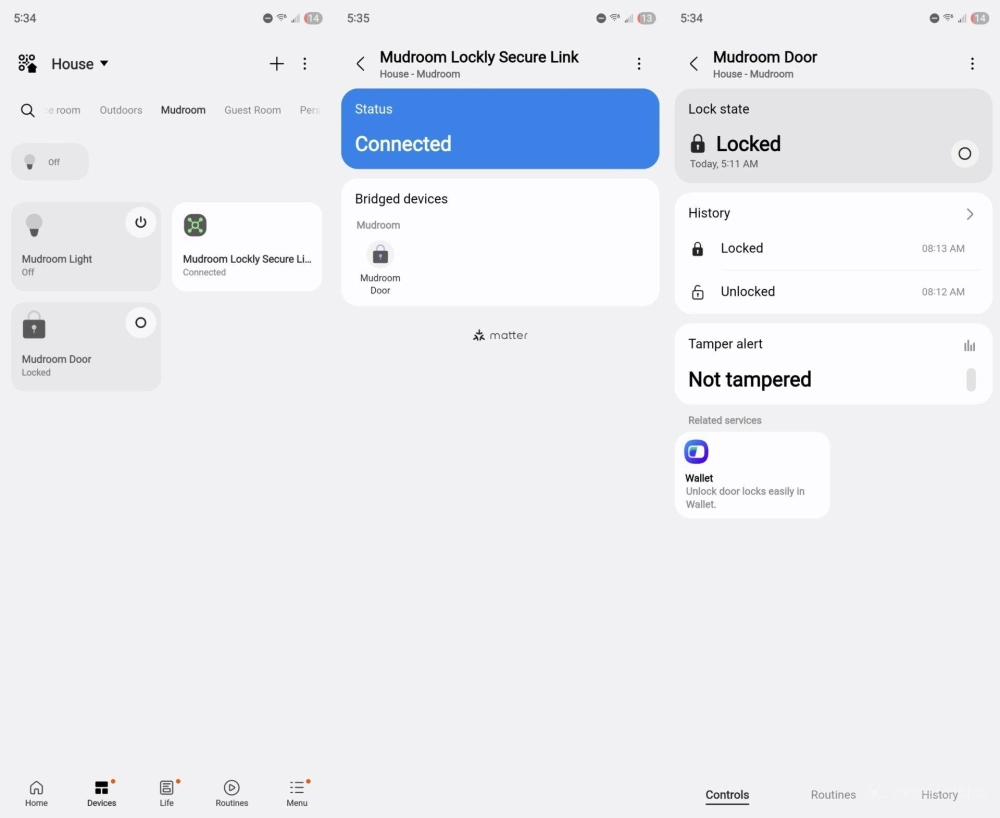
To add the lock to Home Assistant, I relied on Matter’s multi-admin feature, allowing a device to be controlled by two separate smart home apps at once. I open the lock in SmartThings, tap a share button, and select Home Assistant. It then appears inside Home Assistant, where I can again assign the lock a name and room.
This unlocks many possibilities
Why go through even this small amount of effort? Now I can control my locks using the same app I open to control my smart lights, thermostat, fans, and other connected devices. For me, I can stop here. It’s worthwhile enough just to be able to check whether my doors are locked and to control them remotely. I can lock the door at night if it has been left unlocked. I can also unlock the door for my kids while I’m still in the car or open it for guests, regardless of whether I’m at home.
This also creates the possibilities for automations, such as having the doors automatically lock at night at a certain time. I don’t personally have a garage, but those that do could have their doors automatically unlock when their garage door opens.
Is it worth getting a Matter-compatible for lock?
You can’t do everything with a door lock that you can do with other Matter devices. If I ask Bixby, Samsung’s voice assistant, to unlock my door, it says it cannot for security reasons. There are limitations on automations as well.
Sadly, there have also been some kinks. Before I found a good spot for my Secure Link, it would lose and regain connection all throughout the day, pinging me with notifications each time. But at the end of the day, being able to control my locks from within my smart home apps is enough to justify the purchase. If I were to replace my existing locks in the future, I would only consider models that already have Matter support built-in. Be sure to check out the best Matter-compatible smart door locks if you're looking to make a purchase sometime soon.