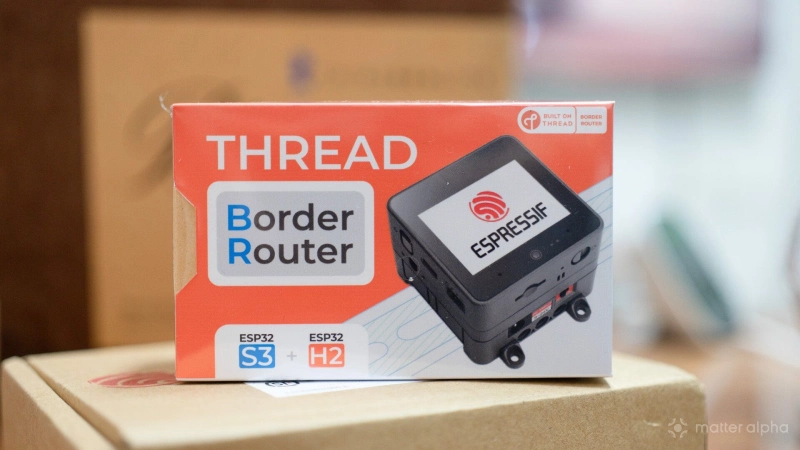
Espressif and the M5Stack team released a new OpenThread Border Router (OTBR) kit earlier this year to fix a major smart home blind spot. Thread mesh networks often operate invisibly in the background, making it incredibly difficult to troubleshoot offline sensors or manage device credentials without relying on a rigid commercial smart hub. Now it is easier with the kit.
I have been using it since early testing, and the firmware is now stable enough to recommend as a highly capable alternative to those standard hubs. Combining a portable battery stack with an interactive touch screen, this kit finally puts physical network control and local credential sharing directly into your hands.
What makes the kit special
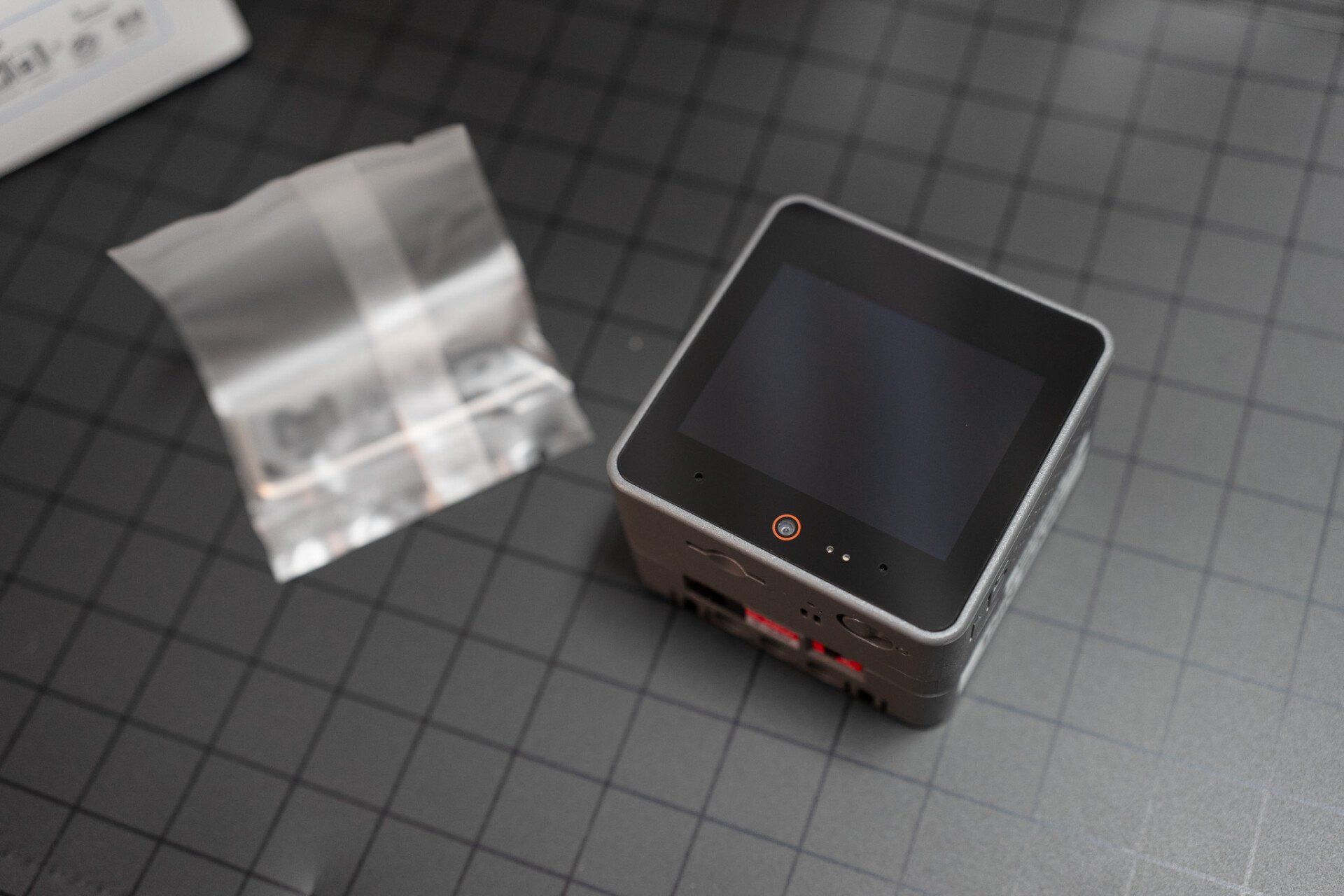
If you have read our previous article on how to configure an open source border router [https://www.matteralpha.com/how-to/how-to-build-a-thread-1-4-border-router] at home, you would know that Espressif, the notable internet of things chipmaker, has been exploring Thread connectivity for years. There was a reference development board which combined an ESP32-S3 and ESP32-H2 to set up as a routing bridge. Now the team moves forward with collaboration from the Thread Group to bring it to a more user-friendly platform with M5Stack. They can utilize the touch screen to demonstrate one of the most important features: credential sharing via ephemeral codes.
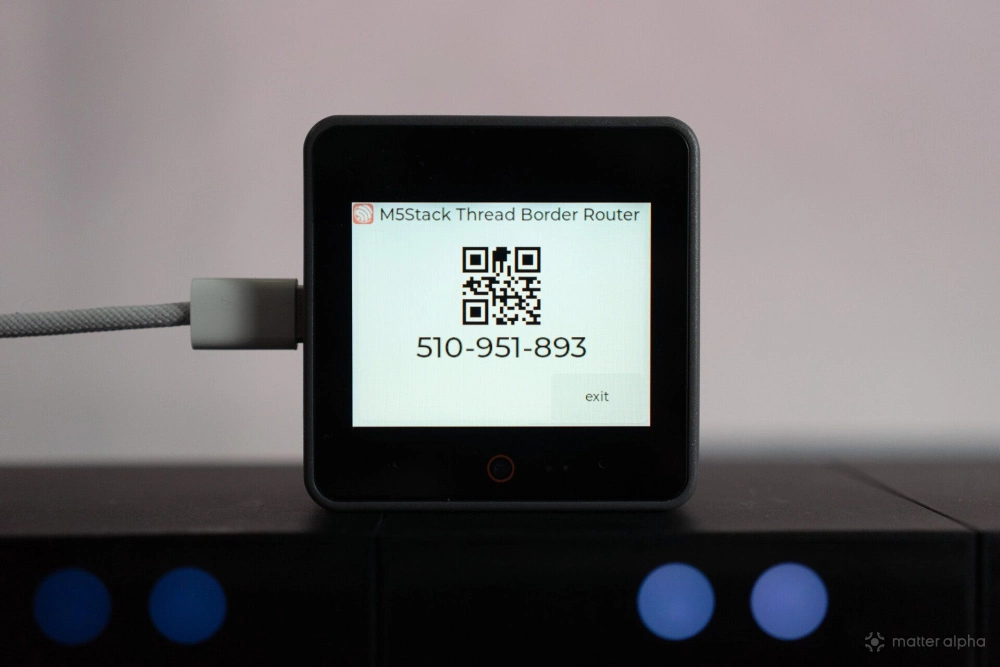
And the M5Stack kit has a battery “stack”, so it can be used in more diversified scenarios. Because it has a built-in battery module, you can unplug the router and temporarily place it in dead zones around your house to test network range and reliability without losing power.
Set up your kit
When you receive the kit, the first thing is to check if it has updates, as the latest version contains critical features and fixes. You can use a USB cable to connect it directly with your Mac or PC. Open up Chrome or any chromium based browsers. You can flash firmwares on the Espressif GitHub.
If your M5Stack did not boot up with the Espressif logo, press on the power button next to the USB cable and proceed.
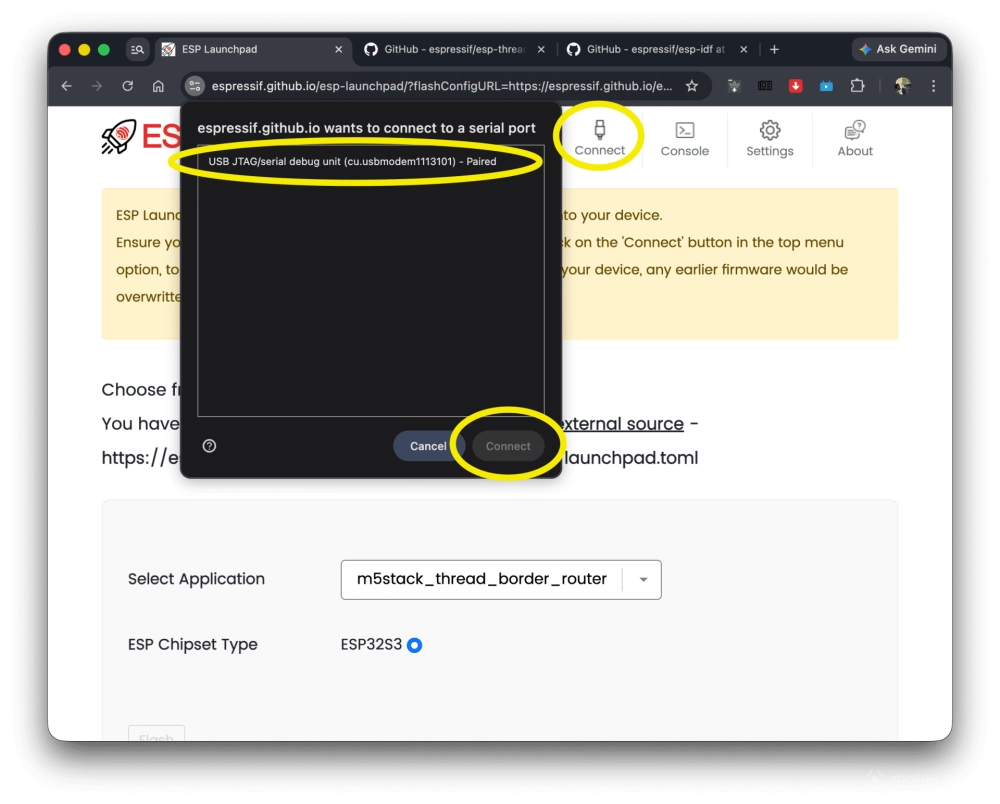
From the flashing page on Chrome, click Connect. Your browser would ask you to connect with a Serial port, find the one from the list. You can unplug other USB devices, or power cycle your M5Stack to know which listing is the right one. Select connect.
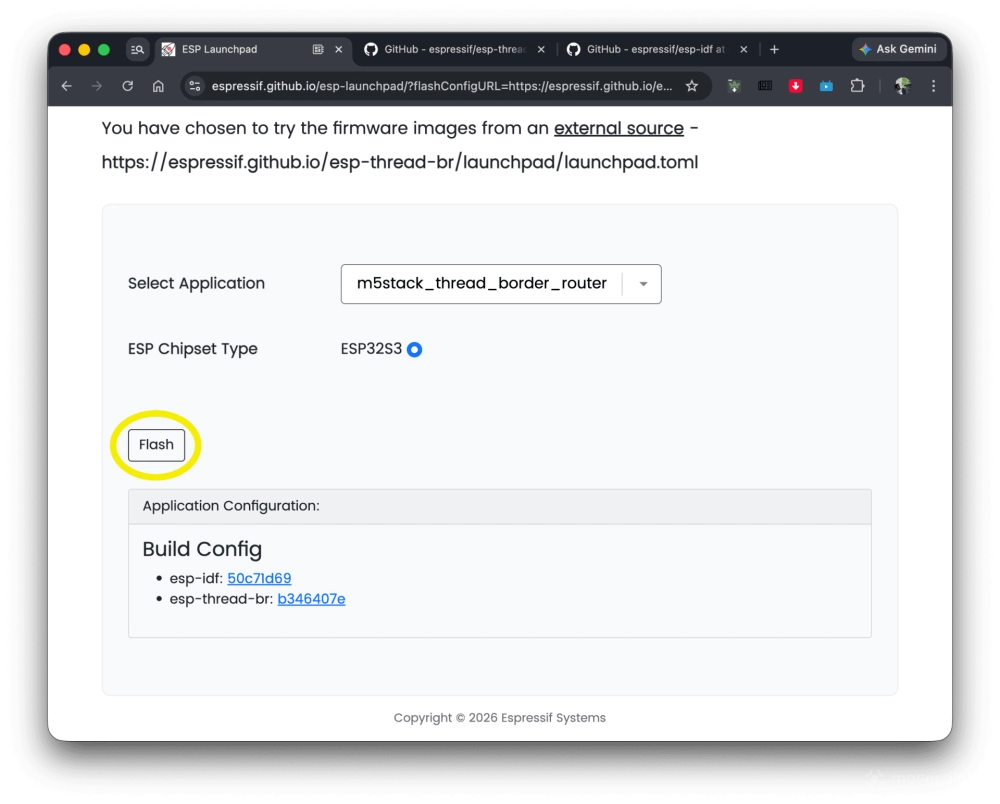
From the main page, click Flash. You will see a promotion when it finishes flashing. Once secured, click Reset Device to finish the device update.
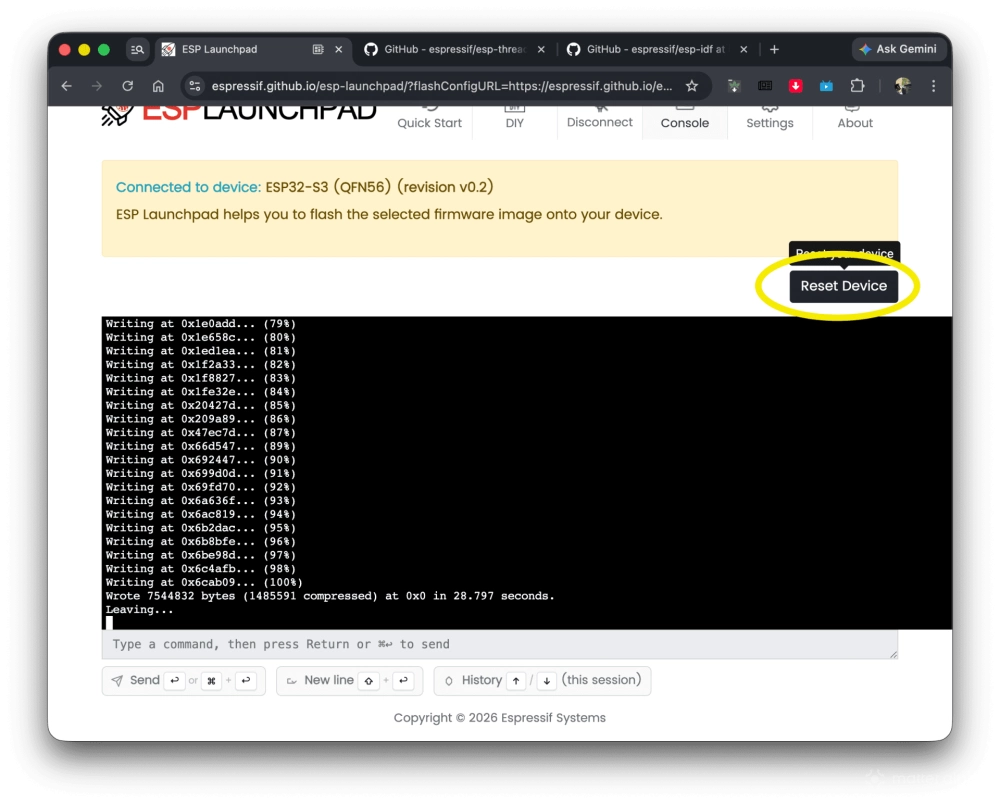
The terminal and your kit would show a Wi-Fi name and IP address. Connect it with your PC or phone, and your system would pop up a prompt for you to configure Wi-Fi connection. If it did not work, enter the IP to your browser to configure the Wi-Fi manually.
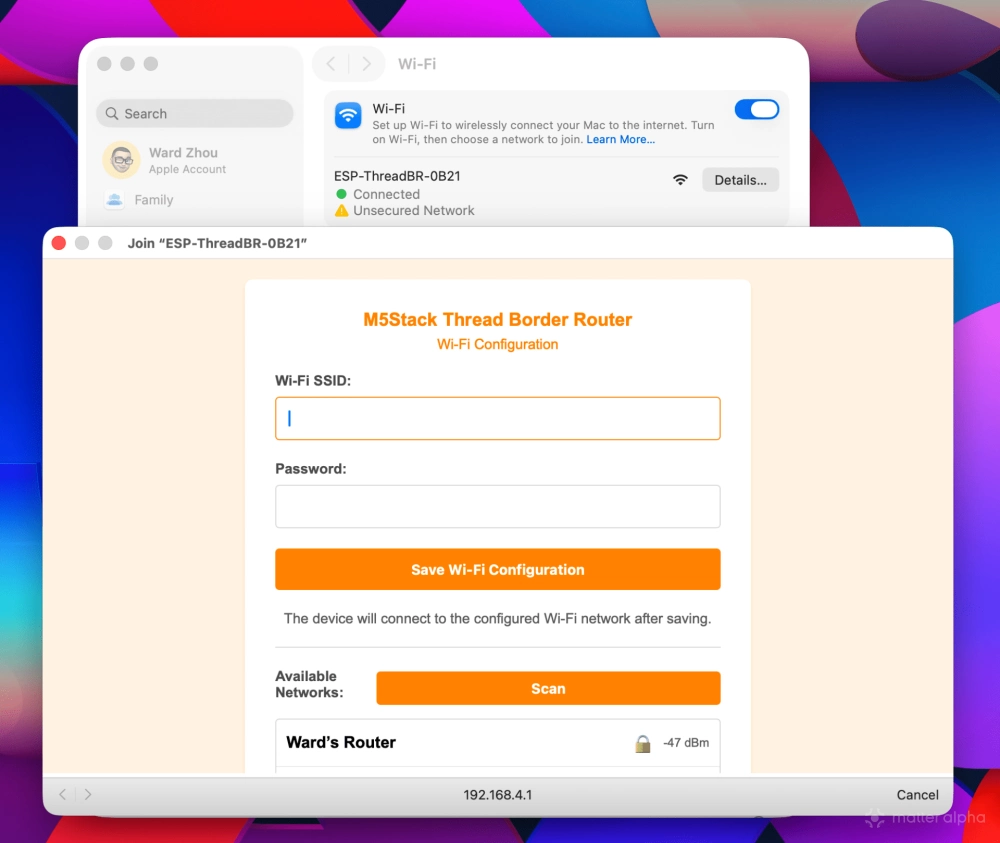
Once it is connected, you are ready to configure its Thread and use it for the Matter ecosystem.
Share credentials
As of when we post this guide, the kit will only support one way to share credentials via “ephemeral codes”. So if you want to use it for an existing ecosystem, it could be tricky. Here are some options for you.
The easiest way is to use Home Assistant to handle all the work. If you have not set up one yet, there is the official guide to set it up. My recommendation is HAOS, as it has better support from the kernel and network level for Matter compared to the Home Assistant Core.
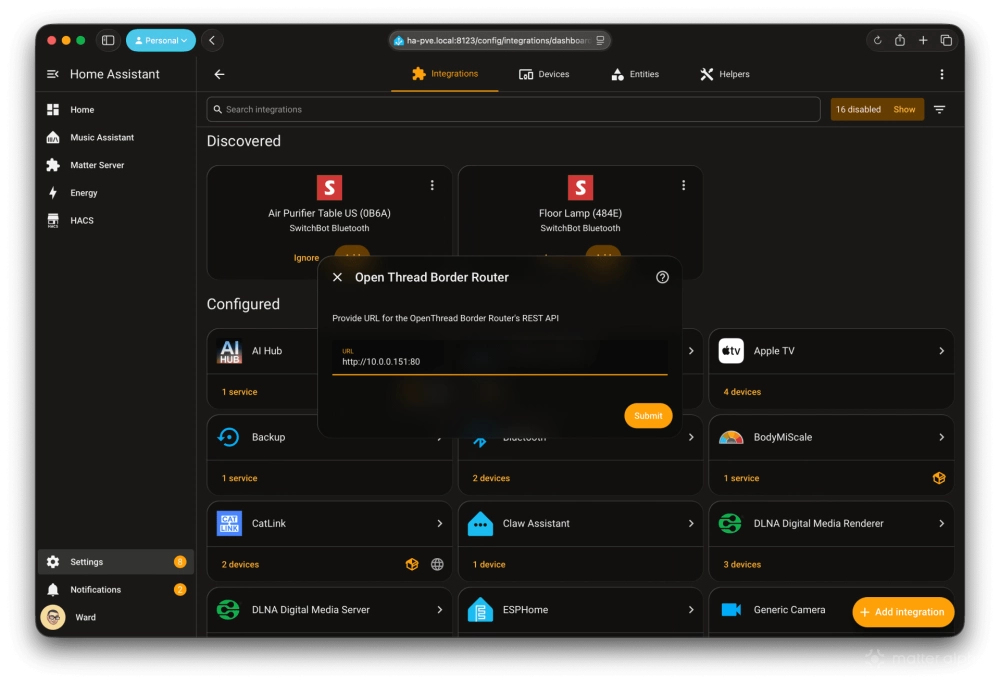
Open up your Home Assistant web console, go to Settings, Device and Services, click Add Integration. Search Open Thread, then click Open Thread Border Router. Enter http://[IP provided from your OTBR kit]:80 then submit.
*The link can also lead you to a powerful web console to view your network topology and troubleshoot devices.
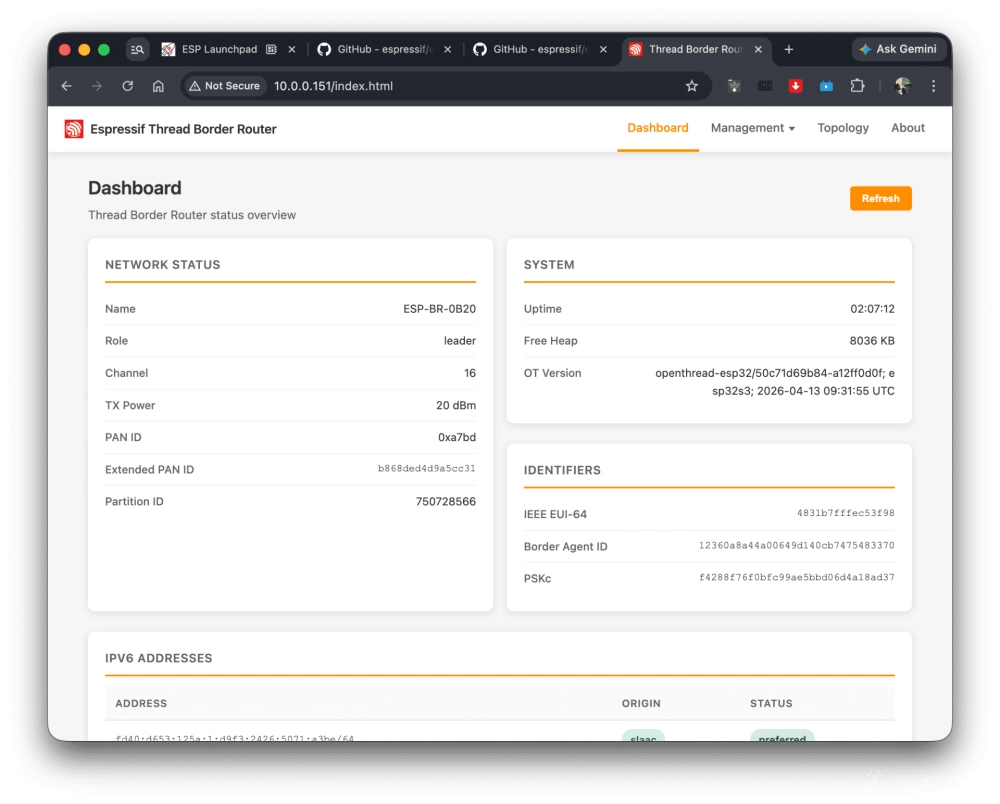
Then go to the page of Thread integration in your Home Assistant. Scroll down to find a new Thread network like ESP-BR-XXX. If your last move succeeds, there would be a button to make it the preferred network. Then click the button Send credentials to the phone, so your phone would know the Thread network and allow you to add new Matter devices to it.
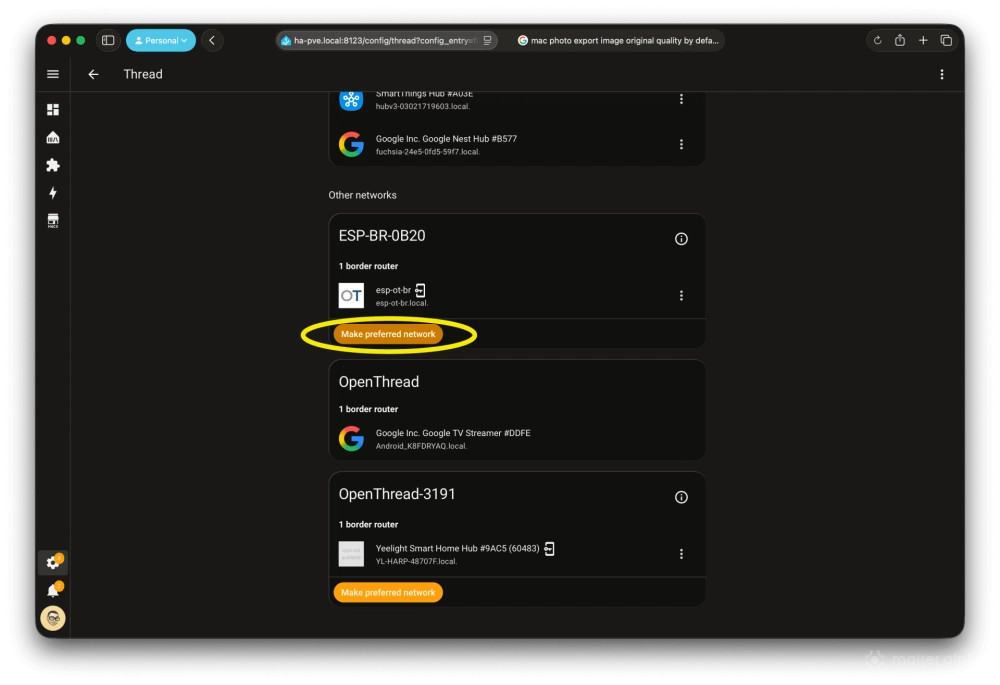
If you do not have other border routers at home and want to use it from now on with Home Assistant, then click that button. Click Send credentials to the phone on the same page opened on your smart phone Home Assistant Companion app. During the process, you would be asked if the app is allowed to access your smart home data. Allow it, or Home Assistant cannot send it to your iCloud or Google Service so other ecosystems rely on it to work as expected.
Managing existing ecosystems
If you already have an existing smart home ecosystem, ensure it is set as the preferred network within Home Assistant. If you see notions listed as preferred, you need to import Thread credentials from your phone or your vendors. I would give you a quick step for Apple and Google, which is enough to cover most users.
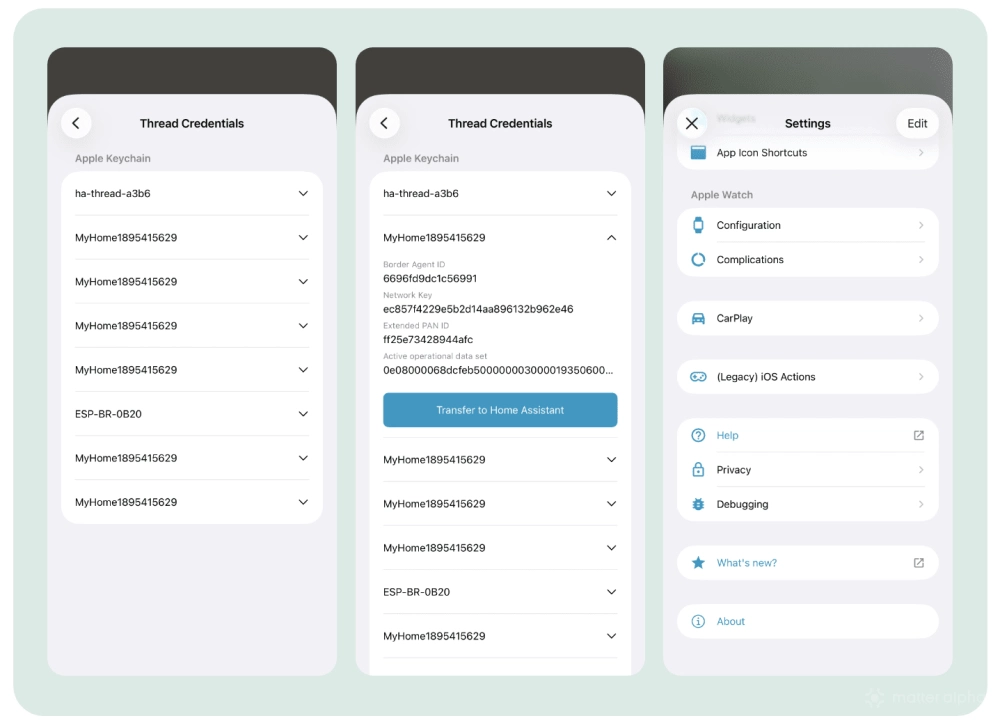
Use your smart phone Home Assistant companion app, go to Companion App settings, scroll down, click Debugging, Thread, and wait for a while till your phone asks permission to access Home data. Once approved, you would see a list of all Thread networks your phone has credentials for. Select the one you use, and click Transfer to Home Assistant. Then go back to the Thread Integration page, and a new button would show up to make it a preferred Thread network.
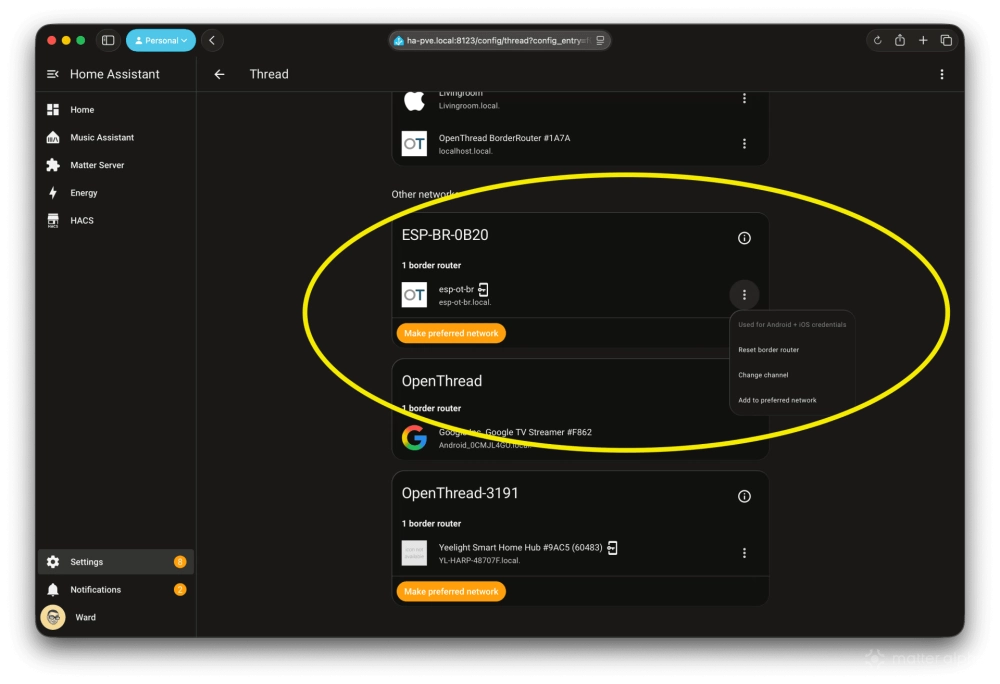
Then click the three dots menu next to the esp-ot-br, click Add to preferred network. Shortly it would re-list under your main Thread network created by other ecosystems.
Due to the length of the article, I will save the words for a separate article on how to make all the border routers talk with each other, as the Thread ecosystem is still messy.
However, to allow other ecosystems to join with support of ephemeral codes is pretty easy. Tap on your M5Stack screen to generate a code. From the platform app that supports this feature, enter the code which allows them to join the network formed by the M5Stack Kit.
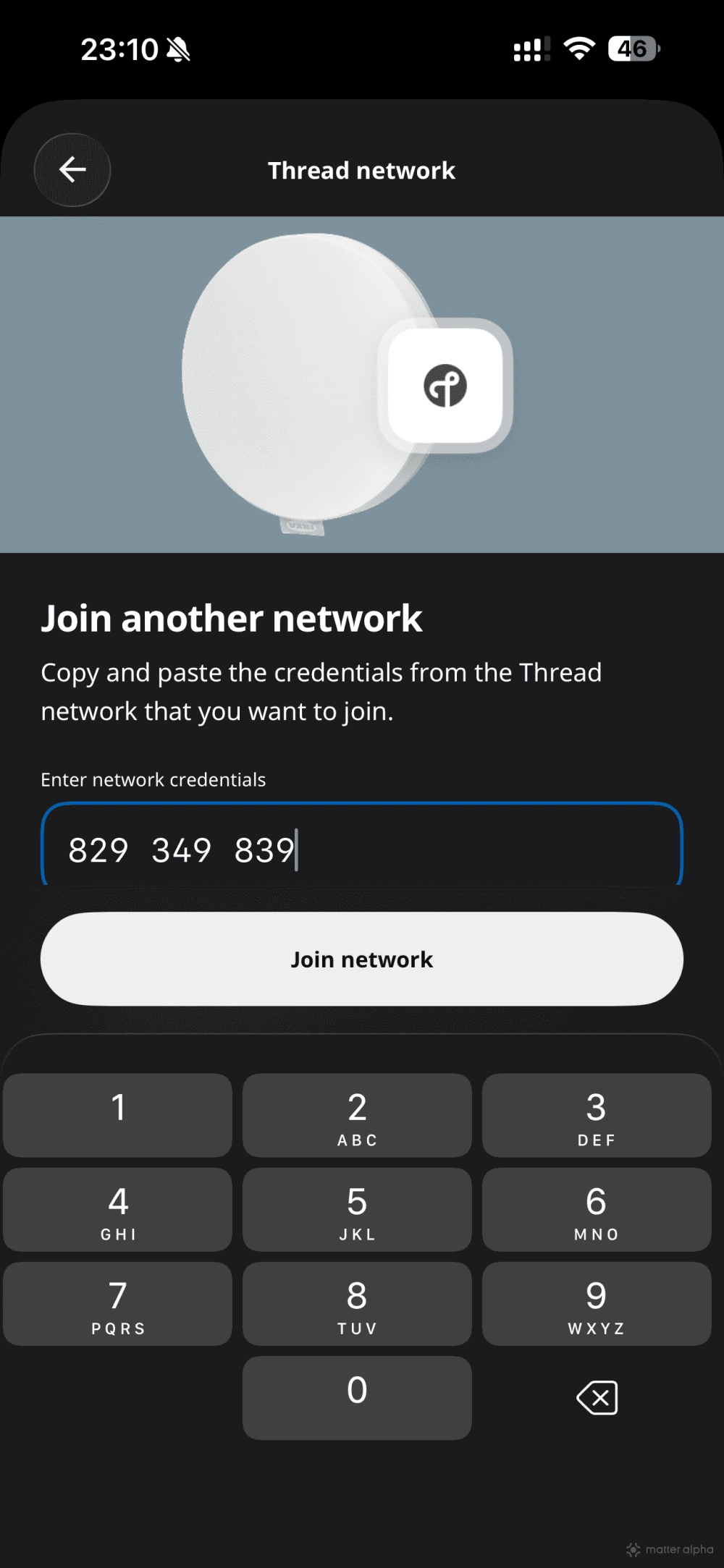
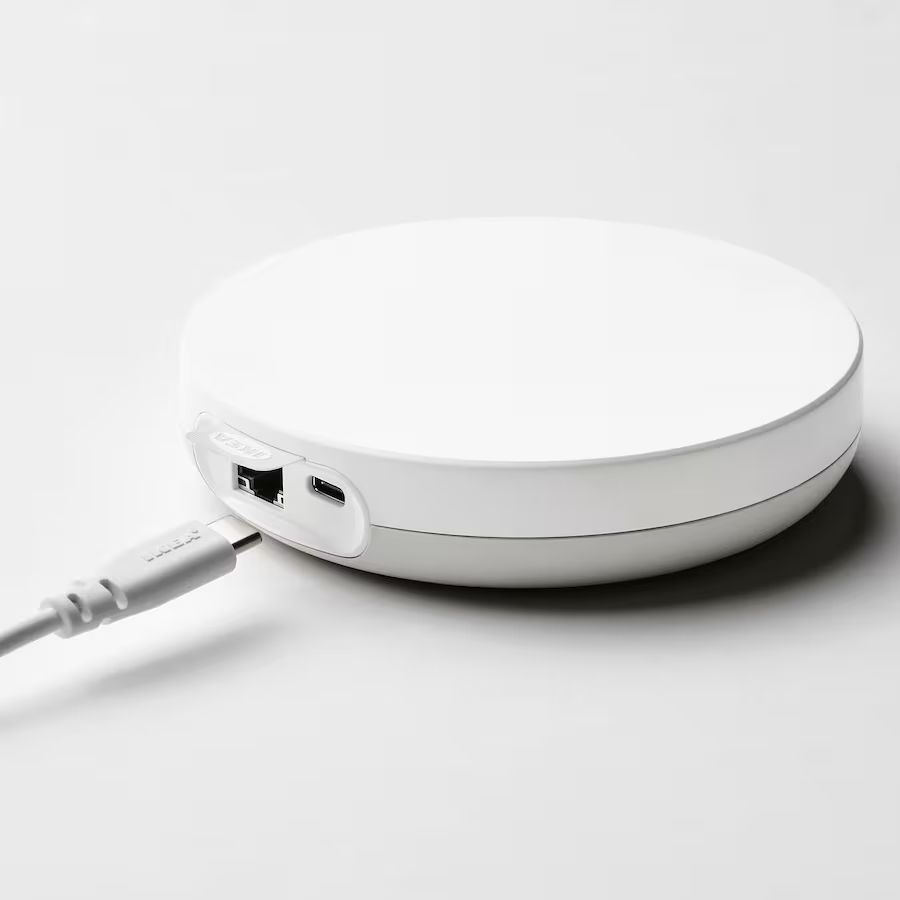
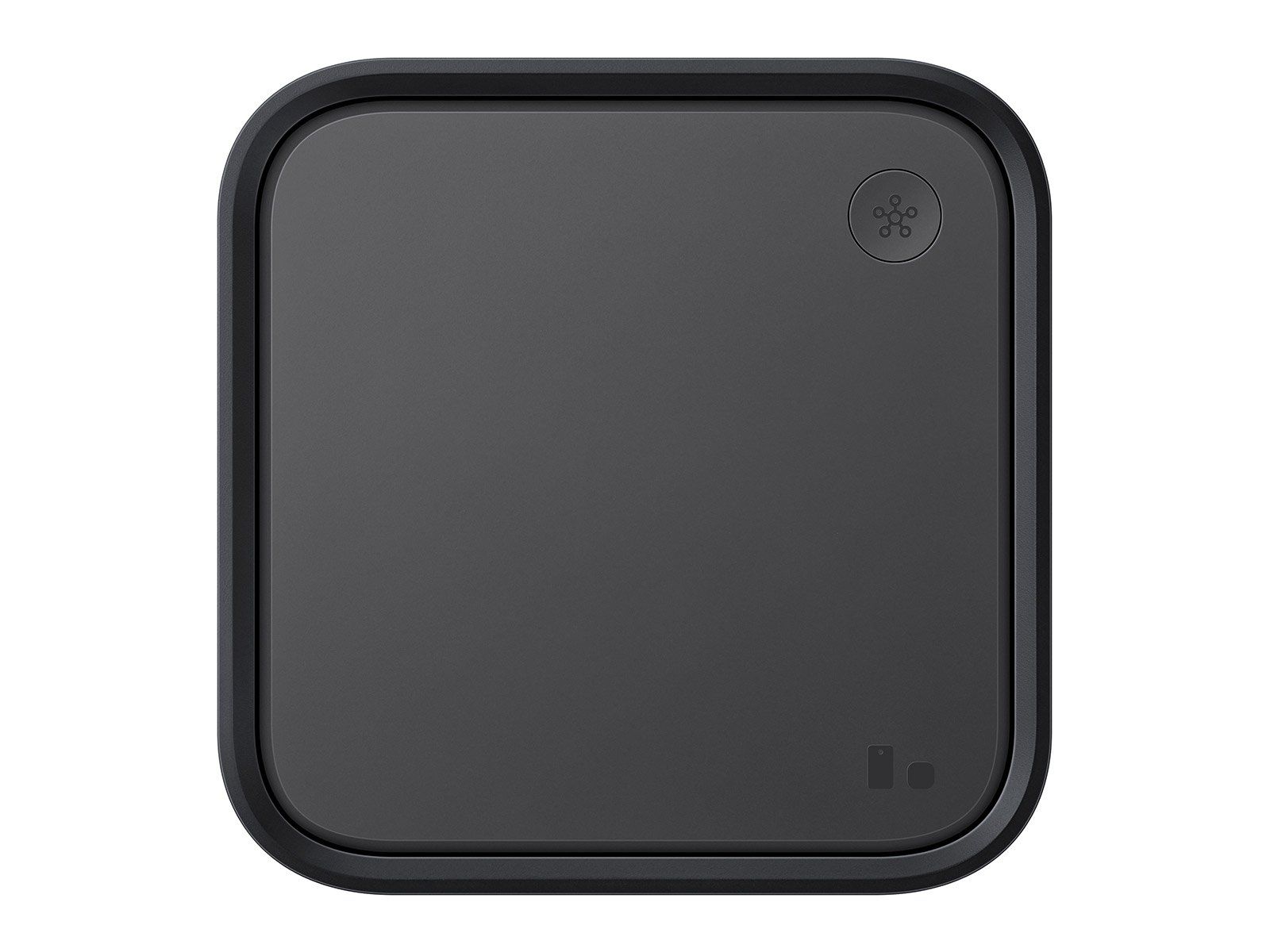
So far, SmartThings and the IKEA DIRIGERA platform are the only two platforms supporting this specific joining feature. You can check the detailed guide separately. Espressif team told Matter Alpha over a phone call that they plan to add the capabilities to the OTBR Kit.
M5Stack Thread Border Router is now available on vendor website, priced at $49.99.
(Image: Matter Alpha/Ward Zhou)