The Matter.JS Server, also known as the Open Home Foundation (OHF) Matter Server, just received a highly anticipated upgrade to version 0.6.3. This new release fills in the final missing puzzle piece for Thread network topology visualization by integrating crucial identification data about your Thread border routers.
A powerful tool
If you have used the server dashboard previously, you likely noticed that the topology visualization basically relied on data pulled from standard Matter clusters. The server would pull this local diagnostic data to generate a visual mesh map of your smart home.
However, the most critical backbone devices of that mesh, the Thread border routers, were listed simply as unknown nodes. This happened literally because the Matter devices usually do not hold direct diagnostic information regarding the Thread border routers. It sometimes creates a frustrating experience when trying to debug connection drops or unresponsive sensors, especially when you have a multiple thread border router setup.
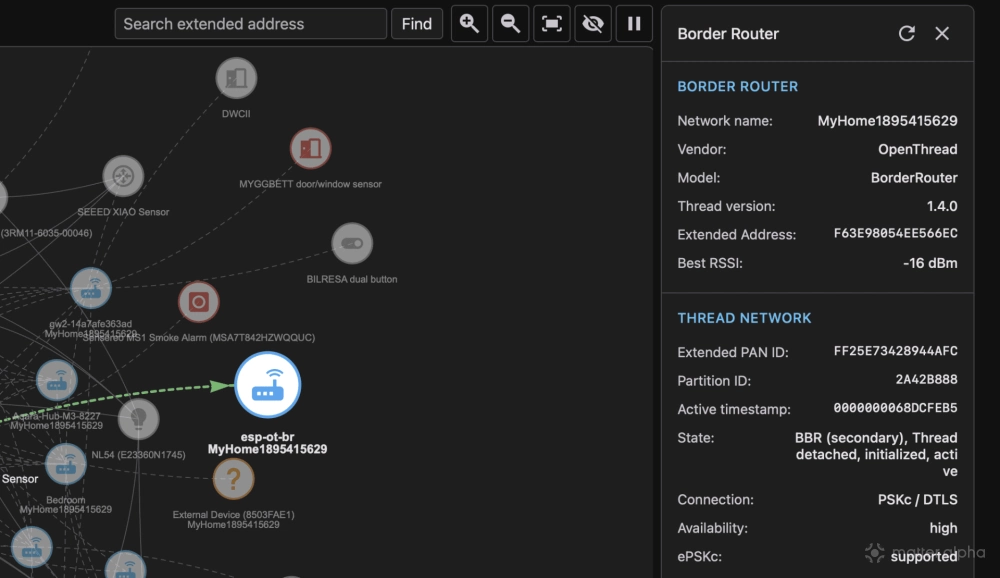
The new version steps further to solve this network blind spot. Working together, the Open Home Foundation Matter team and the open-source community found a way to properly label these mystery nodes with mDNS inquiry and matching. The updated topology map now identifies your border routers with proper device names, ensuring you are easily aware of exactly which routers are connected to which smart home devices at any given time.
This update provides a massive boost to your local diagnostic capabilities. Because you can finally see the exact border router handling a specific connection, you can easily pinpoint the root cause of a failing network route or a weak signal bridge. Most importantly, you can now confidently reboot or remove the specific hardware troublemaker to quickly stabilize your entire Thread mesh. For anyone running a complex local smart home setup, this updated dashboard is quickly becoming an essential tool for maintaining a reliable Thread mesh.
How to use the Thread network topology visualization tool
The best and most accessible approach is to use the Open Home Foundation Matter Server within Home Assistant OS. Before testing any beta software, make sure to back up your entire system.
To get started, go to your Home Assistant Settings, find the Matter Server add-on, and open its details page. Click the Configuration tab, where you will find a toggle to enable the Beta Matter.JS server. Click Save, and Home Assistant will prompt you to restart the add-on.
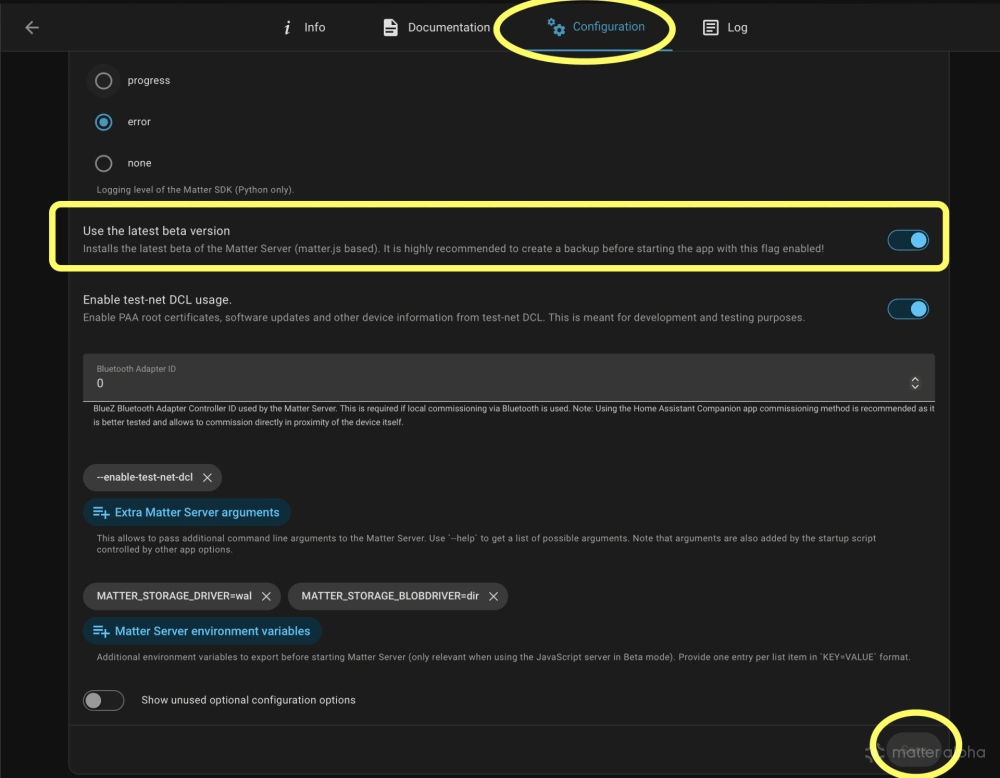
The Matter Server automatically pulls the latest Matter.JS components on every boot (0.6.4 is the latest as of the press time). Once it installs correctly and starts running (you can monitor this progress from the Log tab), return to the Info page. Toggle the “Show in sidebar” option, and then open the WebUI directly from your main Home Assistant sidebar.
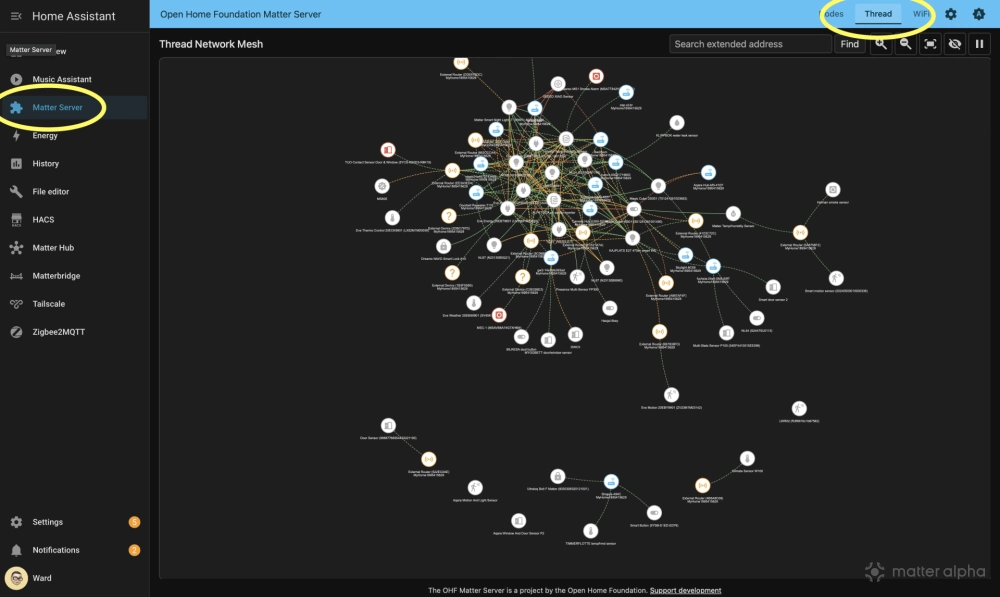
Inside the dashboard, you will see three main tabs: Nodes, Thread, and Wi-Fi. Click the Thread tab to view a complete overview of your Thread topology. You can click on each individual node to check its routing details. If you notice a cluster of device nodes suddenly drop offline, rebooting their attached Thread border router will usually fix the issue.
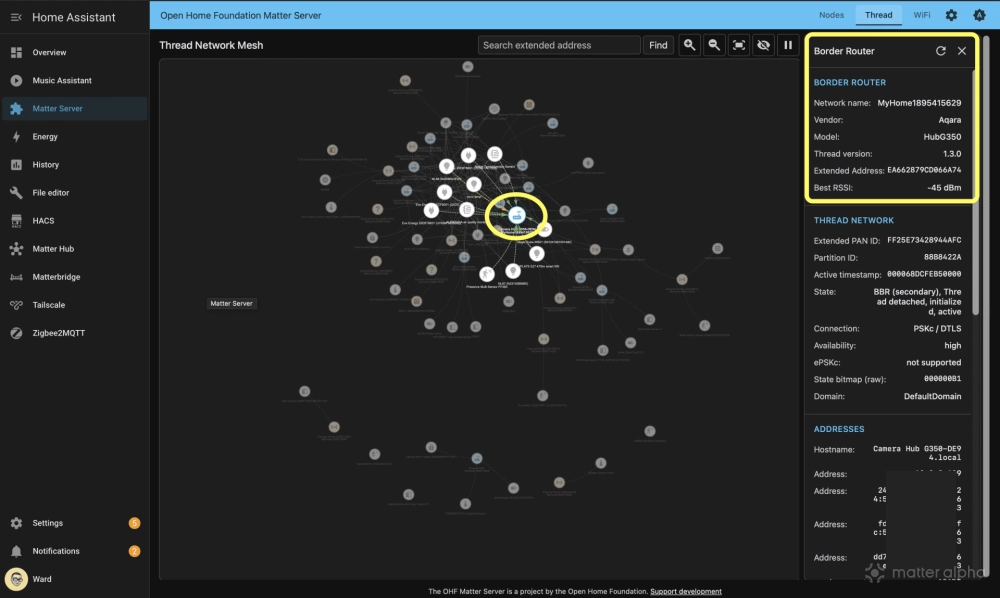
(Source: Discord, GitHub; Image: Matter Alpha/Ward Zhou)