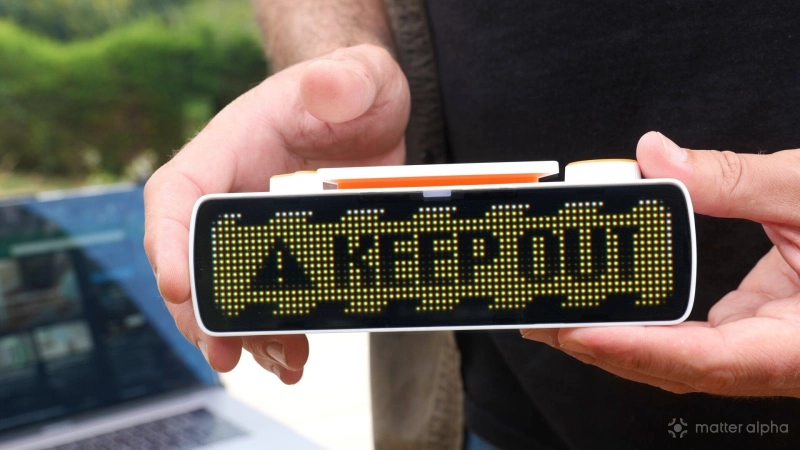
You don’t need to go to extremes, like moving your office into the garden, just to remove distractions. But you do need some way to deal with the constant distraction of… people.
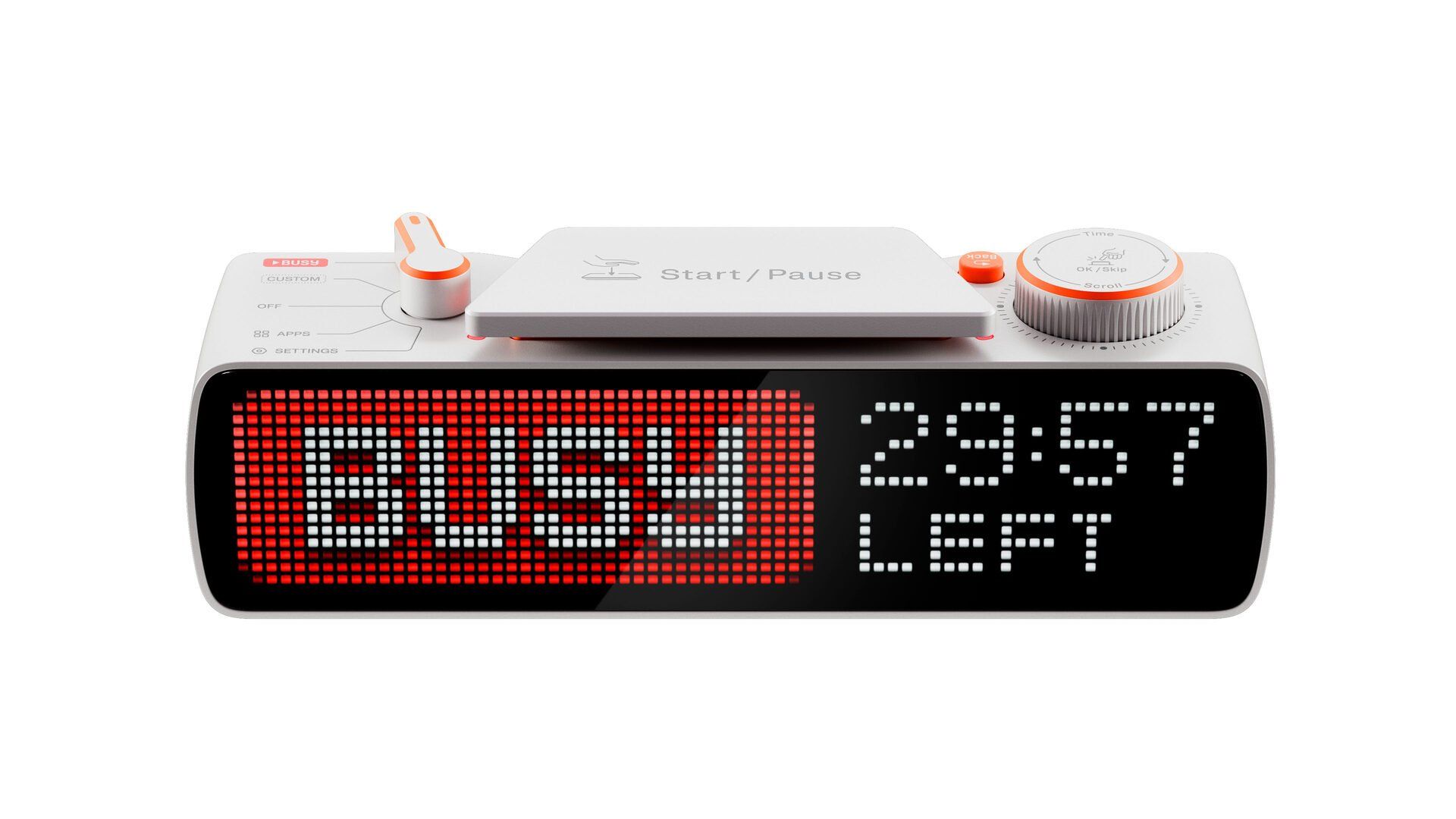
From the makers of the infamous Flipper pentesting multitool comes an equally useful productivity tool. The Busy Bar is difficult to describe because it’s many things, but at its core, it’s a Pomodoro timer with a visual display showing whether you’re busy, streaming, or on a call.
It’s designed to help reduce human distractions, but it’s also a two-way interactive device. Once you hit that Busy button, the accompanying Mac or smartphone app can forcibly stop other distractions by putting you into a focus mode, disabling other app usage, turning off notifications, and so on. And the Matter-compatibility means that you can automate around your busy status, such as locking the door and dimming the lights.
It can start to feel like a very over-engineered and expensive replacement for simply closing the door, writing “BRB,” and exercising a modicum of self-control. But it’s the additional features that push it into the realm of being genuinely useful, as well as a really innovative and unique idea with huge potential. That’s exactly the sort of weird gadget I like, and I’d expect nothing less from the makers of the Flipper Zero, which took its name from the lovable dolphin.
The Busy Bar retails at around $200 (or £185).

Buttons, dials, toggles, and displays
The Busy Bar is a very tactile product, with a playful set of buttons and toggles. They’ve also promised optional silicone covers so you can add your own color flair. Looking at it from the main-screen side, on the left is a rotating five-way selector. This switches between the Busy state, which is the main feature of the device, a custom state, Off, Apps, and Settings.
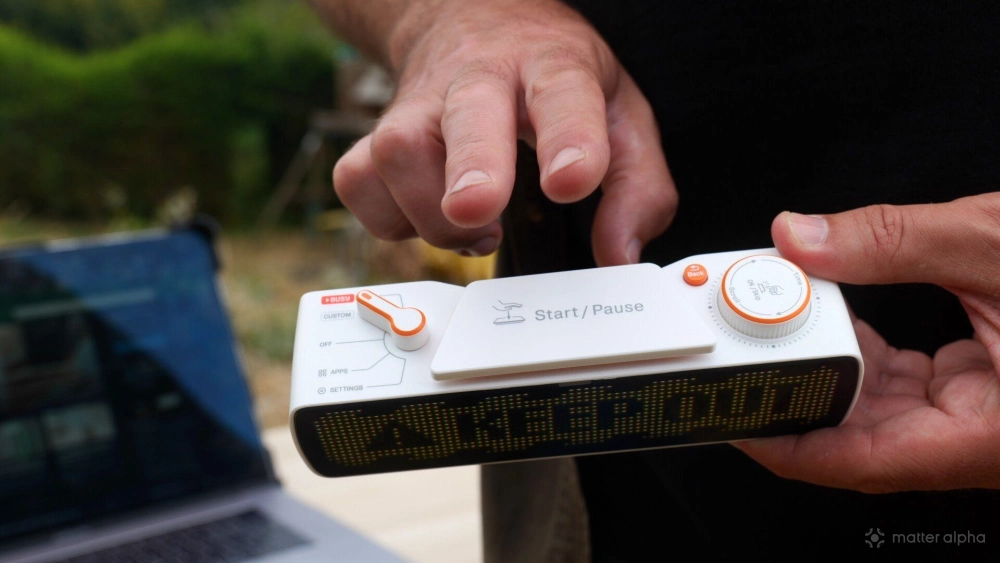
In the center is a massive Start/Pause button that’s super easy to press and satisfyingly clicky. A tiny orange push-button next to that acts as the Back button. Finally, on the far right is a dial with a built-in push-button for scrolling, selecting, increasing the timer, and so on.
The main display on the front is a 6.35-inch, 16 x 72 RGB pixel display with a 60Hz refresh rate and 800 nits of brightness for easy visibility.
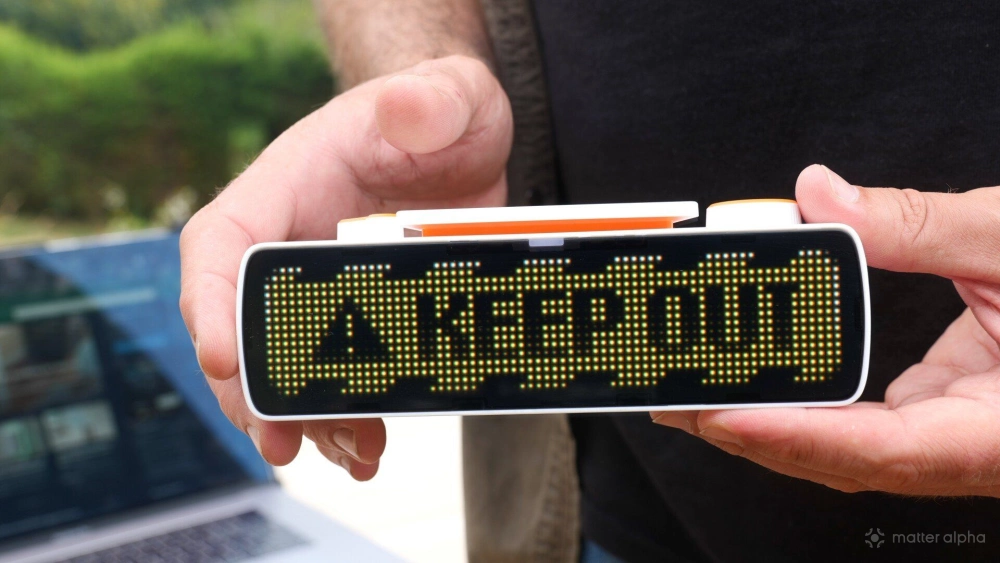
On the rear, there’s also a much smaller monochrome 160 x 80 OLED display. That’s the side designed to face you when the Busy Bar is mounted on your monitor. It isn’t exactly a duplicate of the main screen. It’s more information-dense, but it does broadly mirror it. If you have a timer running, or you’re navigating the menus, it’s simply easier to read everything close-up on that rear screen. The other benefit of the monochrome screen is that it’s easy to ignore. It doesn’t have flashy color LEDs constantly fighting for your attention.
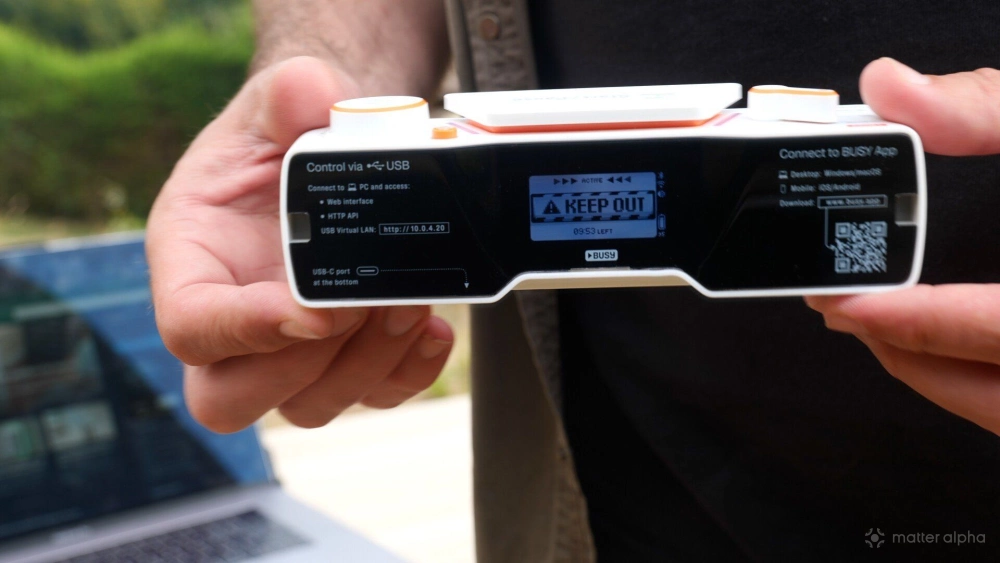
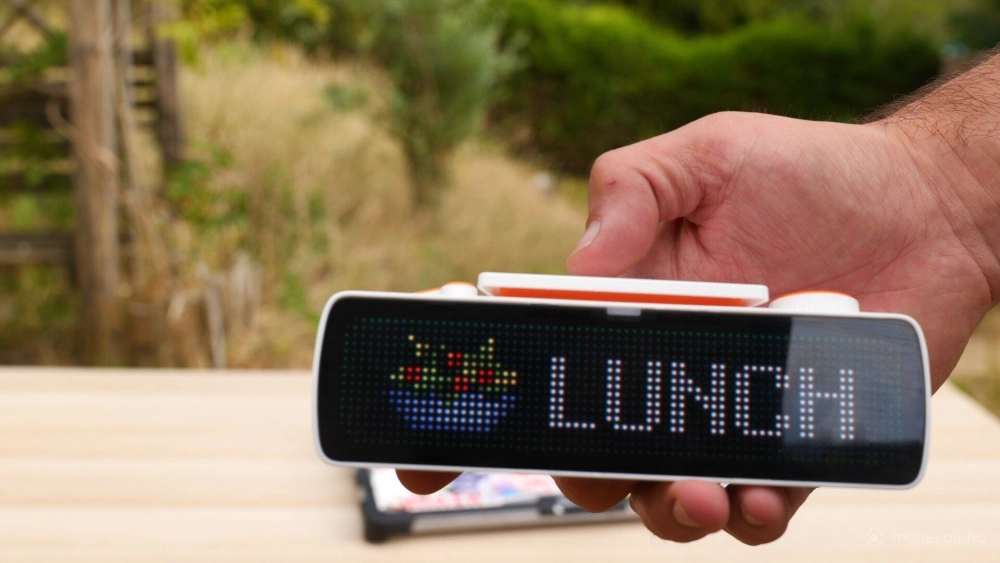
The Busy Bar is fundamentally designed to be placed on top of your monitor, with the larger screen facing outwards towards anyone who might approach you. In that configuration, it clearly indicates whether you’re in a busy period or taking a break.
That’s not the only way it can be used, however. It’s also happy sitting on a desk, or it can even be placed on a shelf outside your office. A wall mount is available separately.
It’s remarkably adaptable and hackable, allowing you to configure it to do exactly what you want. You don’t actually need the rear screen or even need to touch the buttons particularly often. It can simply work as a display device outside your office, with everything controlled remotely through the various apps.
However you want to use the Busy Bar, you probably can.
Pomodoro timer
At its core, the Busy Bar is a Pomodoro timer. That’s the main function. For those unfamiliar with the concept, a Pomodoro timer is a system for working in short, focused blocks. You might work for 20 minutes, take a five-minute break, and then repeat the process. You can of course easily customize the lengths of your work and break times using the device itself. If you want a 10-minute block of focussed work with 50-minute break, which sounds like a more sensible balance to me, you can do so.
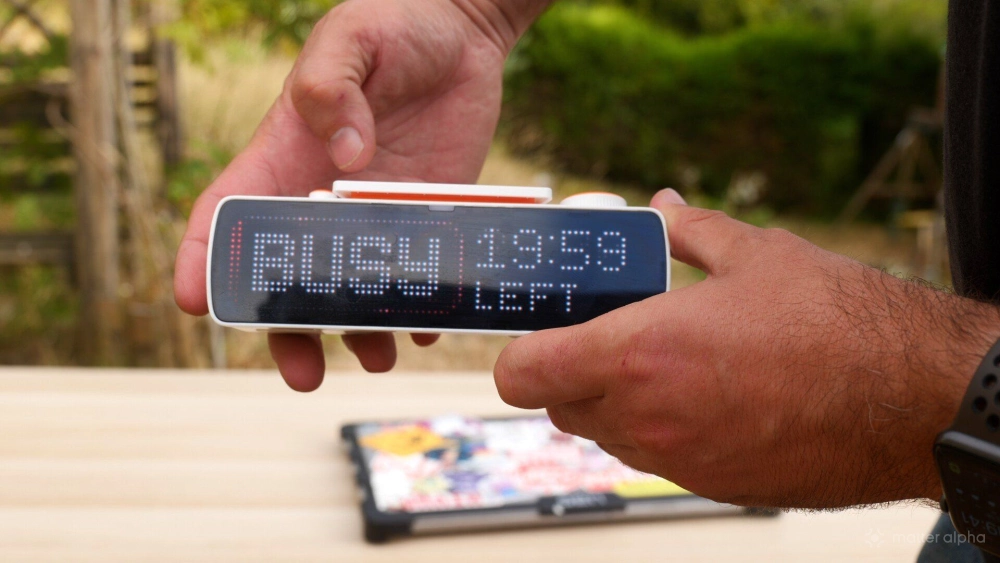
It’s a productivity technique that some people swear by, and there are hundreds of overpriced Pomodoro timers available to buy, from digital sand timers to little cubes that you flip around. The Busy Bar is much more than just a timer, though. If you literally only wanted a Pomodoro timer, this would represent pretty bad value. It’s the additional integration and hackability that make it so cool.
Matter support
I mentioned Matter support because we wouldn’t be reviewing it otherwise. And its implementation is a little strange. You might think the broad selection of buttons means it functions as a scene selector, like the Flic Twist, but it isn't. Instead, the Busy Bar presents itself as a single lighting-device endpoint with an on/off state.
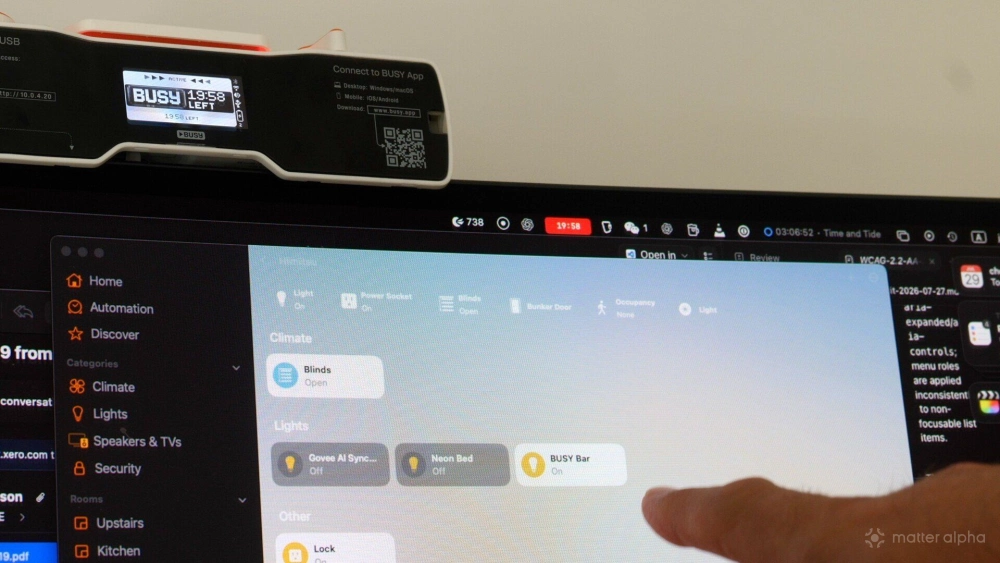
Turning that endpoint on starts the Busy-state timer. Turning it off disables it (not pauses). The Pause button on top of the device still works to pause the timer, but switching it off through Matter will stop the timer completely.
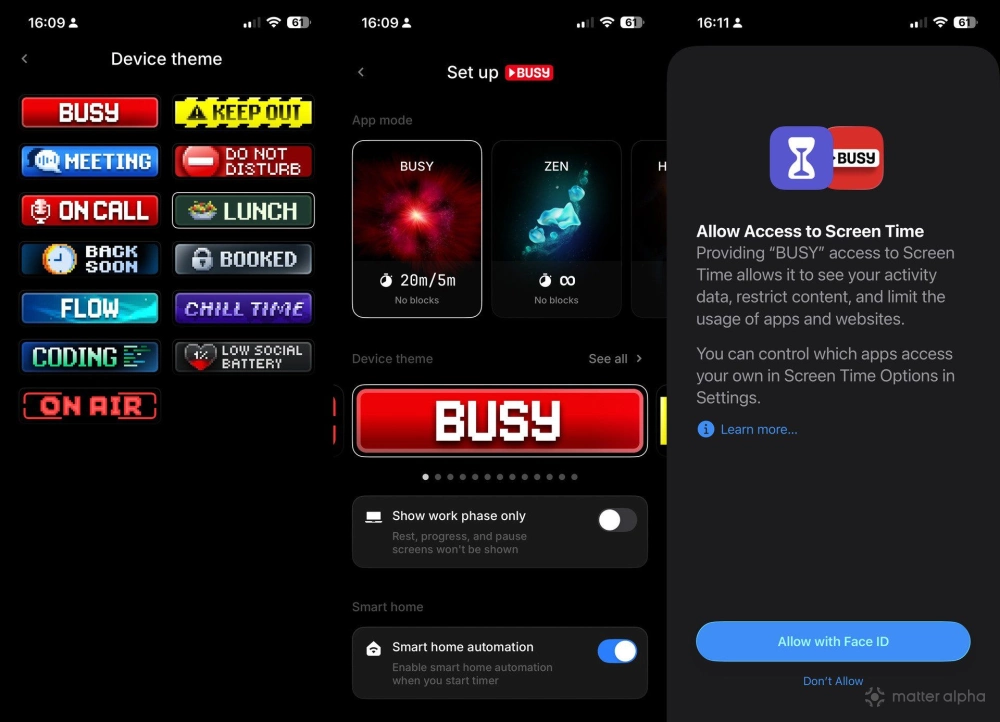
It’s also a two-way interaction with the status fed back into Matter, but you need to enable that first because it isn’t switched on by default. Scroll to Settings from the Busy state and make sure Smart Home is set to On. That way, when you start the Busy Bar, it will be reflected in Matter as the light being switched on. You can then use that state in your normal smart-home automations. For example, you could dim the office lights, close the shutters, or lock the door whenever you enter Busy mode.
Apps
I mentioned an Apps section on the selector, and it’s worth discussing, although this is probably the most gimmicky part of the device. At launch, there isn’t anything particularly noteworthy to test. However, the developers have been posting little teasers on Reddit showing various clever apps, such as internet radio and similar features.
I’m sure there’ll be plenty of interesting stuff there eventually.
Open Source and Open API
There is one huge reason to love the Busy Bar, or at least its development philosophy: it’s open source, from the firmware level upwards. You could completely reprogram it if you really wanted to. At the very least, this means it should never become a dead, abandoned gadget, unlike so much smart-home gear.
Beyond that, it also has an open HTTP API. “Hackable” probably isn’t quite the right word, but you can integrate it with pretty much anything you want. You can render graphics remotely, start or interrupt a timer from your own software, retrieve its current status, play audio files, and more.
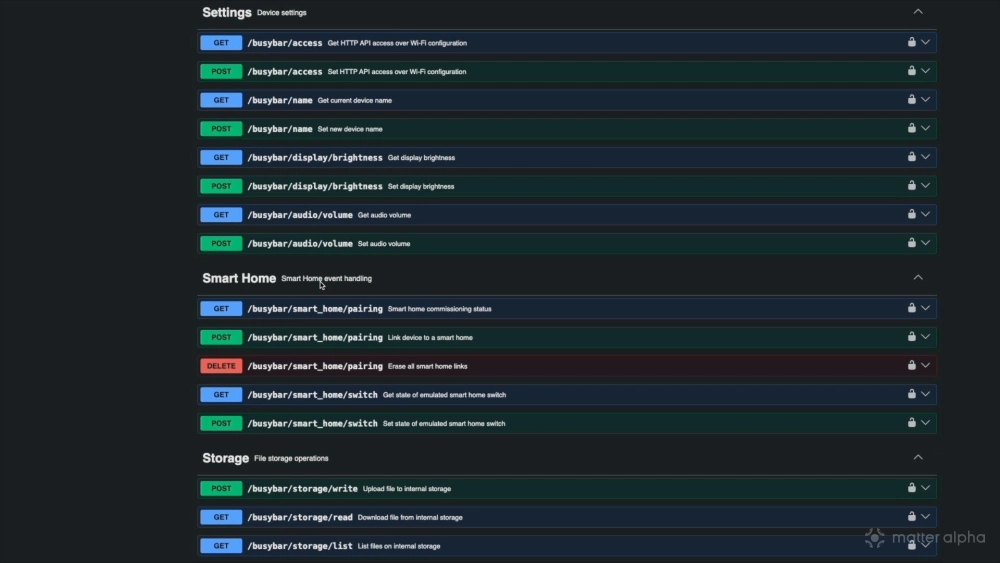
There’s huge potential here, especially when it’s combined with powerful systems such as Home Assistant.
There’s an accompanying macOS app, alongside Android and iOS apps, with a Windows version coming soon. However, the macOS app is also at a very early stage and currently feels underdeveloped. You can’t actually configure many of the features yet, so this is really a mobile-first product at the moment.
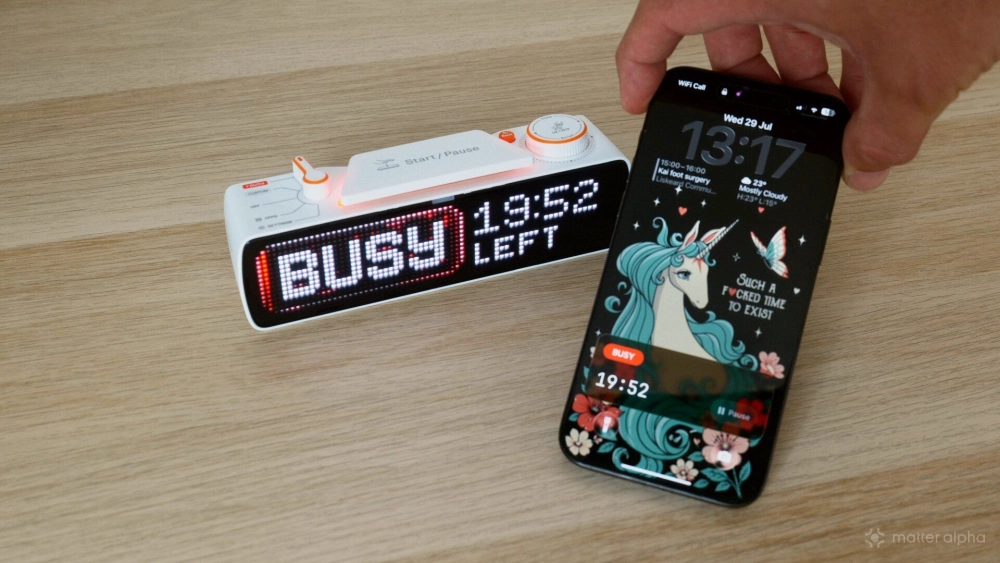
That said, the mobile app feels very slick. It has a gorgeous native UI, and it’s refreshing to see compared with the usual generic smart-home gadget app.
Battery life
Battery life is currently one of the Busy Bar’s main weaknesses. After a full charge, I found that it lasted less than a day with intermittent use. I contacted support because I thought mine might have a defective battery. They said they’ll be pushing firmware updates that should meaningfully extend the battery life, but the current official figure is a full working day of seven hours and 40 minutes at automatic brightness.

Mine died even while it was in the Off state, because it isn’t actually fully switched off. I suspect it’s still providing Matter-over-Wi-Fi status updates, which is inevitably going to hurt battery life. This obviously limits its usefulness if you want to leave it on a shelf somewhere that’s difficult to reach.
Ultimately, I think it’s best to consider this a wired device. Even if you don’t have Matter enabled and only need to charge it every few days, that’s still going to become quite annoying.
Should you buy the BUSY Bar?
The Busy Bar feels like part DIY smart-home project, part programmable display, and part serious productivity tool.
As a pure Pomodoro timer, it’s overpriced. Anyone who only wants it for that will be better off looking elsewhere. Then again, as a smart-home button and custom display, it might also seem overpriced. I found an awfully similar-looking Pixel Bar DIY project that does much the same thing, right down to the Busy-status animation. Divoom also makes an entire range of smart custom displays for pixel art and similar uses, some of which have timer functionality built in. However, those are extremely restrictive by comparison and don’t offer anything close to the level of open-source access available here, complete with an API and smart-home integration.
But it makes the Busy Bar difficult to recommend unless you specifically want this combination of features: a very nice, tactile piece of hardware for your desk or monitor; a productivity timer that can be deeply integrated into your smart home to trigger automations such as dimming the lights or locking the door when you enter Busy mode; and a hackable display that can show custom animations or notifications through a system such as Home Assistant (which is definitely the platform you should be using for the latest Matter support).
Taken individually then, none of these features is particularly niche, and the Busy Bar would be overpriced for any one of them alone. There are plenty of Matter buttons to choose from if your needs are simple. Taken together, though, they make it a good-value purchase teeming with potential for DIYers.
That combination represents a highly specific niche — but if it happens to be your niche, the Busy Bar is brilliant.