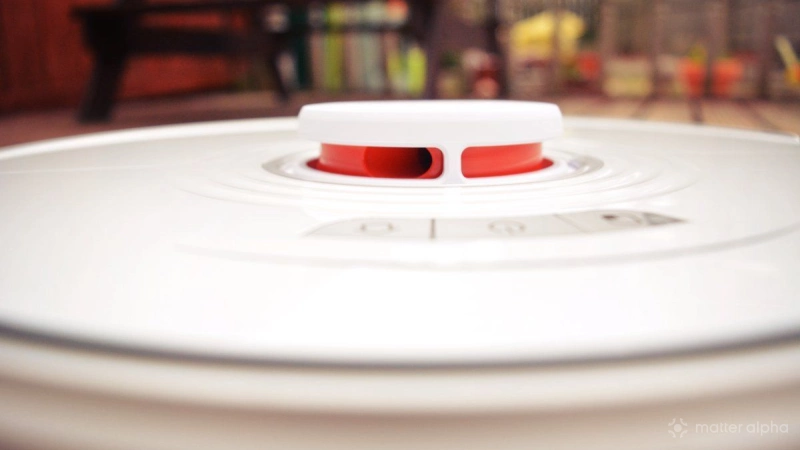
For the past few years I’ve been conducting 70% of the vacuuming in my home with a Roborock S7. It has mapped the ground floor, can usefully avoid items that might become a problem if it didn’t (hi, pets), and is, I think, the best thing in the house.
I can program it to clean specific rooms at an exact time… but that’s about as complex as it can get. Because, you see, the Roborock S7 does not natively work with Matter.
While Roborock has released several Matter-compatible robot vacuum cleaners and upgraded a couple of older ones to support the smart home platform, the Roborock S7 is not one of them. But this might not be the problem that we think it is.
I recently discovered that someone has created a Matterbridge plugin for Roborock cleaners. Can this help me bring the Roborock S7 into the world of Matter integrations and automated routines?
The following guide runs through the steps I took to install support for outdated Roborock robot cleaners, but can be used for any Matterbridge plugins.
What is Matterbridge?
Matterbridge is software that you can install on your own hardware – a PC, or single-board computer like the Raspberry Pi – that manages plugins designed to bridge specific devices and device types to Matter.
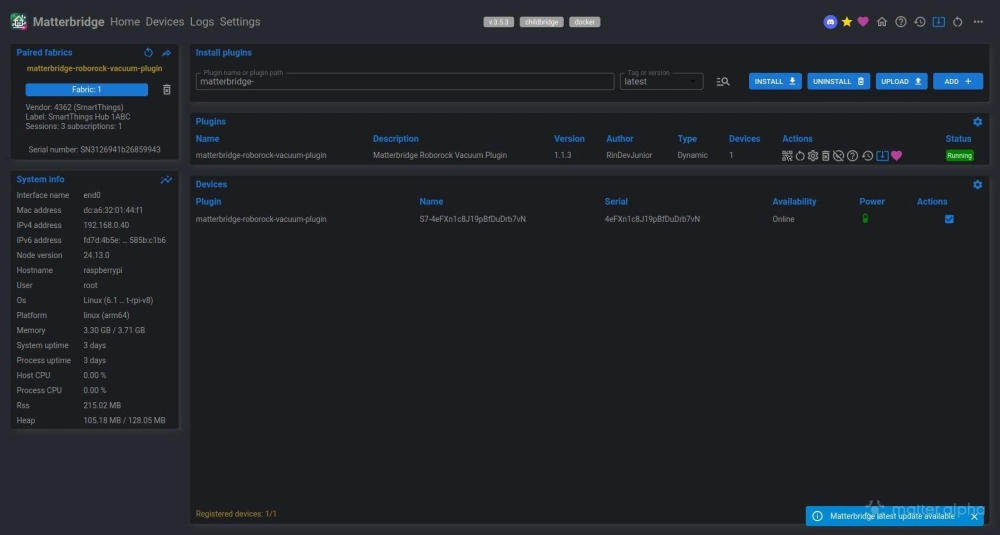
In my experience, the bridging is with a robot vacuum cleaner that has no Matter support. However, you might add plugins for smart switches, or some Eve smart home devices. You can also integrate Zigbee with MQTT, add Airthings air quality monitors – basically, if a plugin exists, it can be installed in Matterbridge. A list of Matterbridge plugins is maintained
Our guide to configuring Matterbridge will help you get started here. For reference, I used a Raspberry Pi 4, headless (that is, without the GUI), installed and configured Docker using the official instructions, then installed the Matterbridge Docker instance.
How I set it up
The main challenge to this process is adding the Roborock plugin to Matterbridge, configuring it, and then managing and automating the robovac over Matter, in my case via Samsung SmartThings.
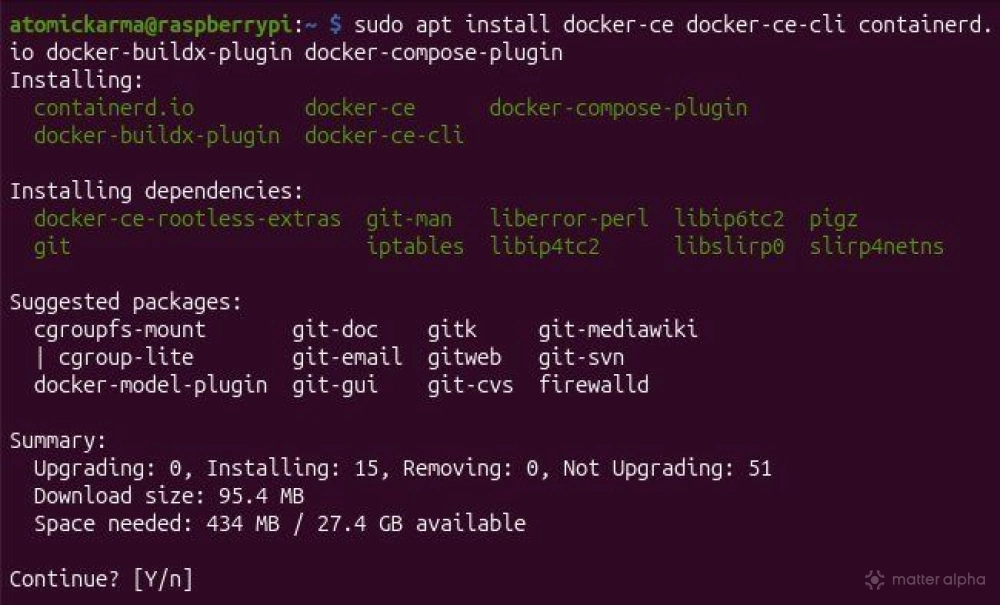
However, because I wanted to ensure the bridge was always active, and not reliant on an always-on PC, I installed Matterbridge on a Raspberry Pi 4 (8GB model). This was achieved relatively easily using Docker. This seemed a quicker and simpler option than sweating over the possibility of node.js not installing correctly (this happens quite often in my experience), and I had it up and running in a few minutes.
After adding the Docker user to the usermod group and installing Matterbridge, I could access the interface from any device using
http://<HOST-IP-ADDRESS>:8283
It’s worth sticking with HTTP for setup, but you can configure SSL (HTTPS) support along with authentication options. Commands for these are listed in the Matterbridge README file.
Adding the Roborock S7 to Matterbridge
After loading the Matterbridge interface in the browser, I ensured that the device was in Childbridge mode, opening Settings and selecting Childbridge.
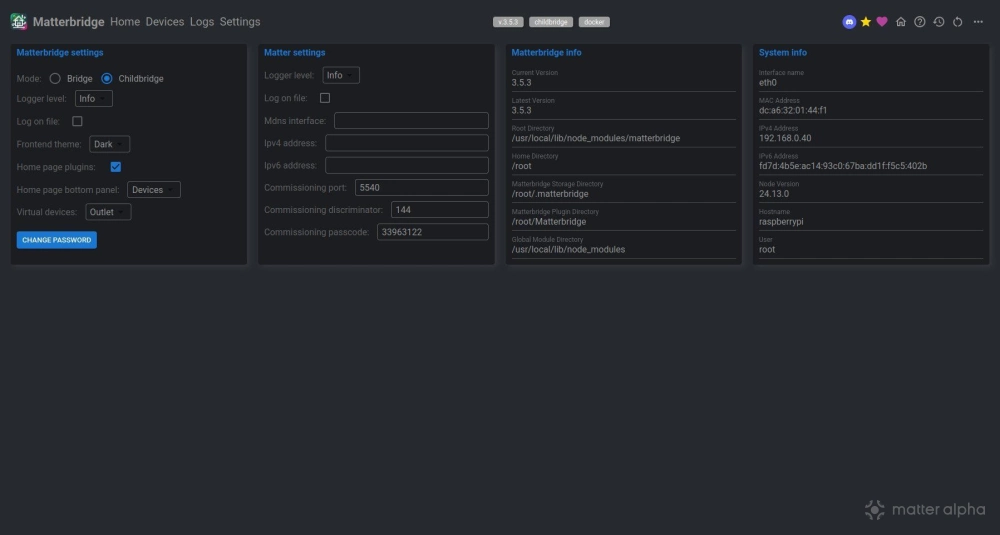
With this done I returned to the Home screen, clicked the magnifying glass icon, clicked matterbridge-roborock-vacuum-plugin, then clicked Select.
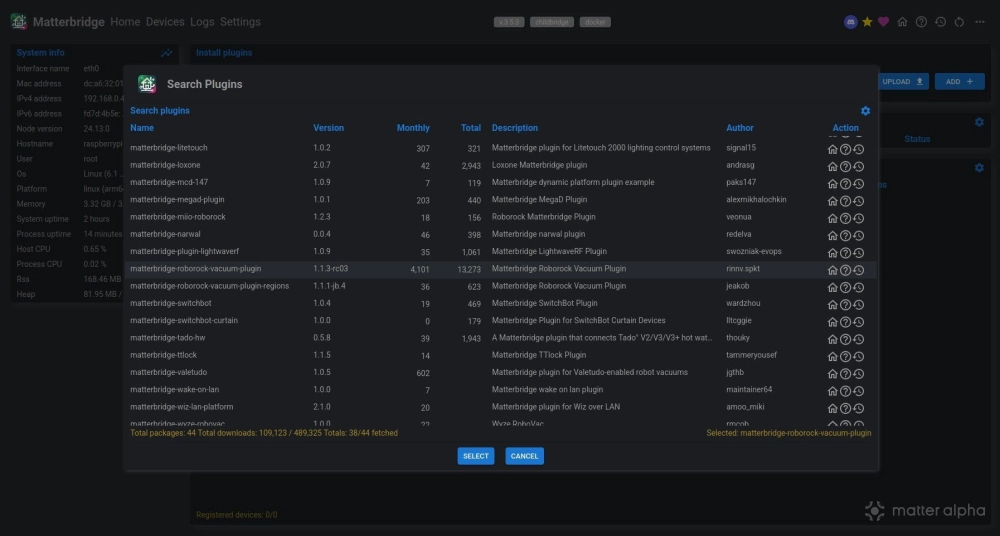
In the main screen, I clicked Install, and when the process was completed, added the verification code when prompted, and the Roborock account credentials.
Adding the Roborock S7 to Matter
The next stage should have been straightforward: adding the robot vacuum cleaner to Matter.
But it didn’t play out as smoothly as I’d hoped it would.
I tried several ways to get the Roborock S7 to show in Samsung SmartThings, but with no result. I even went so far as to have a go with IKEA Home smart, knowing that it wouldn’t work (it’s not an IKEA device) but having little other option.
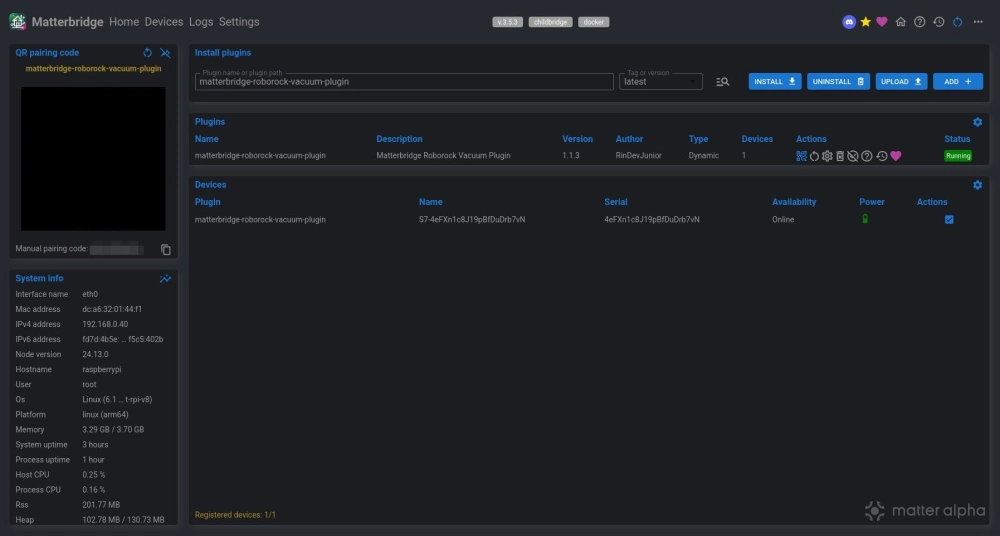
By this stage, I had made some changes to the Raspberry Pi setup, ensuring it was using 2.4GHz rather than 5GHz wireless (a case of switching the radio to use b/g bands). Each attempt, however, ended with a request to prepare the device, something that isn’t possible with Matterbridge because the device is essentially already prepared.
However, the one thing I hadn’t done was to power cycle my Samsung TV, within which the SmartThings hub is integrated.
Once I did that, the robot cleaner was quickly enrolled. It worked!
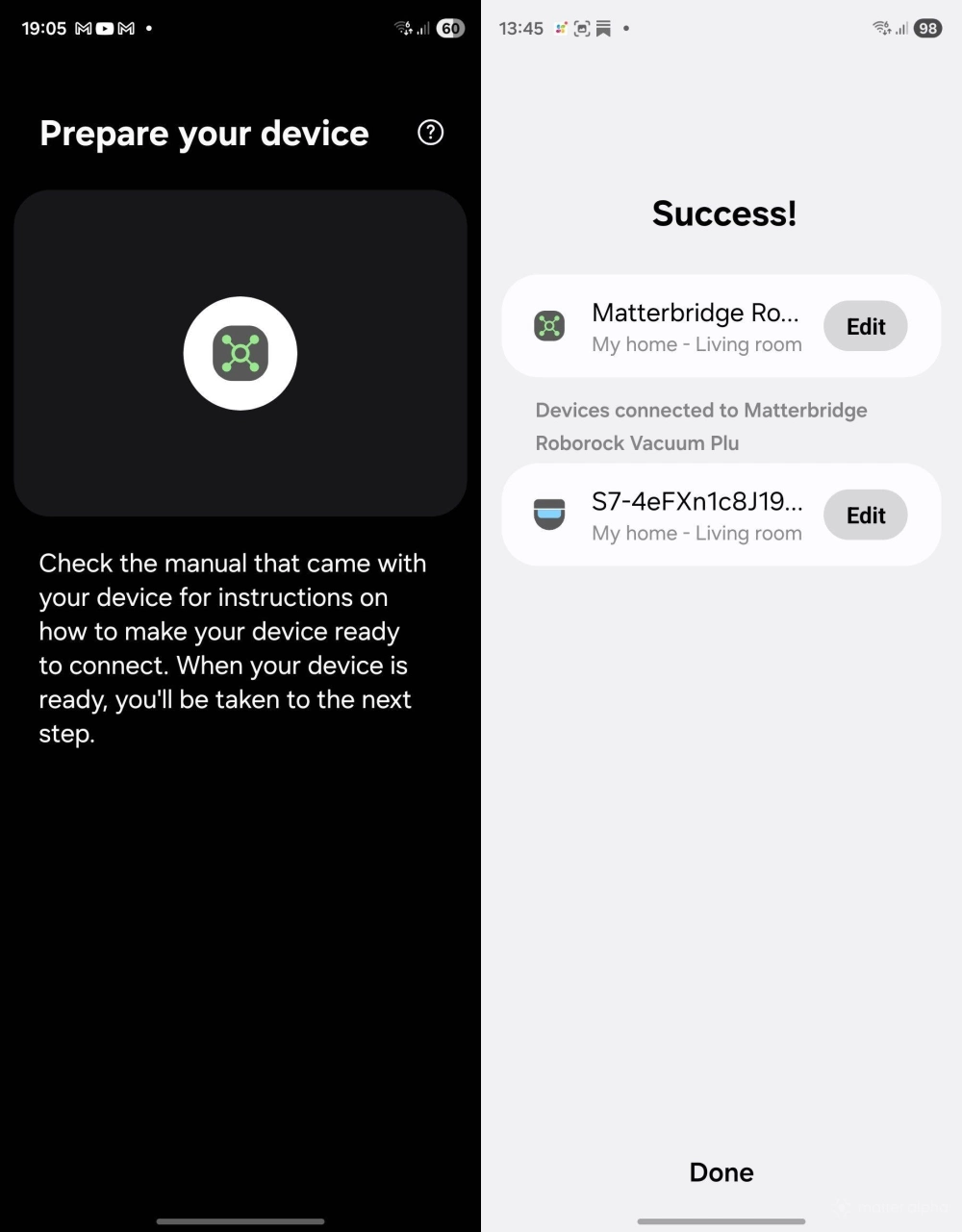
After a little configuration such as setting the device name to something more friendly, and checking the Roborock S7's presence in the SmartThings app, I was satisfied that it worked -- and confirmed with a test.
Success, but Matter shortcomings remain on Matterbridge
Getting this up and running took longer than expected, but the whole process concerning installing and setting up Matterbridge and the plugin was a breeze. This can be done inside a morning, perhaps a couple of hours tops, making it an ideal weekend project for a Saturday or Sunday morning.
The issue with power cycling SmartThings was something I should have considered a few days earlier, and once I did, the enrolment was as fast as it gets with Matter. My Roborock S7 can now be controlled over Matter, and automations created.
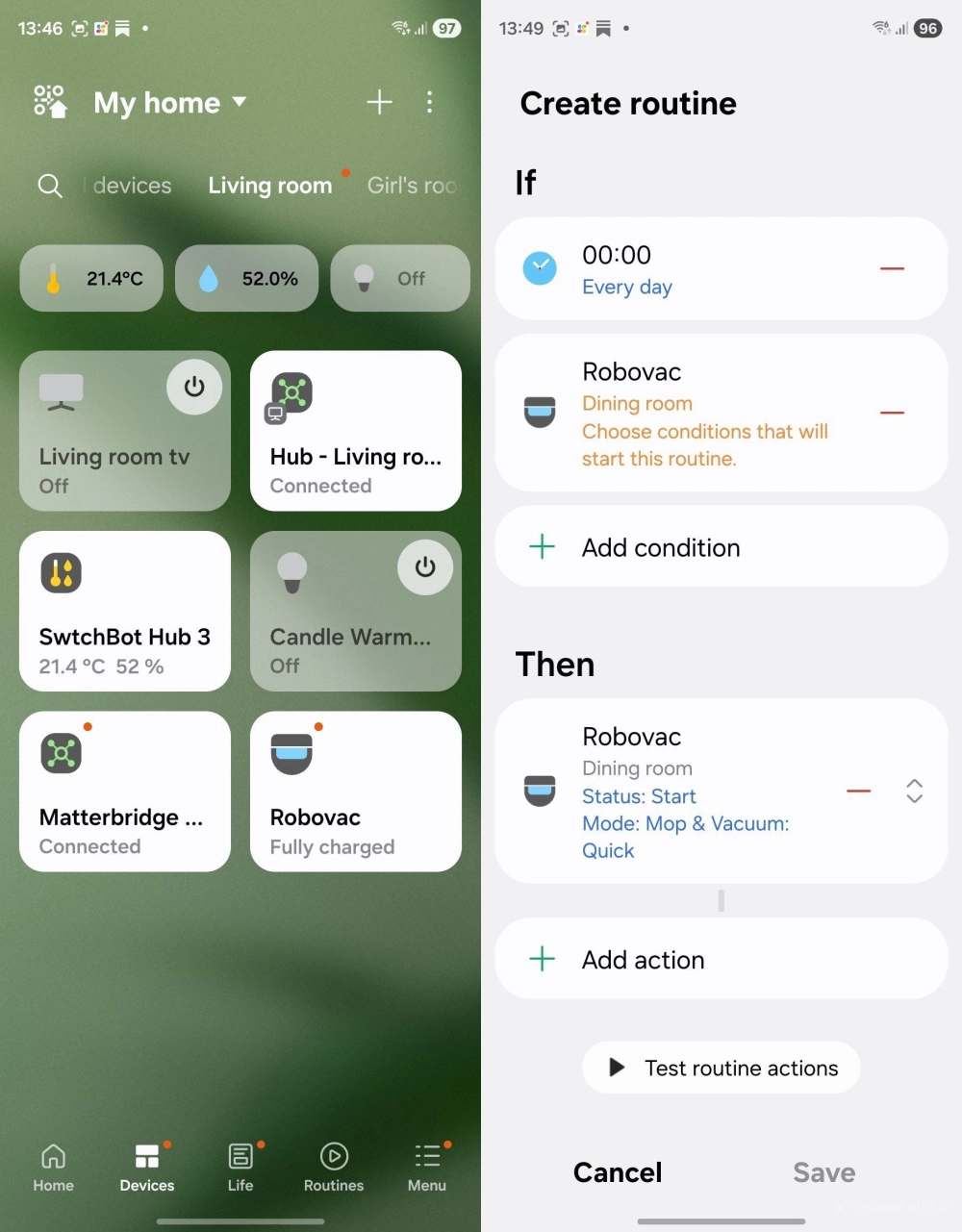
But, of course, there are shortcomings to this. Matter has limited support for robot cleaners, and this is reflected in the options. Specific rooms and zones cannot be selected, for example, but this would be the same with a Matter-compatible robot cleaner accessed via a Matter platform.
For the time being, granular control of robot vacuums is possible only via the companion app – but having the option of some control through Matter makes the home just that bit smarter.