Home Assistant has released its next monthly update in beta, bringing one of its most useful Matter troubleshooting tools directly into the main interface.
The new Matter network map combines Wi-Fi and Thread devices with Wi-Fi access points and Thread Border Routers in one topology. The release also includes fixes for Matter and Thread, alongside broader improvements for security and connected hardware.
A proper “Matter map”
Home Assistant previously offered Matter network visualization through the separate Matter Server web interface, a place most regular users have little reason to visit.
The new update brings it into the Matter panel alongside network maps already available for Zigbee, Z-Wave, and Bluetooth.
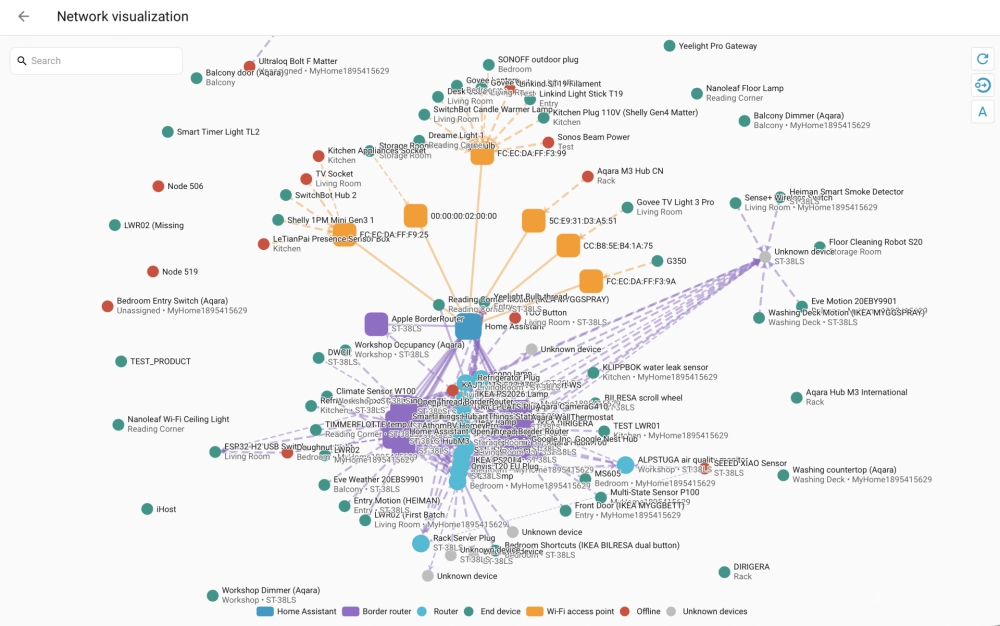
More importantly, it puts the different parts of a Matter network together. Matter-over-Wi-Fi and Matter-over-Thread devices appear alongside the Wi-Fi access points and Thread Border Routers connecting them to Home Assistant.
Devices and network infrastructure also get recognizable labels where possible, such as host names and Wi-Fi network names rather than serial numbers. Connections show whether devices are using Wi-Fi or Thread, while their thickness and direction reflect signal strength on each side.
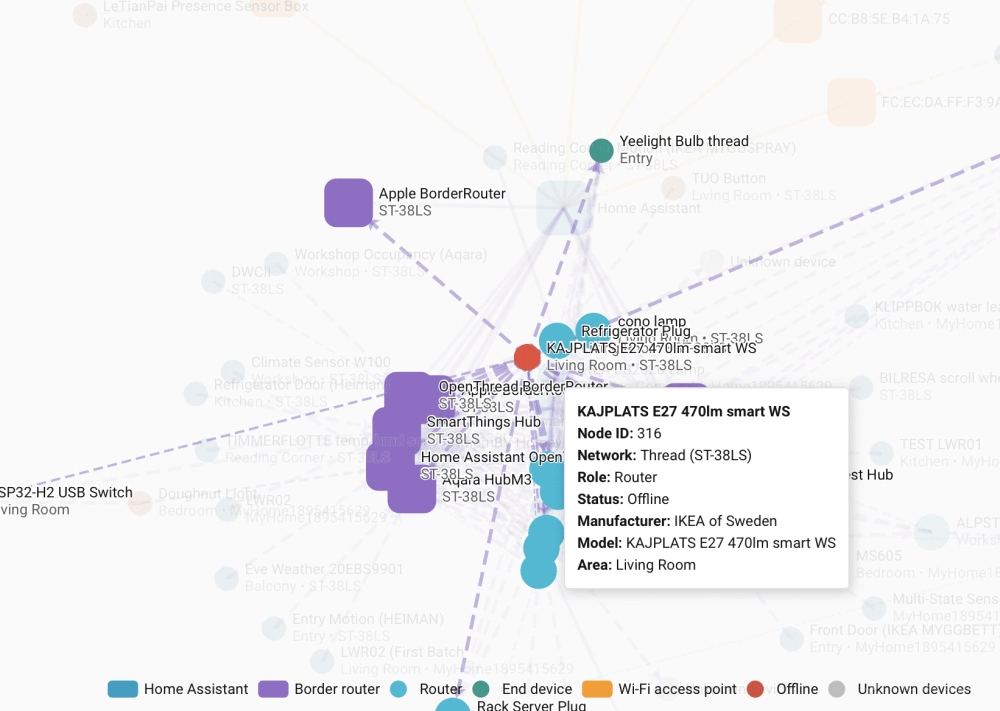
Thread devices also show their roles, making it easier to see routers, battery-powered end devices, and the paths they take through the mesh. This can be particularly useful when troubleshooting a device that keeps dropping offline or has a weak connection.
If the installed Matter Server is too old to provide the topology data, Home Assistant now tells users to update rather than simply presenting a broken page.
More Matter and Thread fixes
The release also addresses several smaller Matter issues.
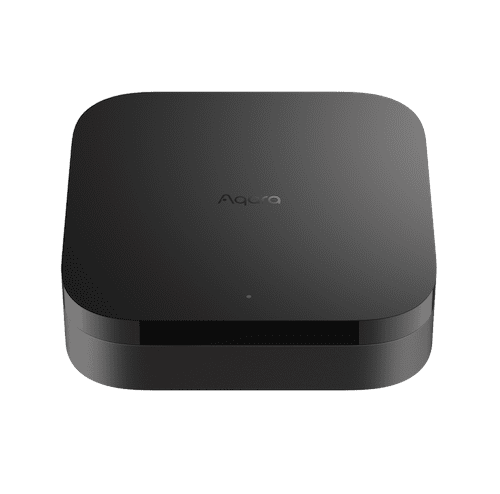
One fix prevents some Matter bridged devices from being incorrectly merged into their bridge like Aqara Hub M3, an issue that could make individual devices disappear or appear incorrectly in Home Assistant.
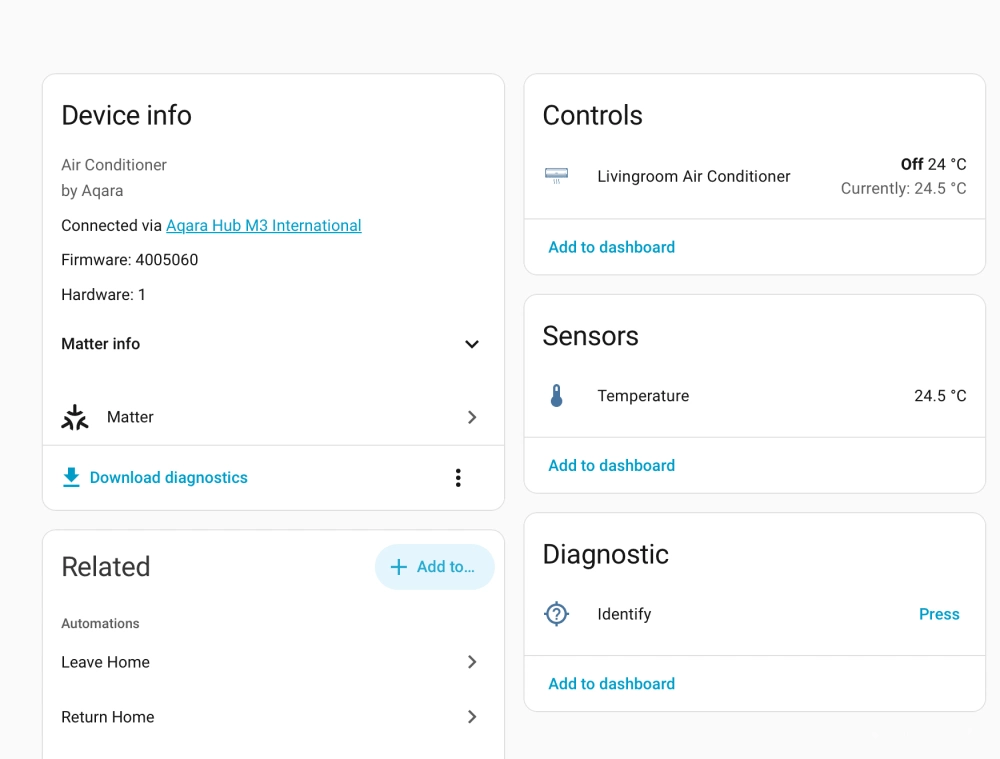
Midea window air conditioners get another compatibility adjustment, adding model 0x118C/0x2022 to Home Assistant’s Matter dry-mode device list. WAGO Matter devices also gain configuration select entities for supported settings.
Thread gets two useful changes around network credentials. Home Assistant now reports the outcome when adding a Thread dataset, giving users clearer feedback when importing a network. It also stops discovery from overwriting a preferred Thread network that the user has already selected.
Better security alerts
Other features introduced in this version for the platform are also worth a look. The built-in Security dashboard is getting two requested improvements.
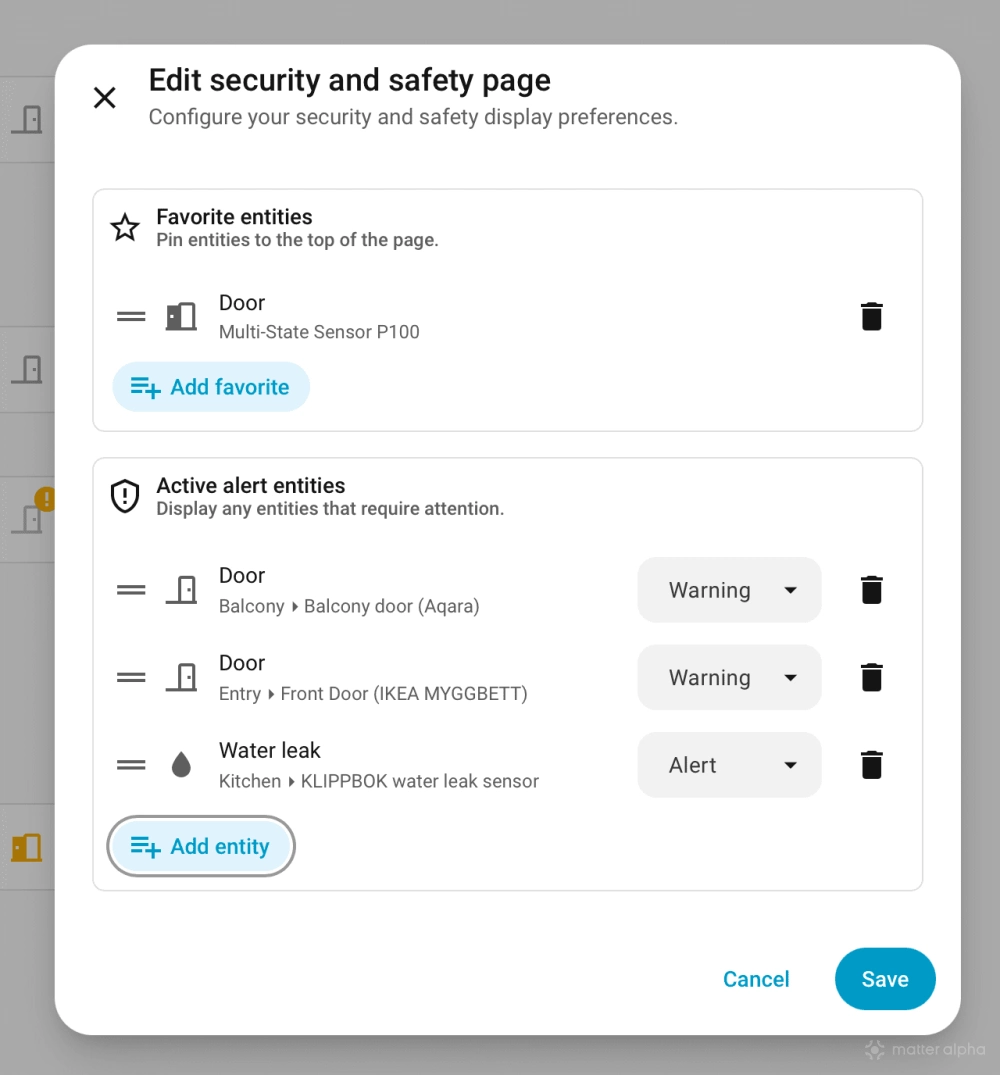
A new Active alerts section only appears when selected devices need attention. Users can assign either alert or warning severity, allowing something serious like a smoke alarm to stand out from a window left open.
A new Favorites section also lets users pin frequently checked doors, locks, and sensors to the top of the dashboard.
New Serial panel
Home Assistant is also making locally connected hardware easier to troubleshoot with a new Serial panel under Settings.
It shows serial hardware such as USB Zigbee or Thread radios and separates them into devices currently in use, connected but unused ports, and expected hardware that is currently missing.
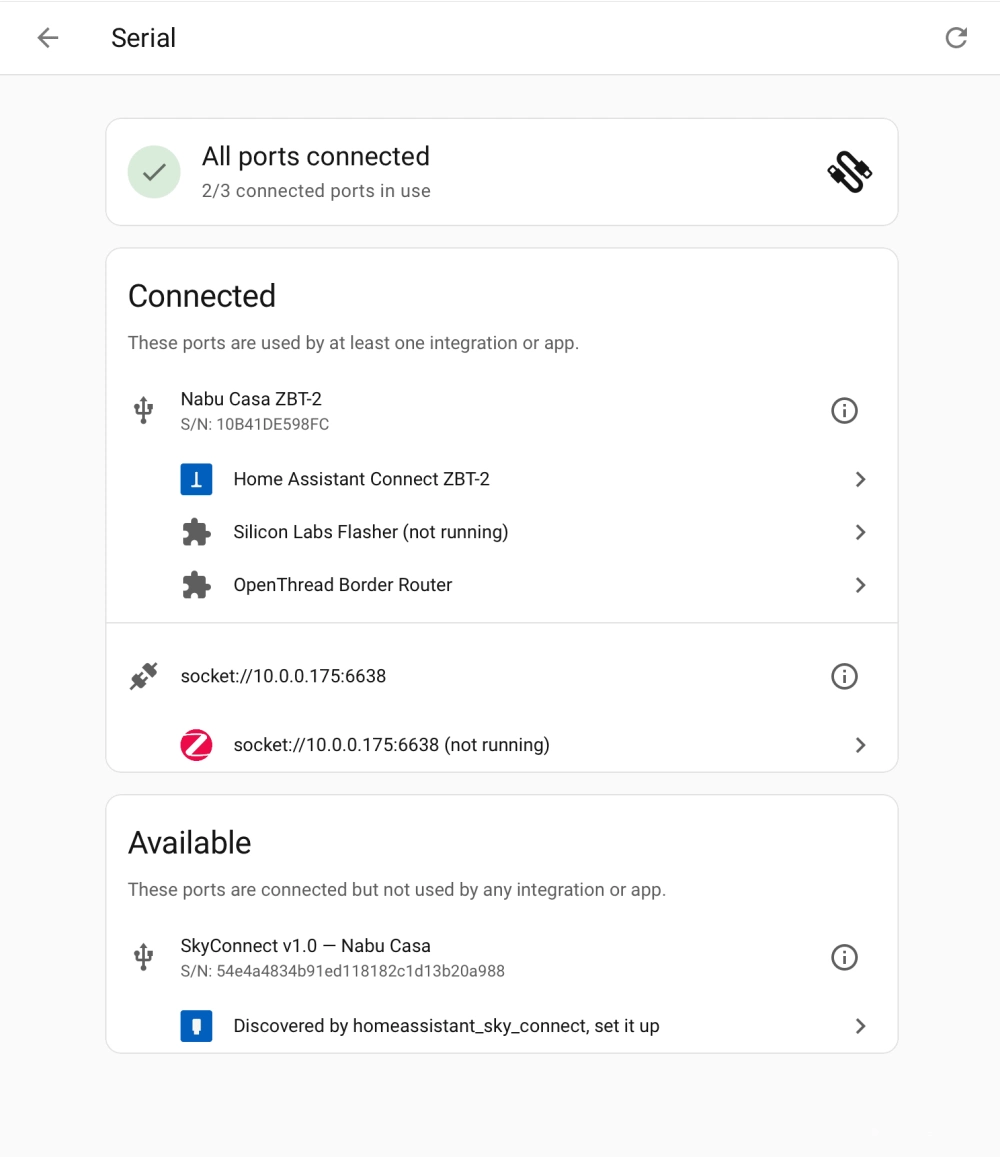
That makes it easier to spot something as simple as a disconnected Thread radio or an app that has lost access to its USB device without starting with logs. The addition completes the planned Settings panels for serial, infrared, and radio-frequency hardware.
When is this update available?
The changes are currently available through the beta channel for Home Assistant’s upcoming monthly release.
Beta users can access the new topology from the Matter panel after updating Home Assistant and the Matter Server to compatible versions. The stable release is expected with Home Assistant’s regular monthly update cycle, which should be next week.
(Source: Home Assistant, GitHub; Image: Home Assistant, Matter Alpha/Ward Zhou)