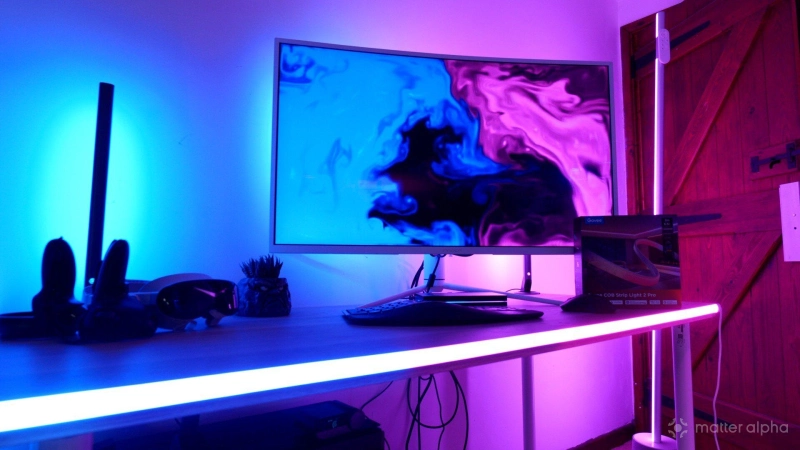
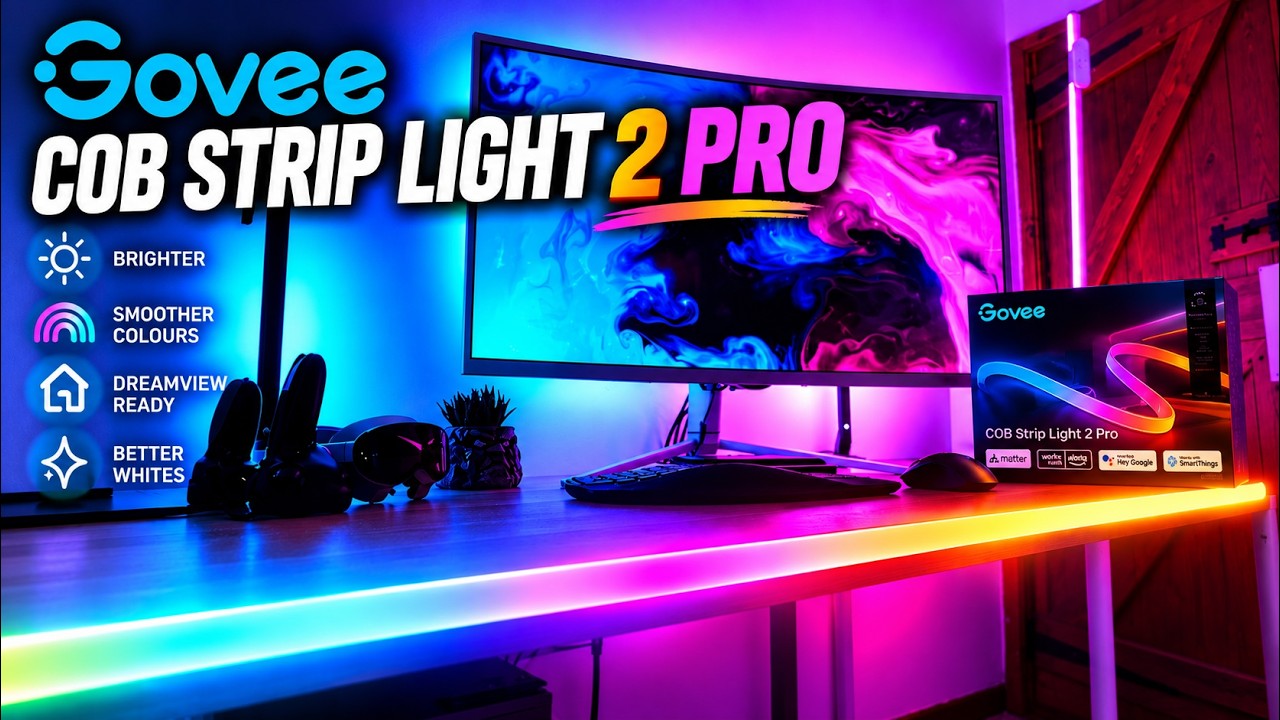
There are broadly two types of LED strip: the cheap kind where you can see every individual LED glaring at you, and COB strips, which produce one beautifully smooth, continuous line of light. The Govee COB Strip Light 2 Pro — announced at IFA, along with the new permanent outdoor lights and sky light — is the latest and most technically impressive version of the latter, packing an absurd 1,344 LEDs into every metre of strip. It’s brighter than its predecessor, offers finer control over animated effects, has dramatically improved white light reproduction, and integrates into the wider Govee ecosystem with DreamView for immersive gaming and movies.
But after initially trying to use mine as an architectural feature running vertically up the corner of a room, I changed my mind completely about where it belongs.
One solitary glowing line on a large wall looked a bit silly. Put the same strip around a gaming desk, though, and it’s fantastic.
What is a COB LED strip?
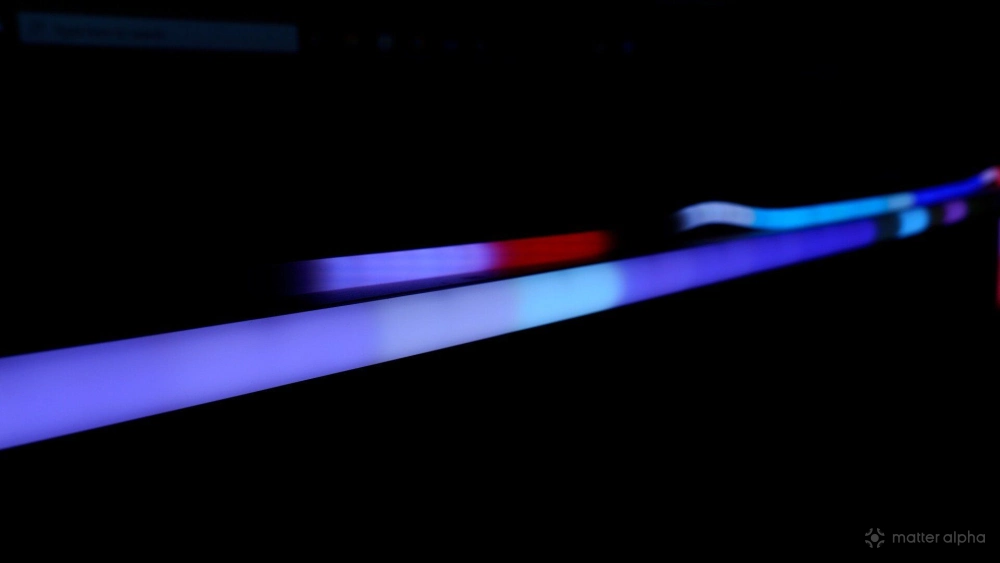
COB stands for Chip on Board, and in practical terms it solves the biggest aesthetic problem with ordinary LED strips. Traditional RGB strips typically have individual LEDs spaced some distance apart. Even with a diffuser fitted over the top, you can often still make out individual hotspots even if you cant see distinct pixels.
COB strips pack hundreds or even thousands of tiny LEDs extremely close together beneath a continuous diffusing layer. The result looks more like a glowing neon line than a string of LEDs. The COB Strip Light 2 Pro packs 1,344 LEDs per metre, up from 1,260 LEDs/m on the original COB Strip Light Pro. The new model also has 16 independently addressable IC sections per metre, compared with 12 segments per metre. However while this is better than the previous COB strips, it's inline with the Neon Strip Light 2 (our pick for the best Neon strip lights), so you will still see segments depending on the scene that you're running. (Below: Neon Strip Light 2 vs COB Light 2 Pro)
The COB Strip Light 2 Pro is RGBWWIC lighting too; combined with Govee's new LuminBlend+ colour processing, it supports adjustable whites from a candle-like 1000K right up to an extremely cold 10,000K. Govee rates white-light output at 540 lumens per metre with CRI 92+, which means it's great for general illumination.
COB Strip Light 2 Pro vs COB Strip Light 2
There are two version of the new model available: the regular COB Strip Light 2, and the Pro model. The standard model features 840 LEDs per metre, while the Pro increases that to 1,344 LEDs; that's a huge 60% increase in LED density. Both models now get LuminBlend+, RGBIC colour effects, that enormous 1000K–10,000K adjustable white range, Matter support, and the new AI Lighting Bot 2.0, so there's no software differentiation.
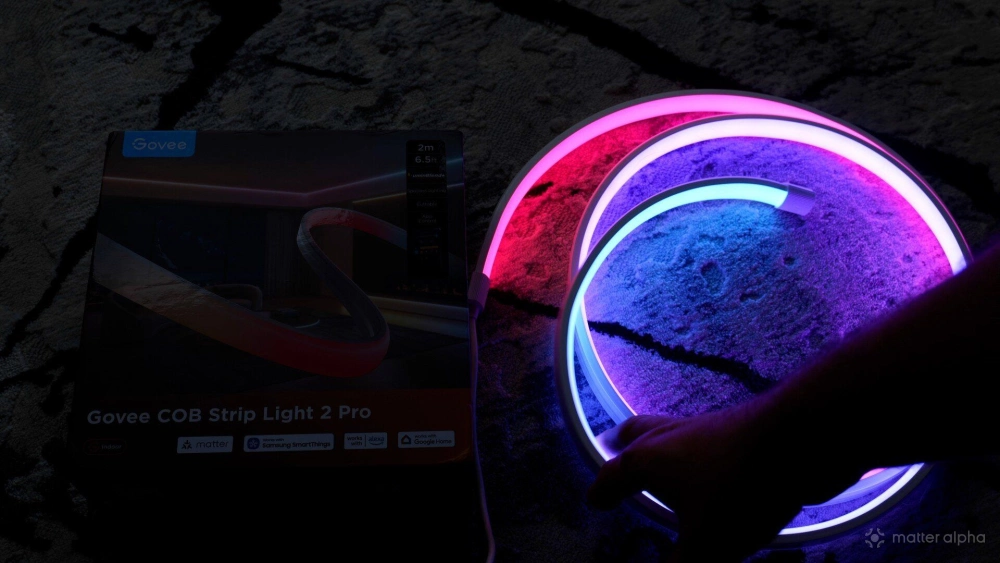
The models are also differentiated by length, for some reason. The Pro comes in 6.5ft (2m) and 16.5ft (5m) only, starting at $99; while the standard COB Light 2 comes in 9.5ft (3m), 16.5ft (5m), and 32.8ft (10m) lengths; starting at $80. That's a difference of around $8 per foot more on the Pro model. It's a significant price difference, so as ever, consider your final use case. If you're going to lining each corner of the room and ceiling, you don't need the added brightness of the Pro model. For my use case around a gaming desk, the Pro makes more sense to offer the brightest backlighting possible.
The difference from the previous generation of COB lighting is more subtle. The original COB Strip Light Pro already had an extraordinary 1,260 LEDs/m, so increasing this to 1,344 isn't a huge upgrade. The previous version offered 12 configurable segments per metre, while the 2 Pro increases that to 16, allowing for finer gradients and animated scenes. Naturally, brightness has increased too. The older model was around 450lm/m, compared with Govee's quoted 540lm/m for the new Pro; roughly a 20% increase.
The more meaningful improvement may actually be white light. The first COB Pro was RGBIC+W, essentially adding a dedicated warm-white channel to the coloured LEDs. The COB Strip Light 2 Pro now uses RGBWWIC and gives you the enormous 1000K–10,000K adjustable colour temperature range along with a quoted CRI of 92+. You can also cut the new Pro approximately every 6.5cm, rather than every 8cm on the previous generation, which gives you slightly more freedom with installation.
Installation: my wall idea didn't work
Measuring 18mm wide by a mere 10mm deep, my original plan was to run the COB Strip Light 2 Pro vertically up the corner of my bedroom or line the side of a closet. And technically, it’s fine. But one of the big advantages of this style of COB strip is how cleanly it can follow furniture and corners. The problem wasn't the strip (although the 2m version — which is the only one available in the UK — just can't reach fully from floor to ceiling), it was the general concept of having a single, sharp line up the corner of the room. I condered around the bed, too, which would have worked well.
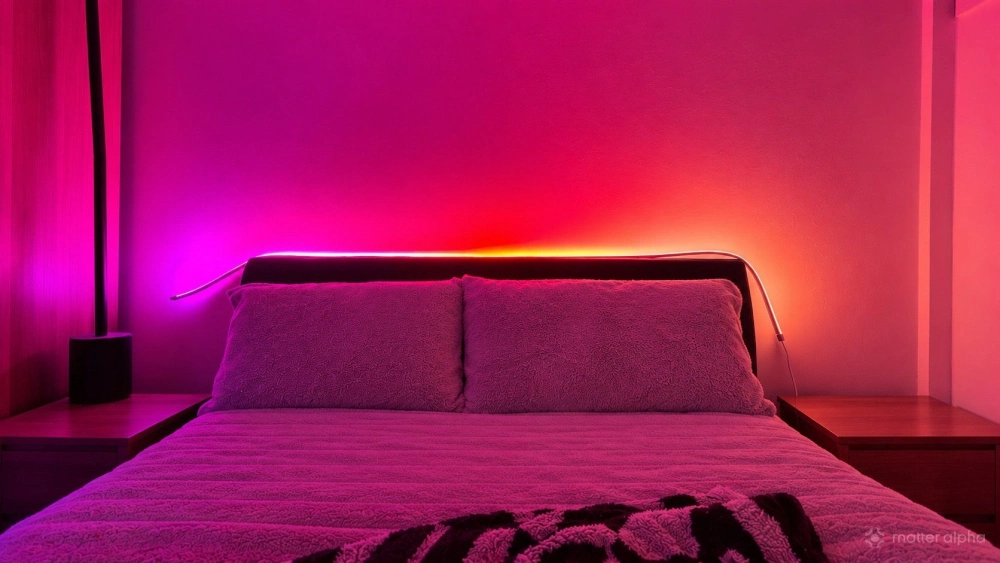
To make that sort of installation really work, you'd want multiple strips arranged as parallel vertical features, geometric shapes, or lines framing sections of the room. That could look spectacular. It also gets expensive very quickly. So I pulled it off the wall and found somewhere much better for it.
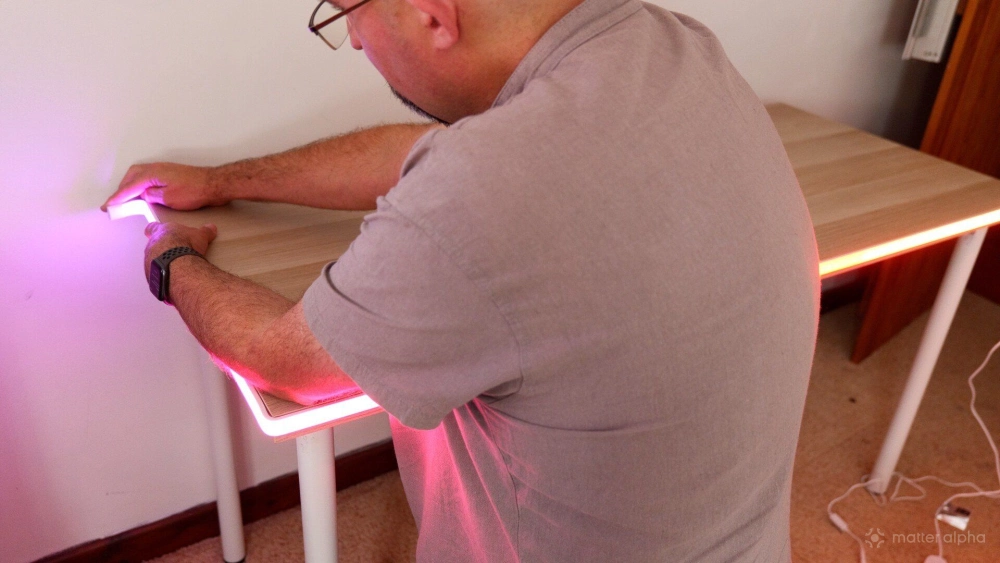
The COB Strip Light 2 Pro makes vastly more sense around a gaming desk. You can run it along the back edge, around a corner, underneath the desk or shelving, and create a continuous visible line rather than the dotted effect you get from cheaper LED strips. Standard neon strips dont bend in that direction; Govee does in fact sell a dedicated desk version of its neon strip, and it feels like the COB Strip Light 2 Pro is a better version of that.
If you dont want that bright light distraction at the front, the added brightness really makes for a dramatic backlight as well.
DreamView makes it perfect for gaming
Using it around a desk also unlocks what I think the strongest arguments for choosing Govee rather than a generic COB strip from Amazo: DreamView. DreamView allows compatible Govee lights to work together as part of one entertainment lighting system. If you already have a Govee TV or monitor backlight system doing screen colour analysis, the COB Strip Light 2 Pro can join that setup as an additional lighting device. Unfortunately it doesnt appear to be compatible with Govee Desktop app at the moment, but it may be added to the compatible devices list in future. For now you’ll need to combine it with either the AI sync box (which does HDMI signal analysis), or the Govee TV Backlight (which uses a camera to watch your screen).
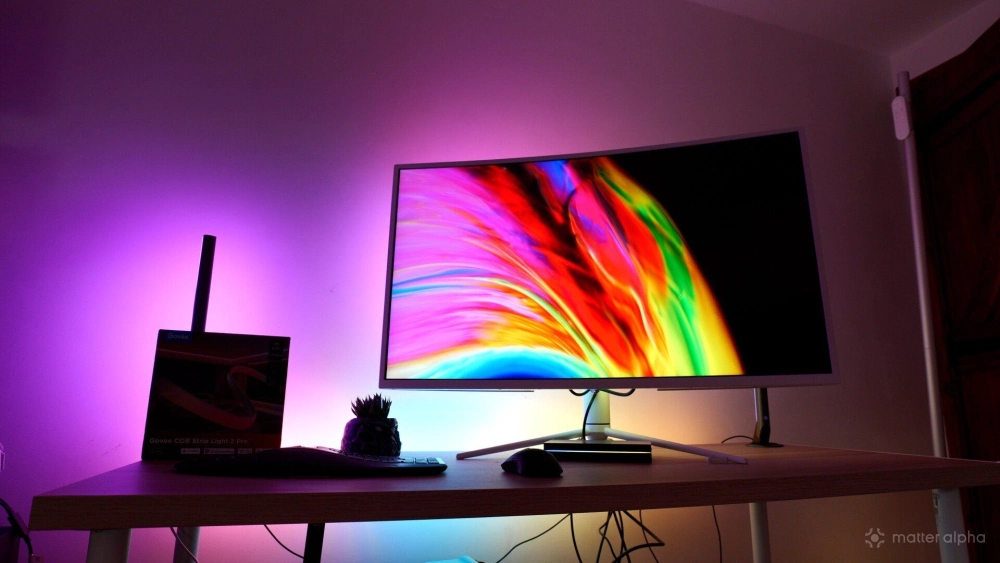
For games or movies, the effect can be incredible. An explosion on one side of the screen will spill outward into the room; being hit in any game that bursts red temporarily will flash that into your lighting, adding to the dramatic effect.
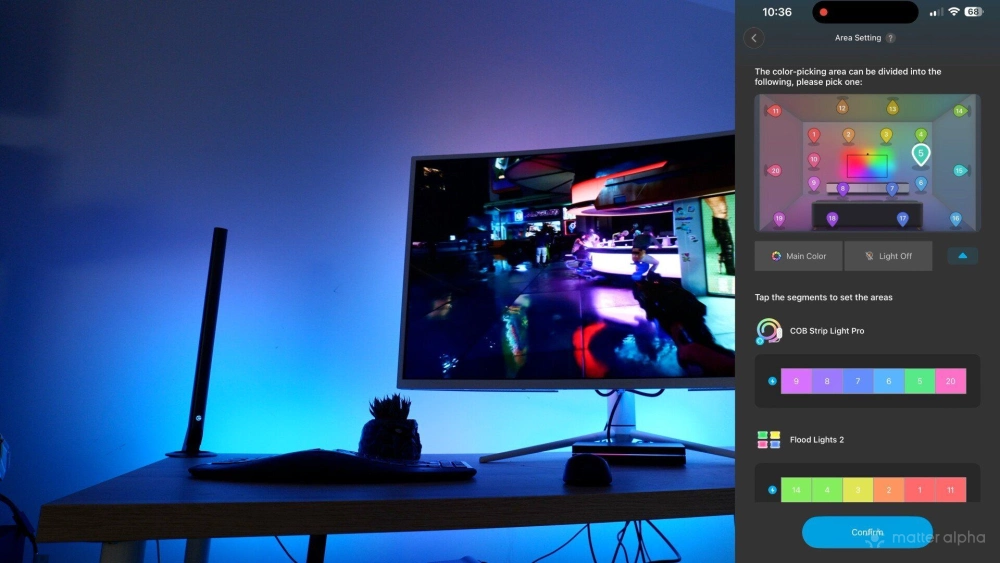
On the downside, the DreamView protocol cant use all the segents of the strip — it’s limited to six segments only in total — so if youre looking at the COB strip face on, you'll see some nasty color changes mid-strip.
Govee App, Matter and AI Lighting Bot
Control is through the usual Govee Home app, which remains simultaneously extremely powerful and incredibly frustrating. There are more than 64 preset scene modes alongside 16 music-reactive modes, plus DIY tools for creating your own effects. The strip also supports Matter, Alexa, Google Assistant and SmartThings, so basic functions such as power, brightness and colour don't require you to live permanently inside the Govee app. But you will lose access to scenes over Matter; you only get basic color and brightness control of the whole length at once; the Govee Home app isn't really optional.
New for this generation is Govee's AI Lighting Bot 2.0, which can create lighting effects from conversational prompts, text and images. It's clever, but personally I find DreamView and the normal presets considerably more useful on a day-to-day basis.
Should You Buy the Govee COB Strip Light 2 Pro?
The Govee COB Strip Light 2 Pro is one of those products where knowing where you're going to install it matters more than the specification sheet. Used as one lonely vertical strip on a big empty wall, mine looked ridiculous. If you're planning large-scale architectural lighting, you'll probably want several strips, and around $15 per foot that becomes an expensive proposition very quickly. If you're decking a whole room out, the non-Pro model makes a lot more sense and you're unlikely to want full brightness.
Meanwhile, owners of the original COB Strip Light Pro don't need to immediately rip everything off the wall. Its 1,260 LEDs/m were already excellent, and the visual improvement from density alone isn't enormous. For a new installation, though, the Govee COB Strip Light 2 Pro is the one I'd buy.
Just maybe don't stick one lonely line up the corner of your bedroom and expect instant cyberpunk megacity. It turns out Blade Runner needed more than two metres of LEDs — but thee are plenty more lighting ideas to make your home feel "futuristic".