I first came across Homey years ago, when I was still exploring my Home Assistant setup and had some hands-on time with a Homey Pro 2019. And I was genuinely impressed by its user experience and attention to detail, things I rarely see executed this well by competitors.
By the end of last year, I finally had the chance to properly try a newer Homey Pro (2023) and the newly launched Homey Self-Hosted Server (SHS), mainly for a Matter-focused review.
It turned out to be quite a journey. The experience brought back memories of when I first got into smart home gear, with so many integrations and apps to explore. With around two months daily use, here is my take on its Matter capabilities.
TL;DR
Pros:
-
Exceptional user experience design
-
Powerful integrations and app store
-
Acts as both a Matter controller and Matter bridge
-
Solid hardware build and top industrial design
-
Local automation
Cons:
-
High price tag
-
Requires specific hardware for the best Matter experience
- Moderate Matter stability
-
Wi-Fi 5 and no PoE
-
Tricky setup for local accounts
Setup experience
Homey makes onboarding easy. If you are using a Homey Pro, the app provides a dialogue-style setup experience that guides you through the entire process with clear visuals and dynamic illustrations.
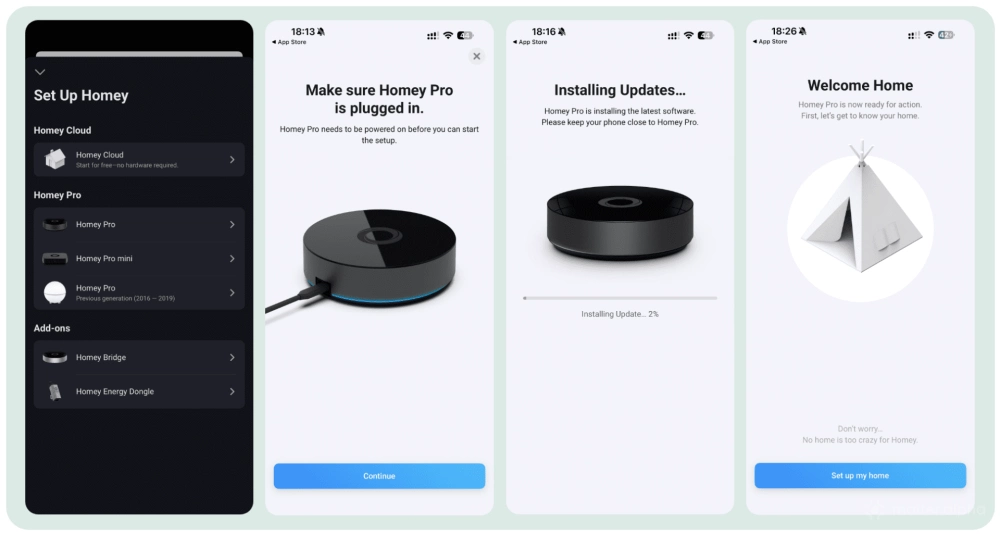
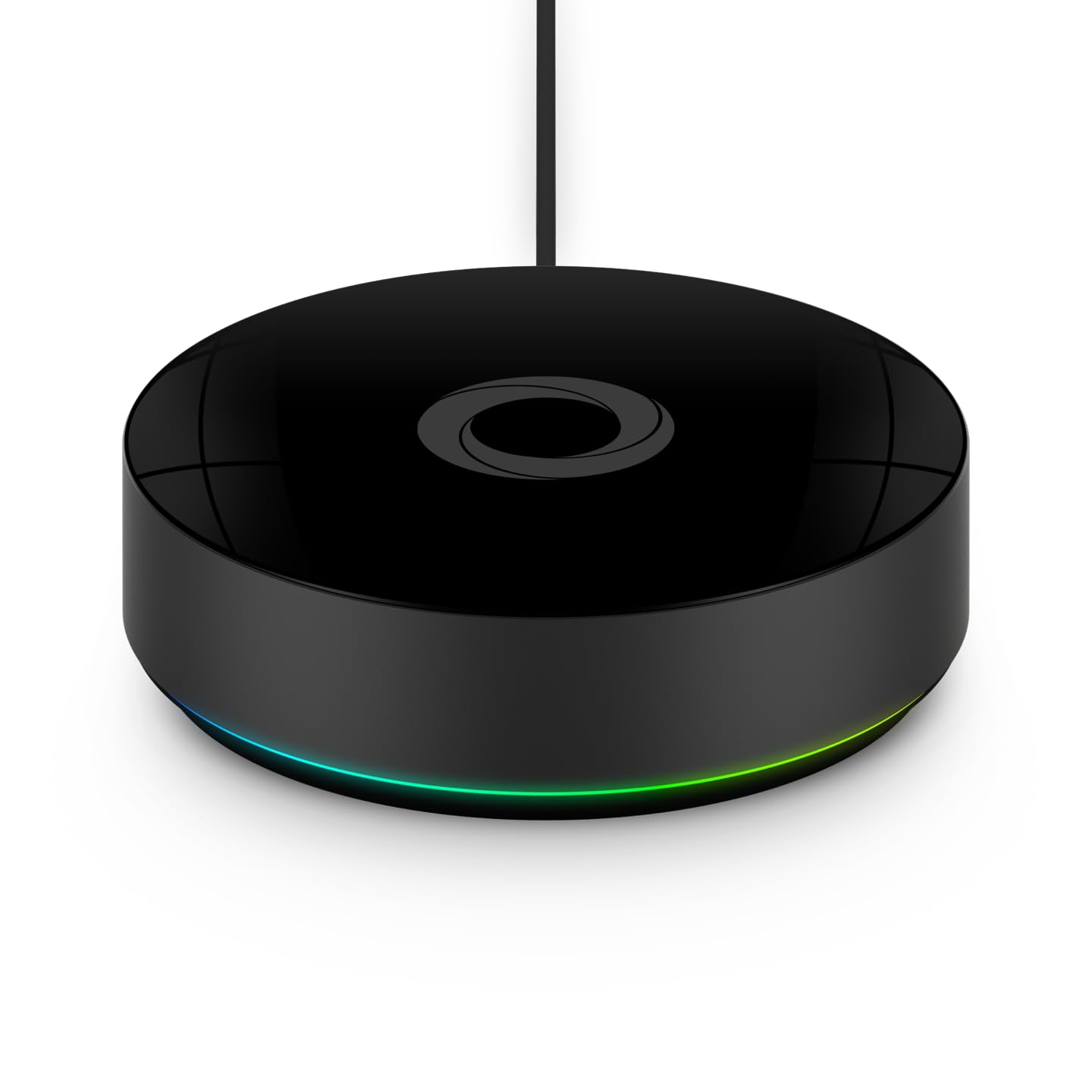
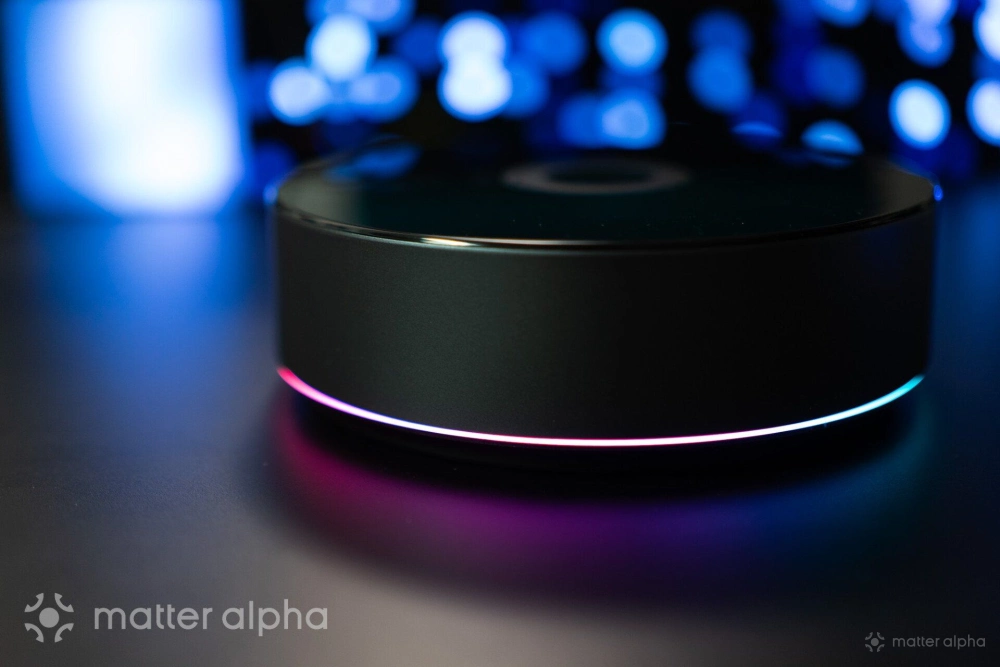
For example, you can clearly understand what it means when the hub is breathing blue, with real product animations shown in the app. This level of polish is present across many major features on the Homey platform.
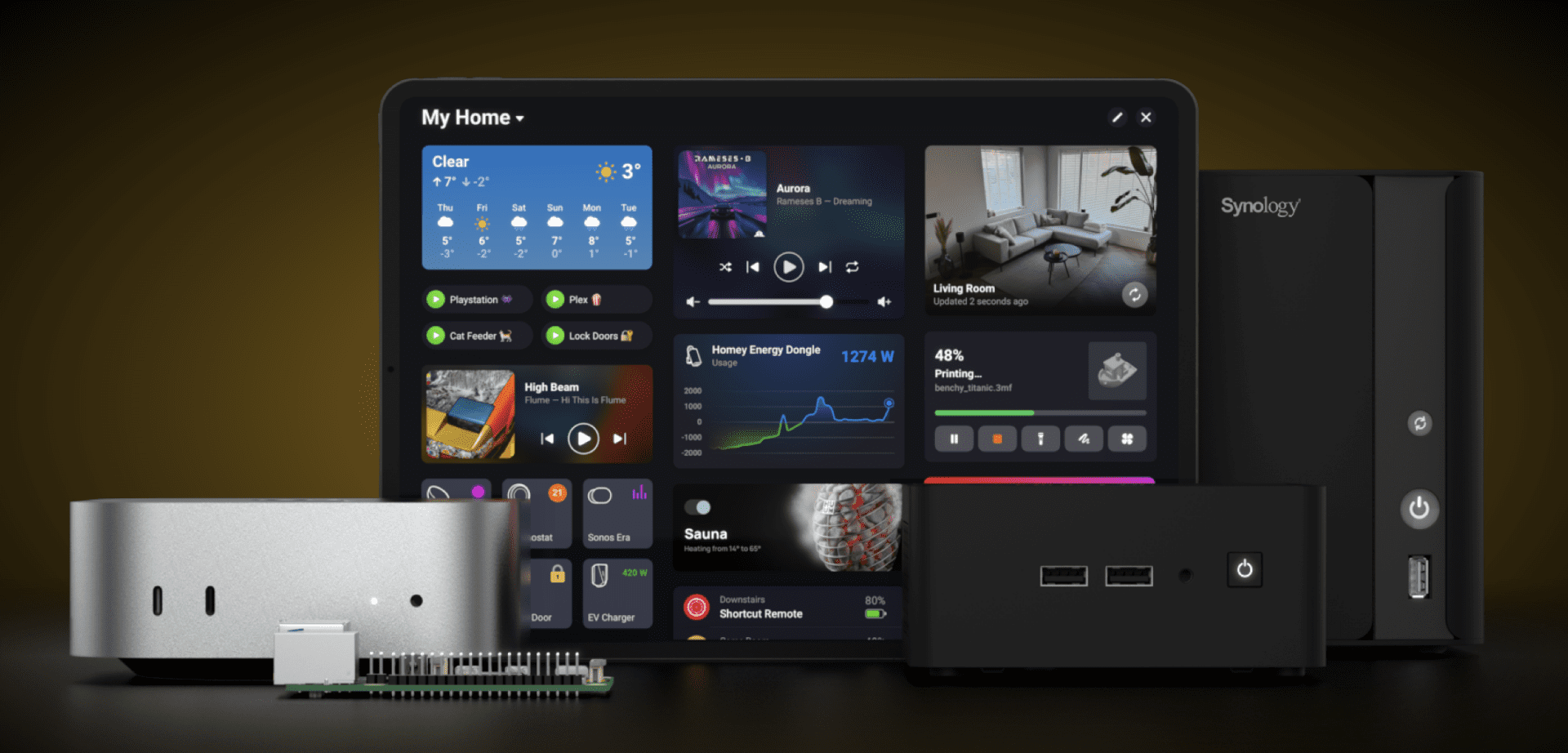
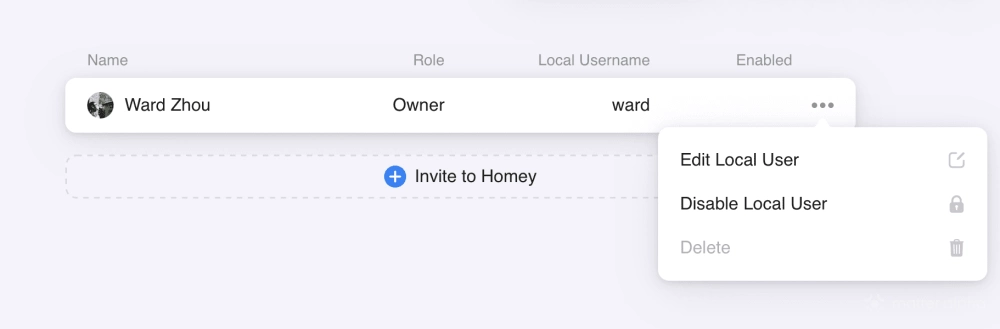
I also ran Homey SHS on a Proxmox Virtual Environment (PVE). The setup is essentially a one-line command and takes only a couple of minutes on the server, followed by another few minutes to adopt it via the mobile app.
That said, the local account setup could be improved. You need to log in through the Homey.app cloud console first, then create a local account there before you can access the local interface via IP address or hostname. This extra step can be confusing for newcomers.
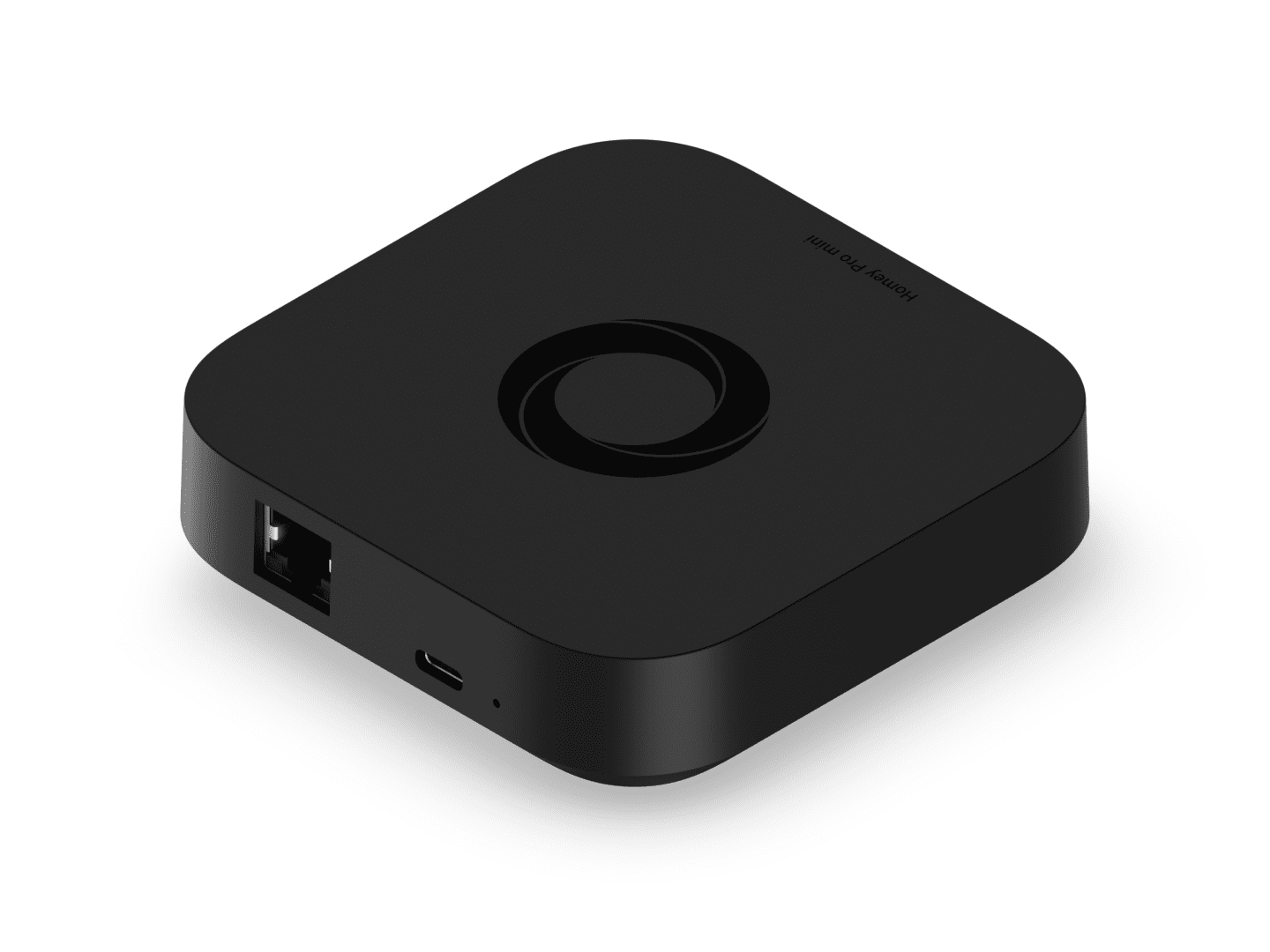
Another drawback is hardware connectivity. Specifically for Homey Pro, both the 2023 and 2026 versions, does not include a built-in Ethernet port. The optional adapter also does not support PoE, which is something I would expect from a premium hub. A workaround is to use a PoE splitter together with the Ethernet adapter, but it is far from ideal.
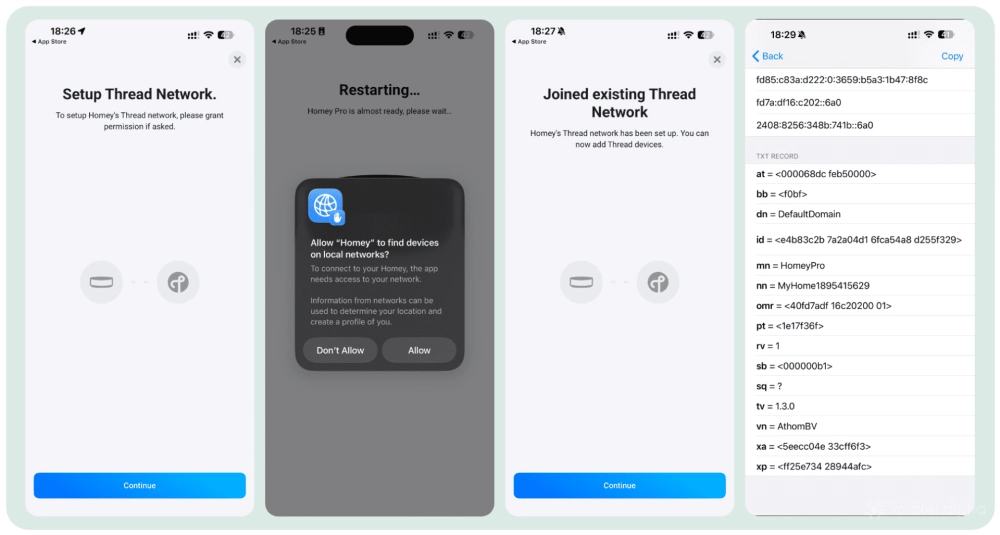
If you are an Apple user, you may notice that Homey Pro’s built-in Thread Border Router asks for HomeKit permission and joins your existing Thread network. This helps strengthen the Thread mesh and is a welcome detail in an otherwise fragmented Thread ecosystem. The version I tested was running on older Thread 1.3.
Core Matter experience
The Matter experience varies depending on how Homey is deployed. If you are using a Self-Hosted Homey Server, Matter devices must be commissioned via a mobile phone, whether it is the first setup or a device shared from another platform. To add Matter devices directly to SHS without a phone, you need a Homey Bridge or a Homey Pro.
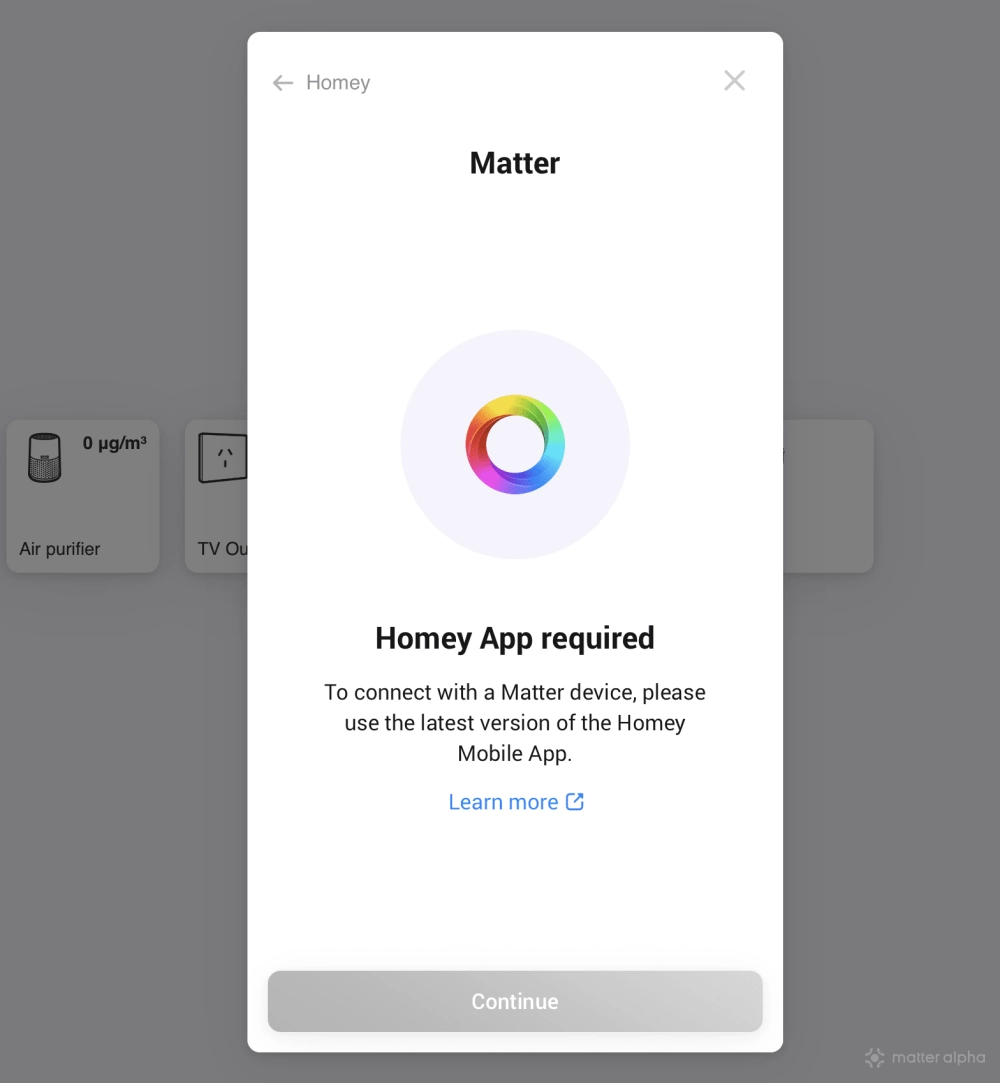
Commissioning through Homey Pro is fast and reliable. Error messages are clear and useful if something goes wrong, unlike many smart home apps that simply ask you to retry without explanation. Commissioning can be done through both the mobile app and the web interface, and the overall experience is one of Homey’s strongest points.
If you do not have a Homey Pro/Bridge and rely on a phone alone for Matter commissioning, the experience is noticeably worse. Setup takes longer, and failure rates depend heavily on the phone platform and Thread Border Router condition.
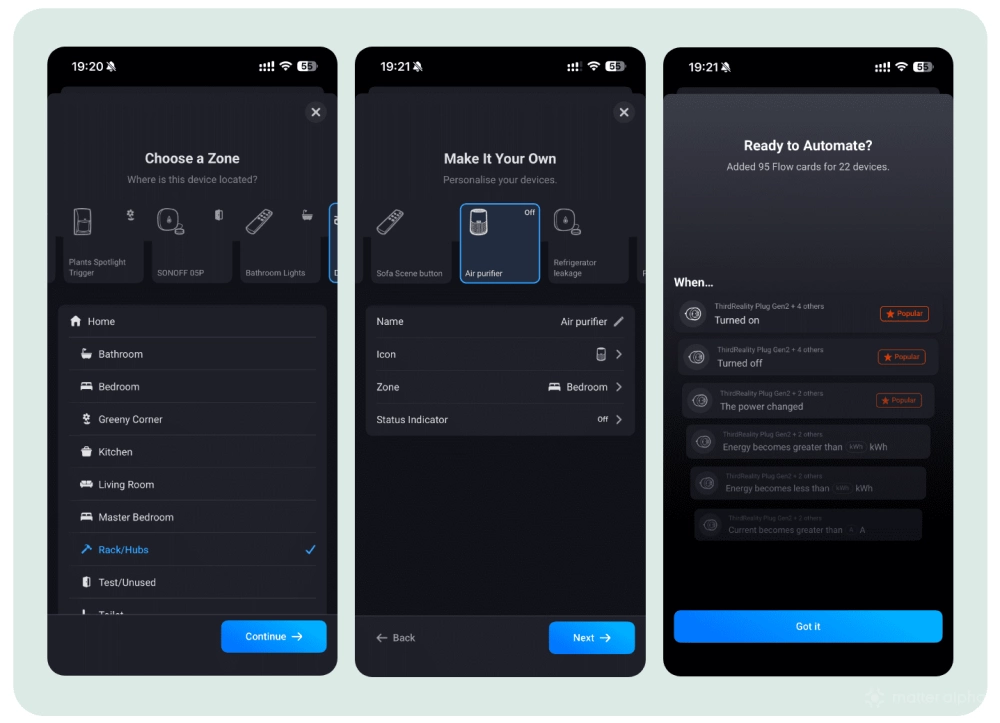
Once devices are added, management is intuitive. Devices are easy to rename, icons can be assigned, and card content can be adjusted later. Homey also handles batch imports very well, which is especially useful for Matter bridge devices that would otherwise overwhelm many ecosystems.
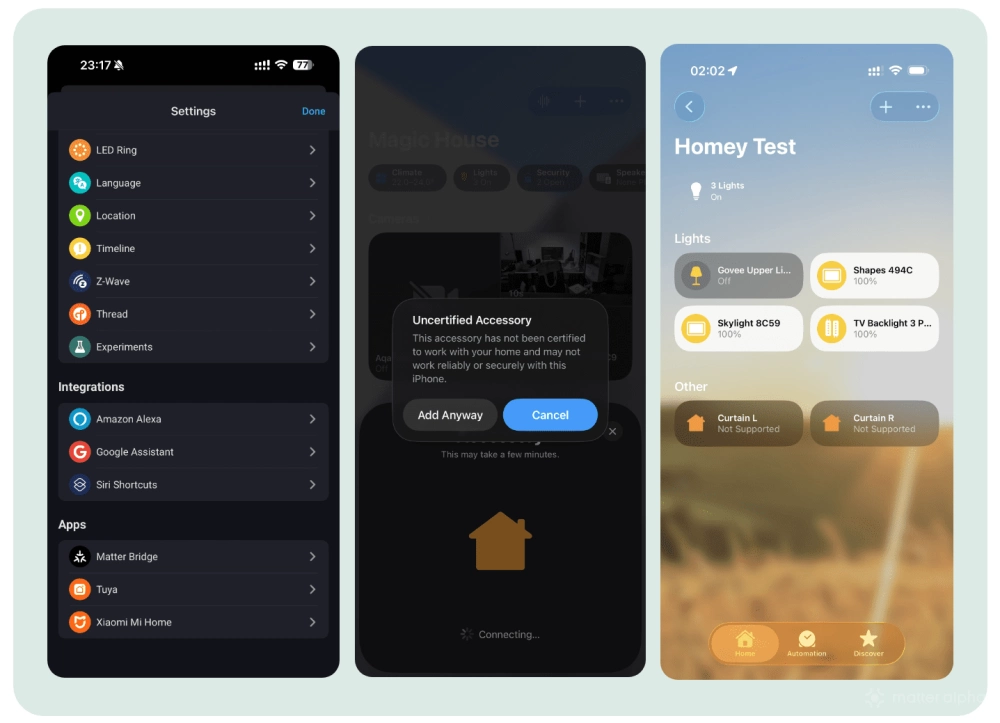
Homey is one of the few platforms that offers both Matter controller and Matter bridge functionality. This allows non-Matter devices to be exposed to third-party platforms. In my testing, some devices such as Nanoleaf Shapes and Govee lights worked well, while others did not fully expose their features. A closer look suggests that missing functionality often comes down to unsupported or incomplete Matter clusters, especially for devices like plugs with power meters and smart curtains.
Wide range of Matter devices
Homey officially claims Matter 1.2 support, but in practice it already exposes features associated with Matter 1.3. Energy-related attributes, in particular, are handled properly. Device coverage is broad and includes air purifiers, CO sensors, PM sensors, and water leak detectors. I did not encounter many compatibility issues during testing.
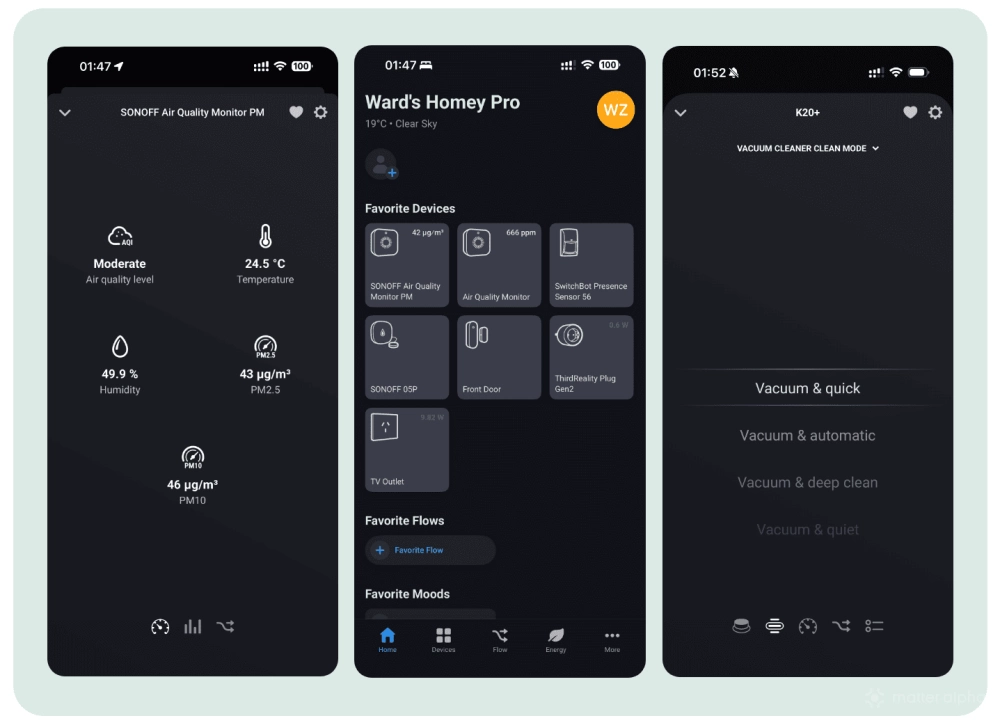
Homey also supports configuring power-on behavior for smart lights and plugs, which can reduce reliance on vendor apps.
Support for generic switches is also solid. For example, the Symfonisk Remote Gen is exposed to Matter with seven programmable buttons, and Homey provides many options for using them as automation triggers. That said, some switch-related features still need work, especially devices with multiple keys.
Homey has announced plans to move toward Matter 1.5, which should eventually bring support for cameras and more advanced energy management features soon.
Powerful automation with Flow
Automation is one of Homey’s strongest areas. The Flow system strikes a good balance between power and usability, with a visual logic style that feels similar to Node-RED but requires far less setup.
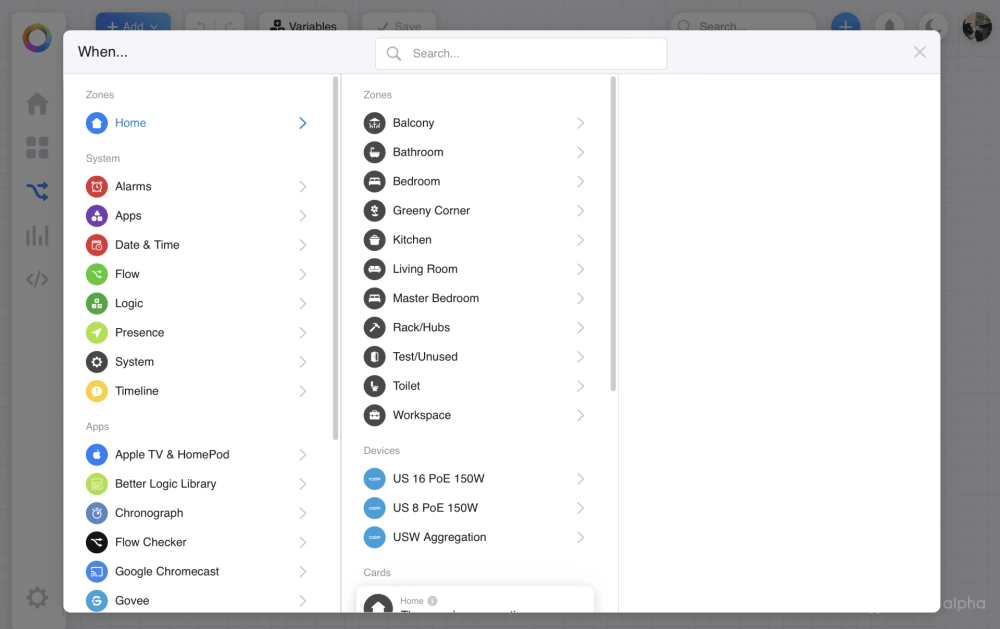
Basic Flows are easy to create and understand, even without prior automation experience. Advanced Flows allow you to combine multiple conditions, triggers, and actions into a single logic structure, which helps reduce fragmentation across automations.
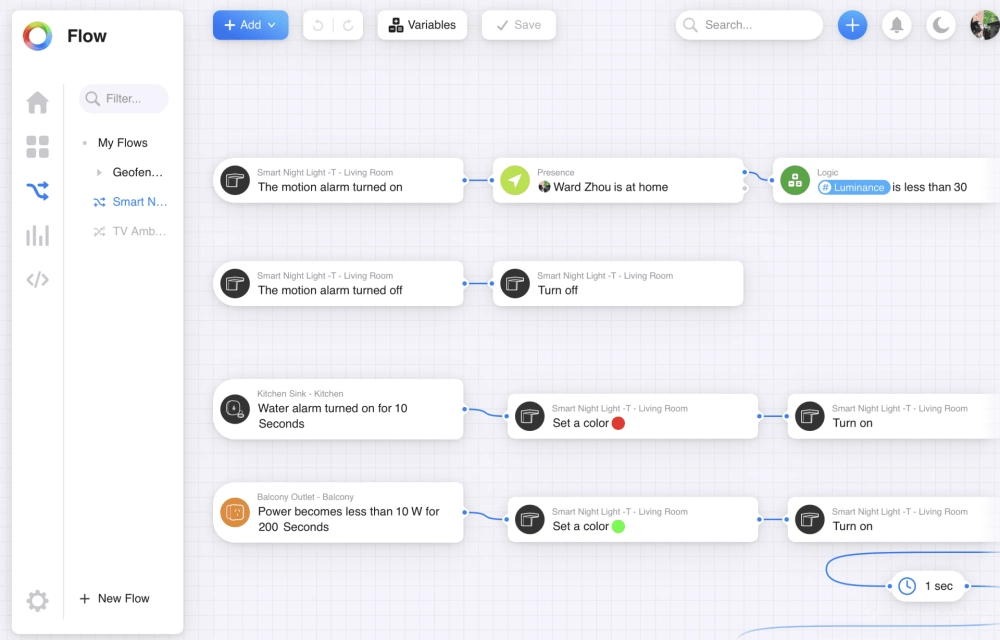
In practice, I often used a single Advanced Flow to handle multiple behaviors for one device or purpose, such as a night light that reacts differently based on motion, ambient light, and time of day. This approach keeps automations easier to manage and avoids the need for multiple overlapping rules. And they are super easy to manage on the web console.
Stability
Overall stability is moderate in my experience. Homey sometimes requires a full power cycle of the hub or the Self-Hosted Server to bring certain Matter devices back online.
However, occasional unresponsiveness affects the Matter Controller. While Homey’s Matter Bridge functionality has been more stable across the platforms I tested, including IKEA, Apple Home, and Home Assistant.
There are also some bugs on the user interface with Homey SHS installation. Certain options appear in the app and web interface that should not be available, such as Thread settings. Interacting with these options can trigger errors, indicating that more polishing is still needed for the self-hosted experience.
Conclusion
Homey can be a powerful platform for starting a Matter-based smart home. For users coming from ecosystems like Apple Home, it represents a major upgrade in supported device types and automation capabilities.
If you are already a power user on platforms like Home Assistant, you may notice missing low-level controls and technical configuration options. However, if you are tired of spending hours fine-tuning dashboards and configurations, Homey can save significant time with slight compromise.
Homey offers flexible deployment options, from a simple setup to a more advanced configuration using Homey Pro or a Homey Bridge. That said, the cost of official hardware and software remains high compared to many alternatives ($149 for Homey SHS and $399/199 for a Homey Pro/Pro Mini), even they offer lifetime licenses.
Overall, Homey sits comfortably between consumer platforms and fully DIY systems. If you want more control than the big four ecosystems provide, but less maintenance than Home Assistant or OpenHAB demands, Homey is worth serious consideration. With a free 30-day Self-Hosted Server trial, it is easy to decide whether the platform fits your workflow.
(Image: Matter Alpha/Ward Zhou)