Until now, I’ve had to stay clear of smart locks because none of my doors were compatible. They’re all uPVC security doors with lift-to-lock handles, and basically nothing fit. The SwitchBot Lock Ultra is the first one I’ve tried that actually offers compatibility, so that alone is a huge selling point for me. It’s not the only reason to buy it, but it’s the reason I’m even talking about it in the first place.
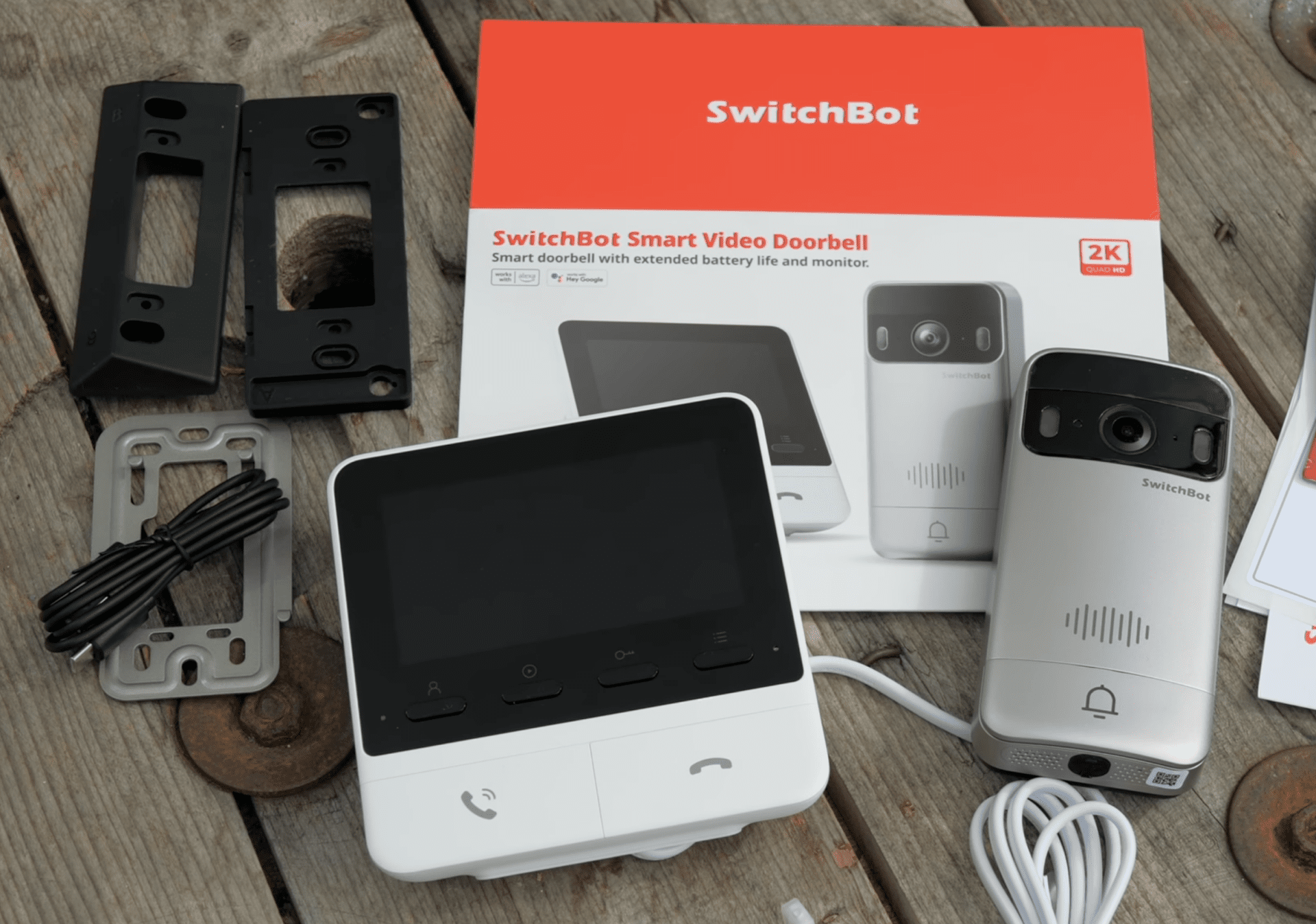
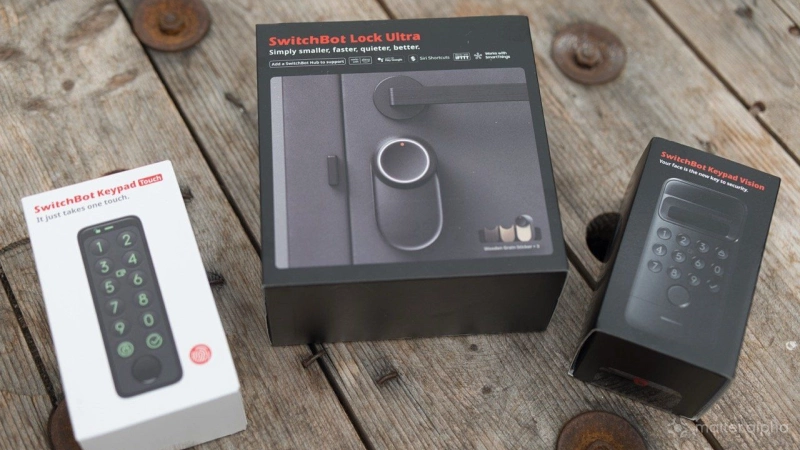
In this review I’m looking specifically at the Lock Ultra and the Keypad Vision combo package. These are sold separately, but I’ll cover both. There’s also a cheaper keypad-only option without the fancy face unlock features, or if you already have the SwitchBot Video Doorbell you don’t technically need either keypad, since you can use NFC cards with the doorbell instead.
The Keypad Vision is the most advanced entry method SwitchBot offers. It adds facial recognition, which is obviously very convenient, but it also includes a numbered keypad as backup, a fingerprint reader, and NFC. So even if one method fails, you’ve always got another way in.
Installation of the Lock Ultra
Installation is fairly straightforward, but it depends on the type of lock you already have. SwitchBot includes loads of different brackets and fittings, and it looks like they’ve tried to account for just about every common setup.
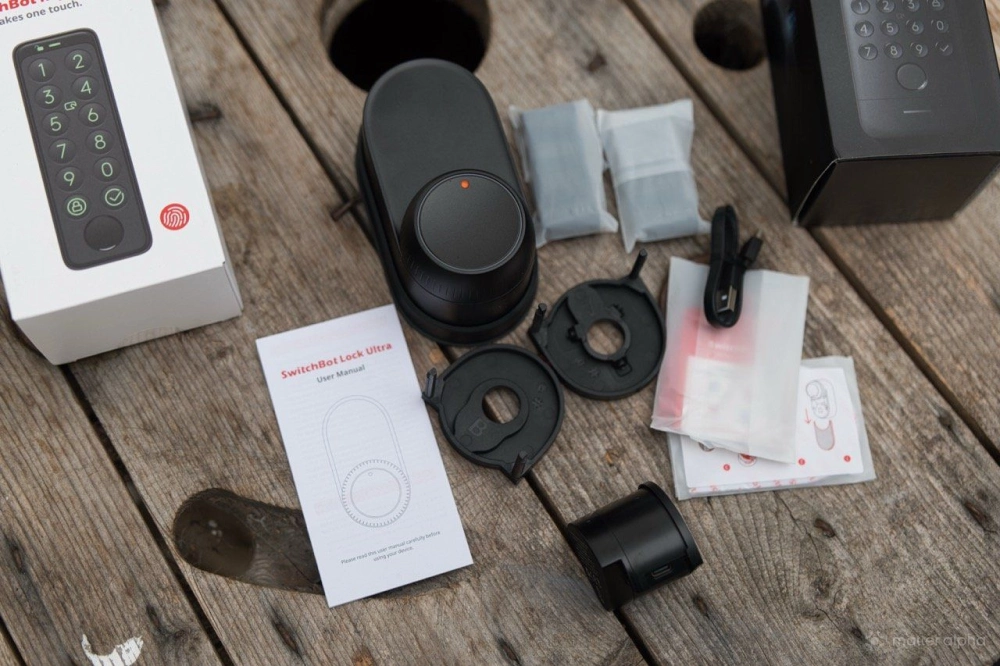
Don’t do what I did and skip the installation video. There are two different brackets depending on how deep your key sits in the door. Once that’s fitted, the Lock Ultra slides over the top of it and lines up with your key. On my door, once it’s installed, I can no longer insert a key from the other side. That may not be the case for everyone, but it’s worth knowing.
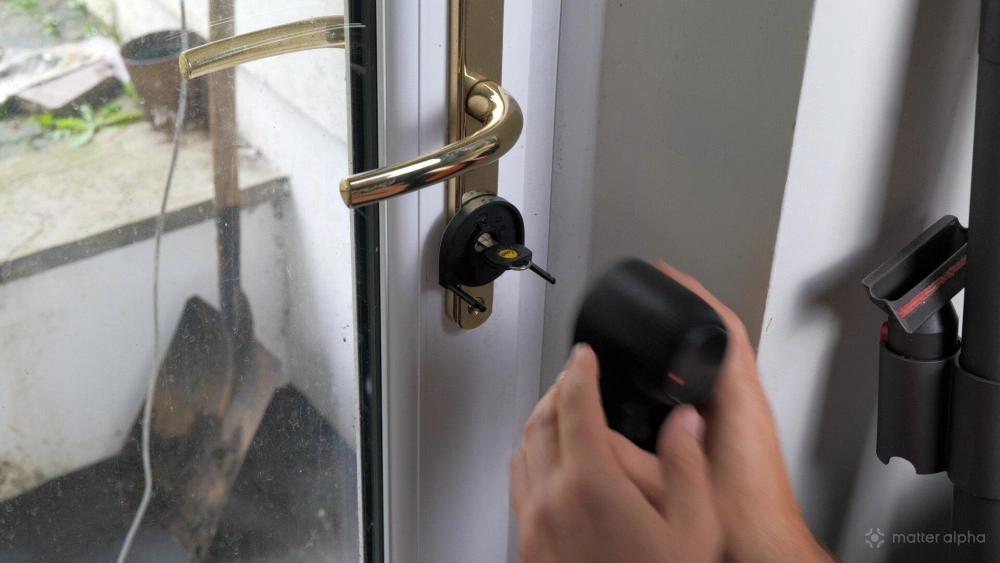
The only really fiddly part is on the sides of the main locking unit. There are two tiny plastic latches that grab onto the mounting bracket. They’re not obvious, they’re not color-coded, and they don’t slide particularly smoothly. They can get stuck, and you end up wiggling things around until they finally catch. It’s probably the weakest part of an otherwise excellent design.
There’s also a small magnetic block that you need to stick to the door frame. The lock uses this to tell whether the door is closed, and it’s essential if you want auto-lock to work properly.
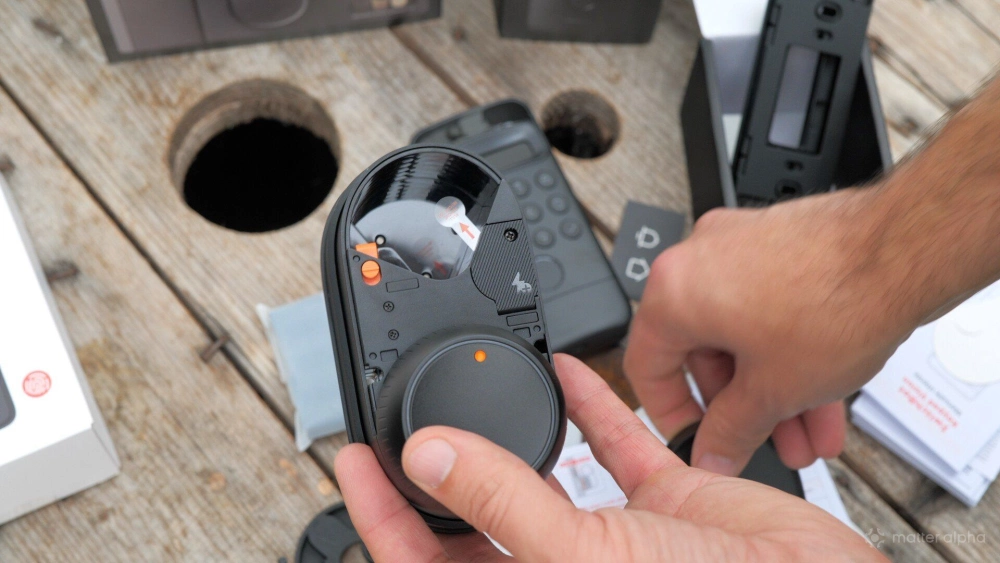
The Lock Ultra has two batteries. There’s an internal battery, which I assume handles the smart side of things or acts as a backup, and a larger removable battery that provides the torque to actually turn the key. The main battery charges over USB-C, and you should fully charge it before first use.
Living with lift-to-lock uPVC doors
My experience hasn’t been perfect, but that’s more down to my doors than the lock itself. My doors use a double-stage locking mechanism: you have to lift the handle before the key will turn. The Lock Ultra can’t physically lift the handle, so you still need to remember to do that after closing the door.
If you don’t, auto-lock will fail because the key won’t turn. The lock complains that it’s stuck, and you’ll need to recalibrate it to fix things. I worked around this by adding a short auto-lock delay of about five seconds, which gives you time to close the door and lift the handle before the lock kicks in.
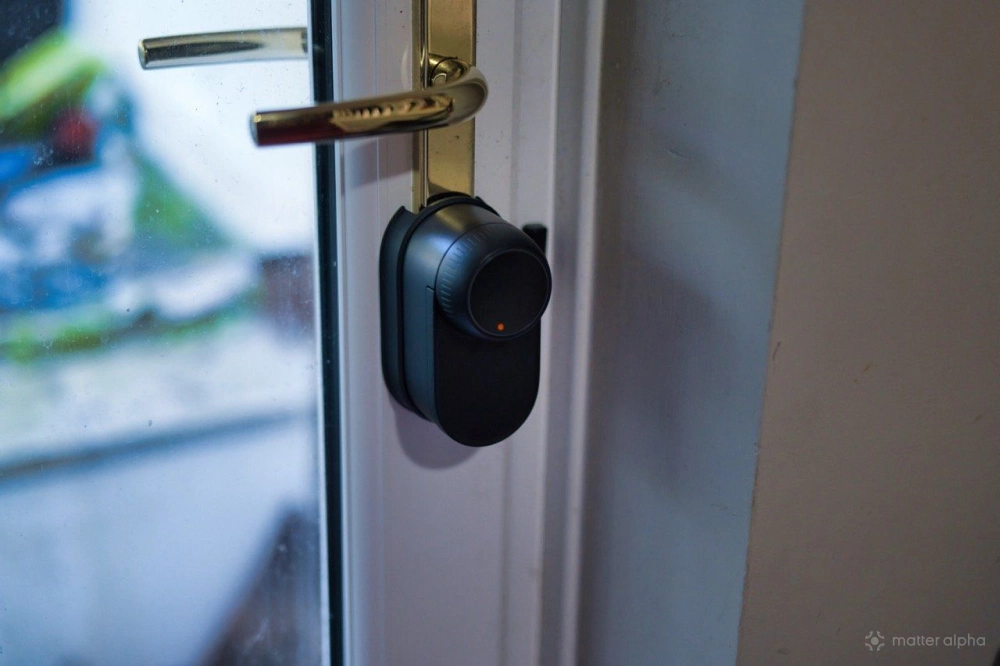
Honestly, the hardest part of having this installed has been training other people in the house to remember that one extra step. That said, I’m still surprised it works at all. The key on my door is stiff, but the motor has plenty of torque. As long as the handle gets lifted, it locks and unlocks reliably.
Matter compatibility
Out of the box, the Lock Ultra isn’t Matter compatible, which has confused some people. Adding Matter support is easy enough, though. You just need either a SwitchBot Hub or the SwitchBot Video Doorbell, which acts as a Bluetooth-to-Matter bridge.
Without one of those, the lock isn’t on Wi‑Fi and isn’t a Matter device. With a bridge in place, Matter support is very basic, but that’s exactly what you’d expect from a door lock: lock and unlock. That’s it.
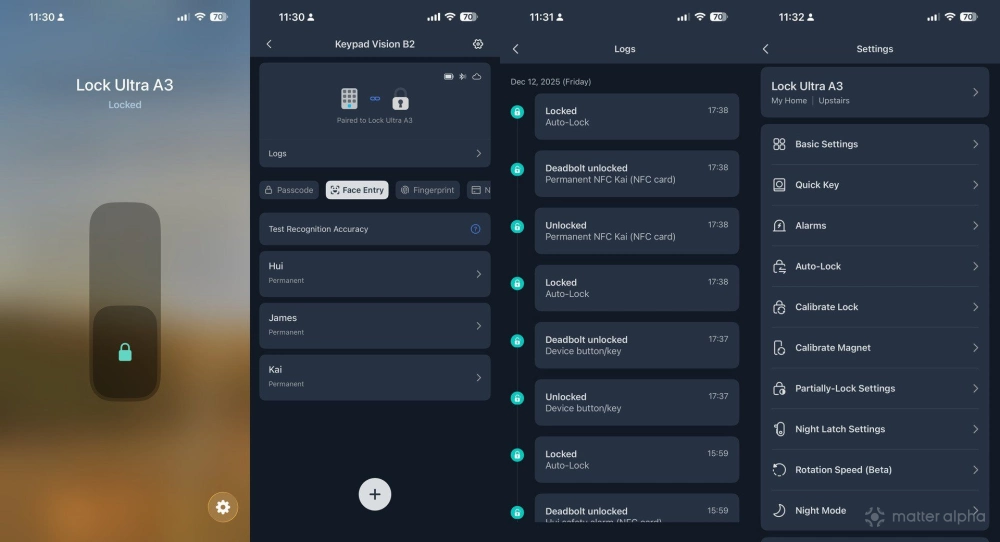
In my case, if calibration breaks because someone forgot to lift the handle, Matter can get out of sync and report the lock as unlocked when it’s actually locked. Fixing this is simple. You just remove the lock from Matter in the SwitchBot app and add it again. No physical re-pairing needed.
If you’re using the doorbell, you also get a physical on-screen button to unlock the door for visitors, which is genuinely handy. No digging through apps, just see who’s there and let them in.
Keypad Vision
The Keypad Vision uses the same body as the Video Doorbell, so mounting is the same too: screws or 3M adhesive. After messing up the drilling for the doorbell, I went with the adhesive this time. It was easier, quicker, and so far it’s stayed put.
It’s reasonably sheltered, but it’s been hit by sideways rain and strong wind and hasn’t had any issues. Like the doorbell, it charges over USB-C and can optionally be paired with a solar panel.
Face training took only a few minutes. I set it up for myself and my son, closed the door, let it auto-lock, and deliberately locked myself out. It worked first time. If anything, the face unlock feels a bit too proactive. It seems to be constantly scanning for motion, even from a couple of meters away, which makes me wonder about battery life. You need to be about a meter away for it to actually unlock, but when it does, it’s completely hands-free. Just look at it and the door unlocks.
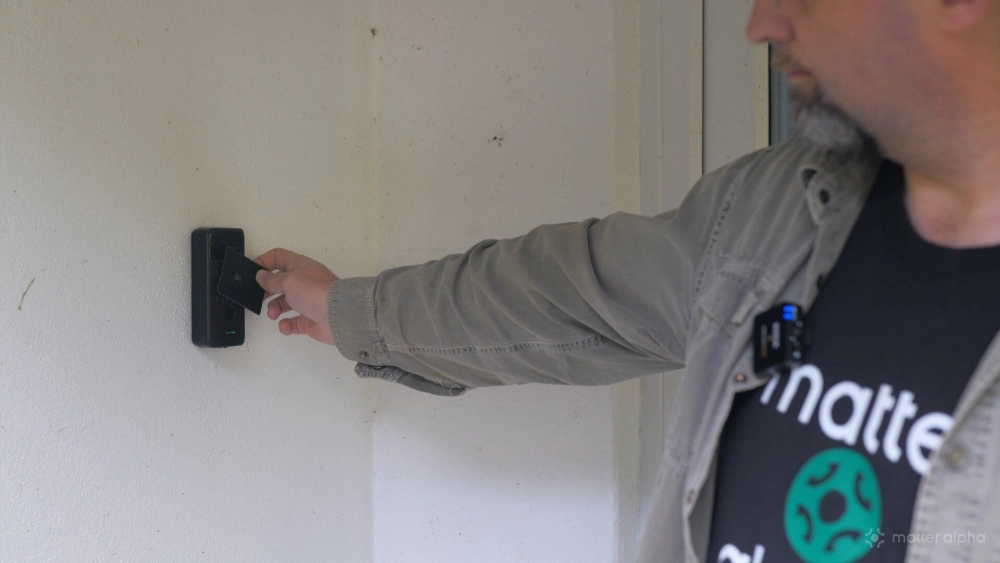
You also get a full keypad with permanent codes, temporary timed codes, and one-time codes, which is exactly what you’d expect. There’s a fingerprint reader too, plus NFC support. NFC worked fine with SwitchBot cards. My phone didn’t work, possibly due to UK transit card quirks, but there are plenty of options.
The cheaper Keypad Touch combo still includes NFC and fingerprint unlock. The only thing you lose is the camera and hands-free face recognition.
Should you buy it?
SwitchBot has done a really good job sticking to its core idea of making dumb things smart; you don't get much dumber than a door knob, as the saying goes. I’d honestly given up on ever having a smart lock because of my doors, so the fact that this works at all is impressive.
Compatibility won’t be universal, but the limitation here is more about physical sizing than lock type; it's possible your door frame sits a little too close to the keyhole, for instance. Check the compatibility page before purchase.
Even without the Keypad Vision, pairing the Lock Ultra with the Video Doorbell gives you NFC unlock and remote access, which is already enough for most people. The Keypad Vision just takes it a step further with hands-free facial unlock. That adds face unlock, fingerprints, NFC, PIN codes, temporary access, access logs, and remote control. I’m not sure what more you could reasonably want from a smart lock.
Matter support does require a hub or the video doorbell, since the lock itself is Bluetooth-only. That’s a trade-off for battery life, and I’m fine with it. Thread could have made it a native Matter device, but given how flaky Thread can be, I’m not convinced that would have been better.
The bigger question is likely to be whether you trust smart locks at all. The ease with which this unlocks using my face alone is impressive, but also a little unsettling. We’ve tried it with a few guests, and it didn’t misfire, but I live in the middle of nowhere on a no-through road, so it hasn’t exactly been stress-tested by hordes of passersby. But any lock is ultimately about convenience. If someone really wants to get into your house, a smart lock isn’t going to help or hinder them.
If you’ve got uPVC or patio-style doors and assumed smart locks weren’t an option, the SwitchBot Lock Ultra is the first one I’ve used that genuinely changes that. Add the Keypad Vision, and it becomes a very flexible and convenient smart entry setup.