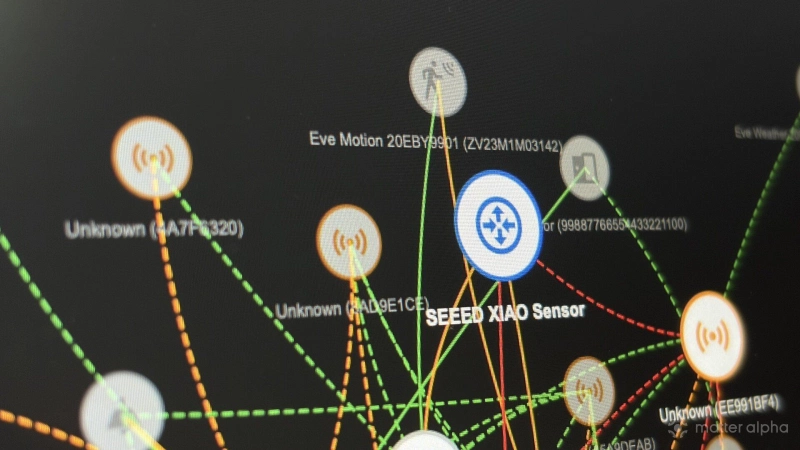
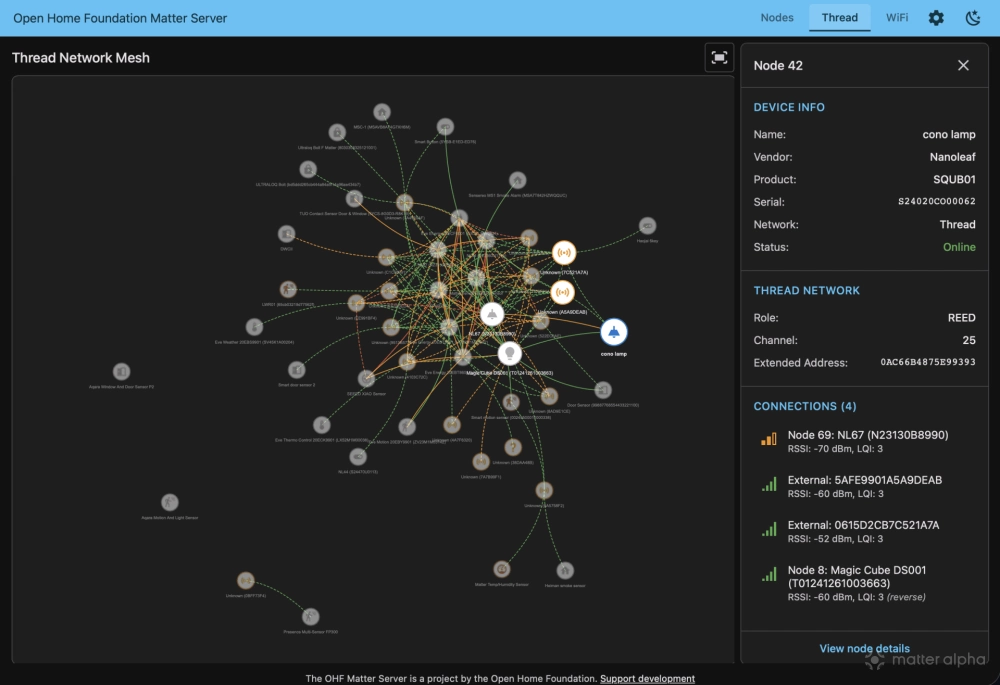
As one of the most friendly platforms for open standards, Home Assistant has offered lots of useful tools for Thread and Matter, including advanced management for OpenThread Border Routers (OTBR). Recent beta updates for Open Home Foundation (OHF) Matter Server bring this further, adding the diagram graph for your home Thread mesh like Zigbee topology.
Here’s a brief guide to configure yours and how it works.
How to access Thread topology?
The new visualization feature is available in the Open Home Foundation Matter Server 0.3.3 beta. Since this is a pre-release version, you should avoid using it on a production system that runs critical parts of your home automation. Bugs or instability could disrupt your setup, so you must create a full backup of your Home Assistant instance before you begin. This ensures you can restore your system if you encounter any issues during the process.
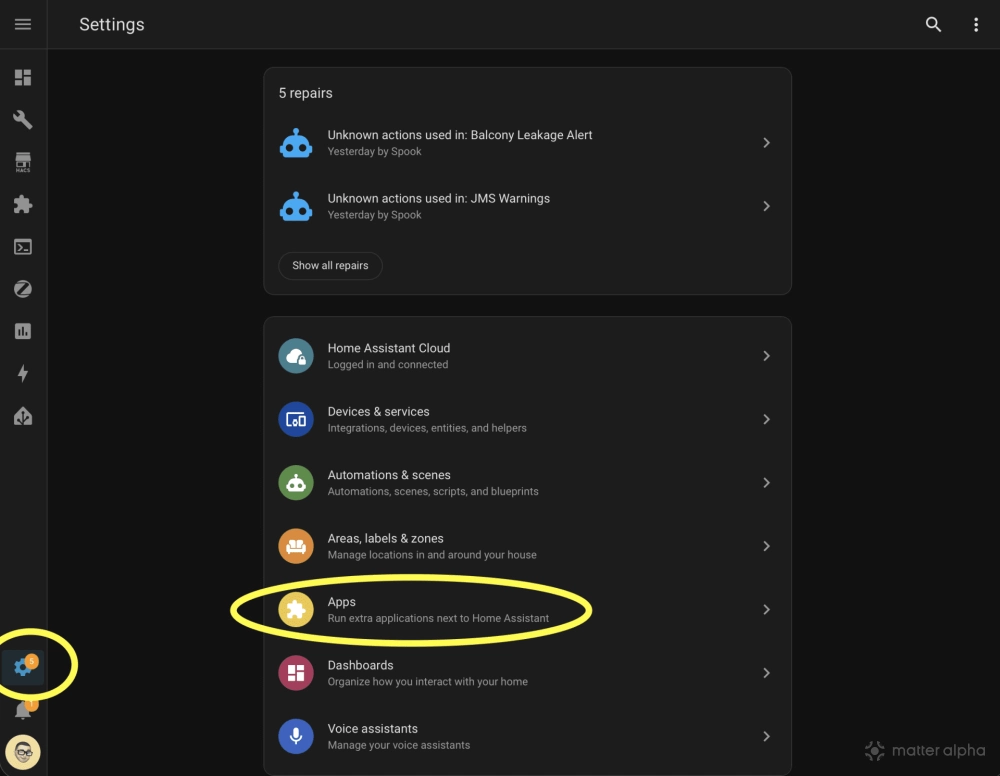
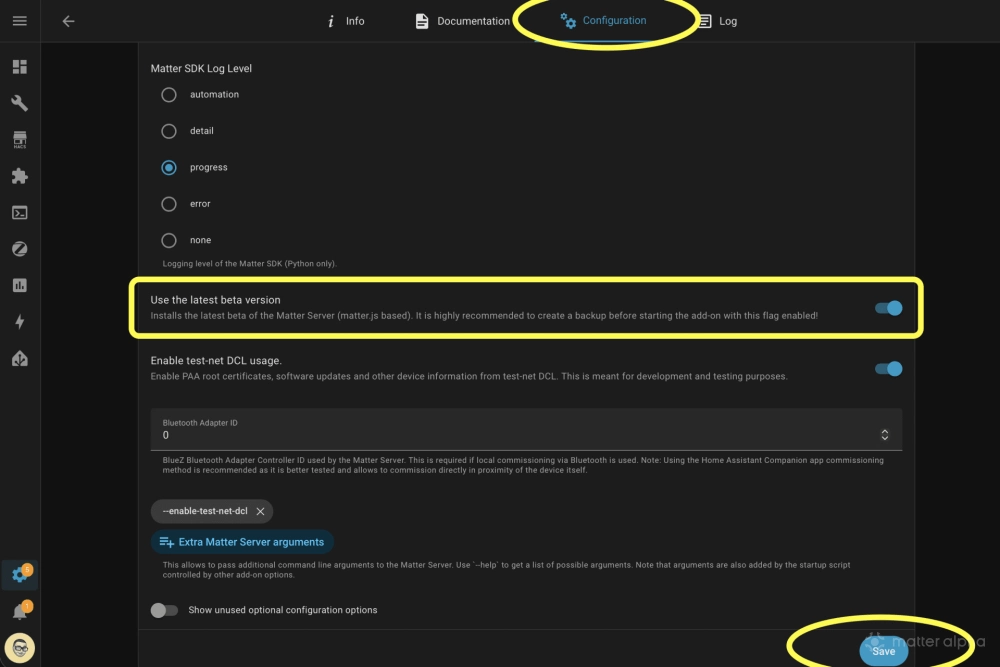
If you have an existing Home Assistant OS installation, you can access this build by updating your Matter Server add-on. Navigate to the add-on settings page, which might be labeled as “App” in recent Home Assistant beta versions. Select the Matter Server and proceed to the configuration tab. Locate the option labeled “Use the latest beta version” and toggle it on. After saving this change, restart the add-on to apply the update.
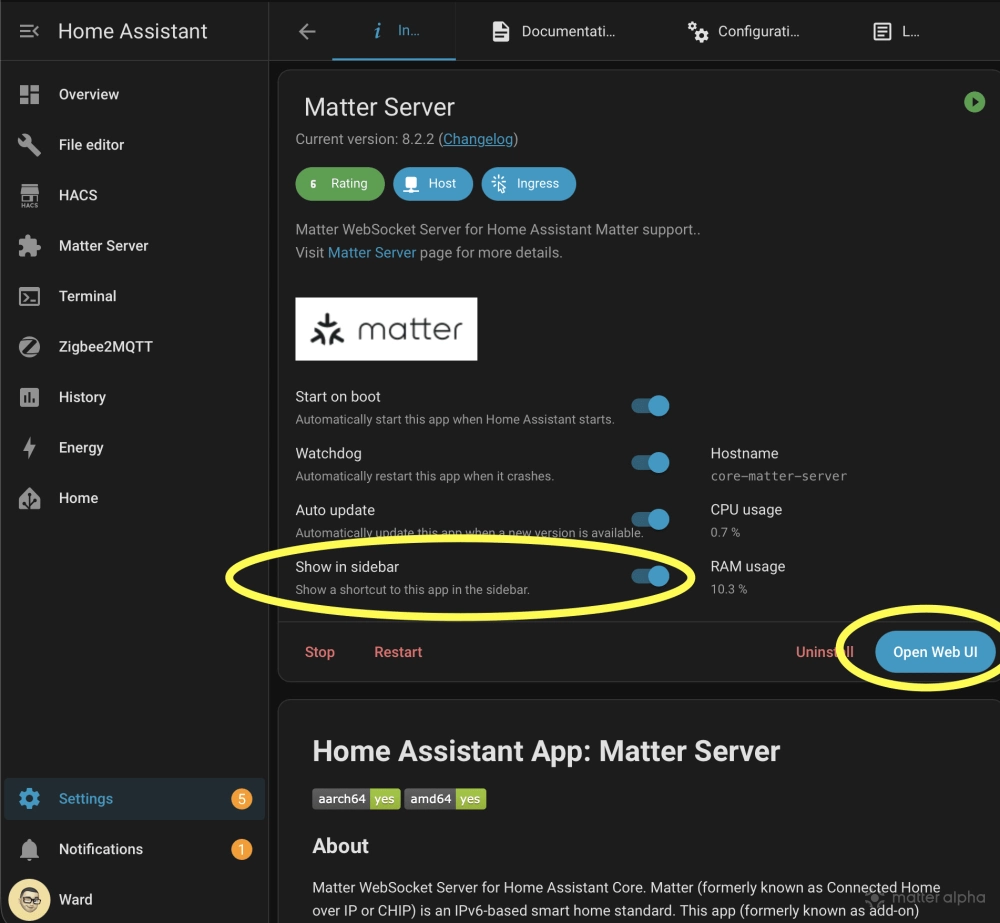
Once the logs confirm a successful upgrade, return to the info tab and select the “Open Web UI” button. This action launches the developer interface. You can also toggle the “Show in sidebar” option to pin the Matter Server to your main Home Assistant navigation pane.
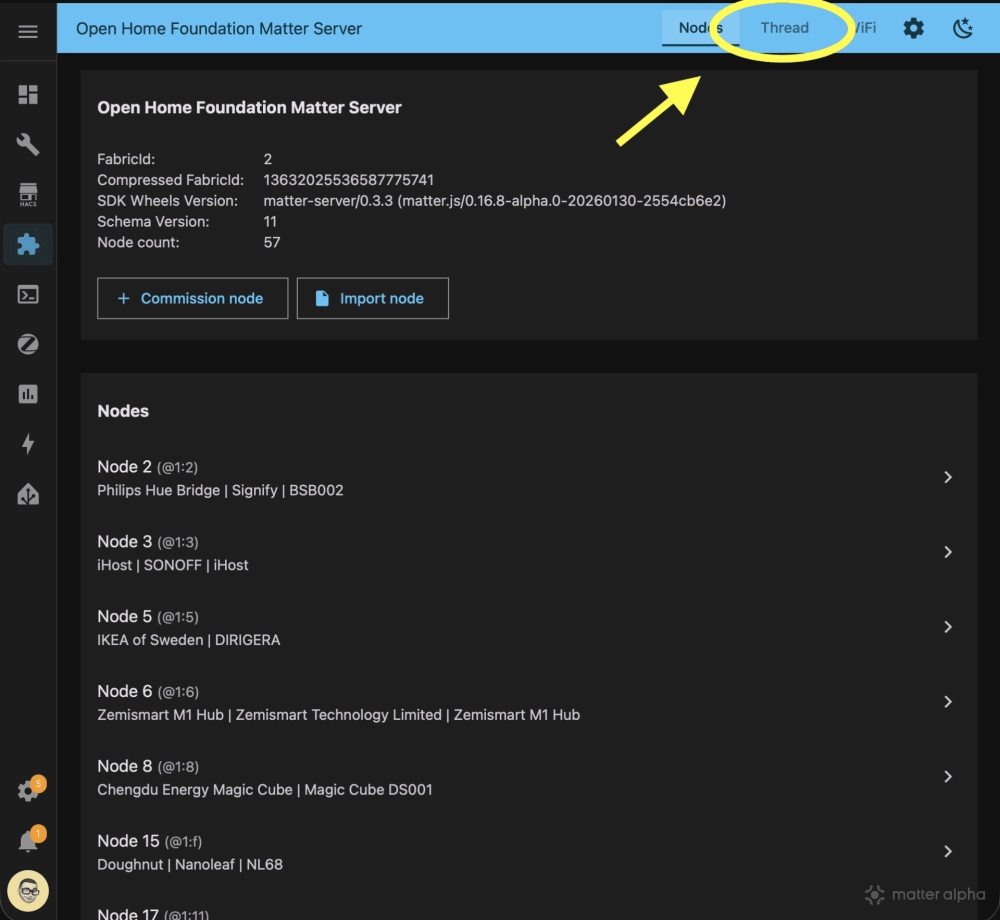
Inside the Open Home Foundation Matter Server interface, select the Thread tab to view the full network topology. If you are on a phone, rotate your device to landscape mode, as portrait orientation often obscures the navigation tabs needed to switch views.
Selecting individual nodes on the diagram reveals specific details such as link quality, nearby neighbors and the device’s operational role. This feature relies on data from Matter devices you have already paired to Home Assistant. Devices you have not added to the platform but are detected by neighbors may appear as unknown devices with limited available data. Additionally, Thread Border Routers currently appear as “Router (external)” because few such devices possess native Matter integration defined in the Home Router Access Point category.
If you do not see the Matter Server in your add-on list, you must install it before proceeding. Attempting to pair a new Matter device to Home Assistant typically triggers an automatic installation of the server. Alternatively, you can manually install it by enabling advanced mode. Click on your user profile icon in the bottom left corner of the interface and toggle on advanced mode. Then, return to the add-on store to install the server and proceed with the update.
A Matter Cluster that finally makes sense for users
The Thread Network Diagnostics Cluster traces its roots to the Thread spec rather than Matter itself. Thread has long defined diagnostic data for understanding mesh behavior, and this foundation was later surfaced in Matter when the smart home standard launched version 1.0 in late 2022. Matter standardized how controllers could read existing Thread network information in a consistent way.
As Matter evolved recent versions, the cluster aligns with newer Thread standards for more device information. A major change came from the underlying Thread protocol. In particular, the Thread Group introduced “Enhanced Network Diagnostics” with the release of Thread 1.4. These additions expanded the amount of network data devices can report, making it possible to analyze mesh performance in greater detail when products support the newer Thread specification.
The Thread Network Diagnostics Cluster provides the structured data needed to build a picture of a Thread mesh. It reports the role each device plays in the network, such as whether it operates as a router or an end device. Each node can also expose its neighbor table, showing which devices it can directly communicate with and how those connections are formed.
In addition, the cluster exposes link-level metrics that describe connection quality, including signal strength and link quality indicators. Packet counters and error statistics provide further context about reliability and stability over time. While the cluster does not define a complete network map on its own, it supplies the raw data that controllers and diagnostic tools can use to visualize topology and evaluate overall network health.
(Source: CSA, Thread Group, Home Assistant; Image: Matter Alpha/Ward Zhou)