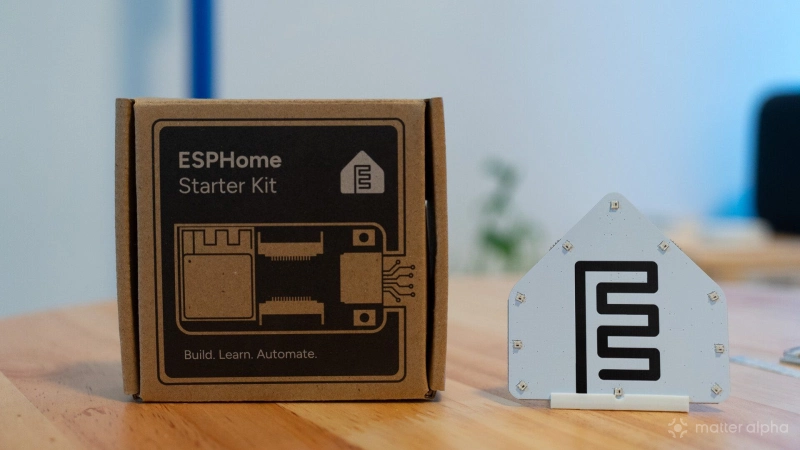
ESPHome, the smart home device-building platform under the Open Home Foundation, now has official hardware to go with its software, much like Home Assistant.
The first product is the ESPHome Starter Kit, built by Open Home Foundation commercial partner Apollo Automation. It arrives at a good time: ESPHome’s new Builder has made creating devices much more visual, with many configurations now possible through a few clicks instead of writing YAML from scratch.
The Starter Kit takes that idea to the hardware side. Sensors and other modules simply plug into the main board, making it an easy entry point for ESPHome. But the ESP32-C6 inside also gives it some more interesting uses. I tried repurposing mine as a Thread router to extend coverage for Matter devices. And here are my first takes on the ESPHome Starter Kit.
First impressions
The packaging looks like a developer board, but opening it feels more like a small building set.
Most parts arrive together on PCB panels that you carefully snap apart. The main ESPHome C6 Board uses an ESP32-C6, giving it Wi-Fi, Bluetooth LE and IEEE 802.15.4 connectivity for Thread and Zigbee.
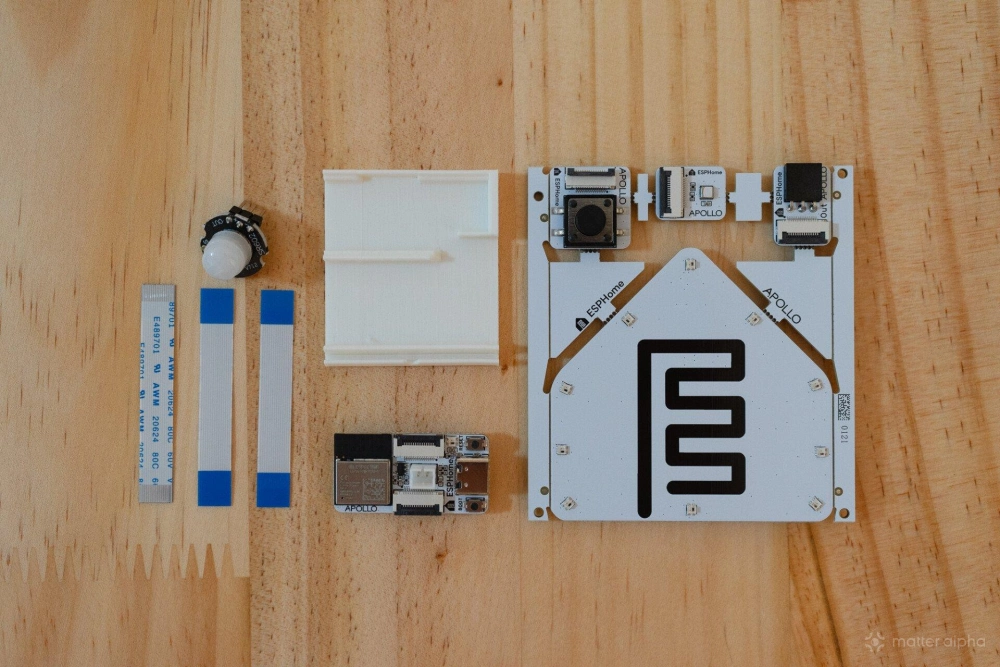
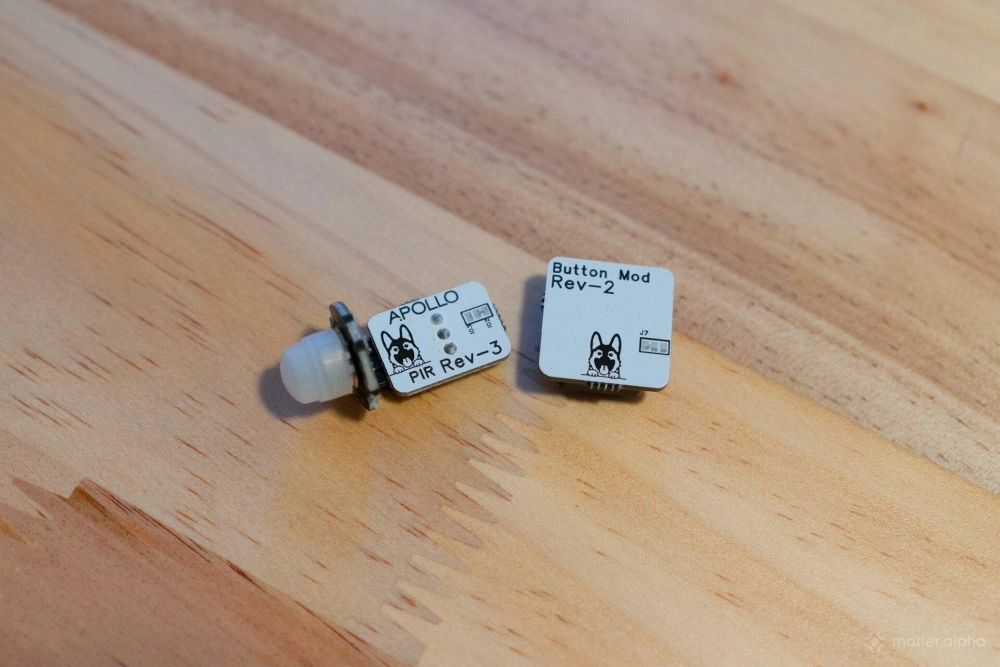
The standard kit also includes an ESPHome logo-shaped LED and buzzer board, a stand for the main board and LED, a motion sensor, temperature and humidity sensor, button, and three ribbon cables.
I like the minimal design. And they nailed it for the accessibility as the assembly is straightforward once everything is separated.
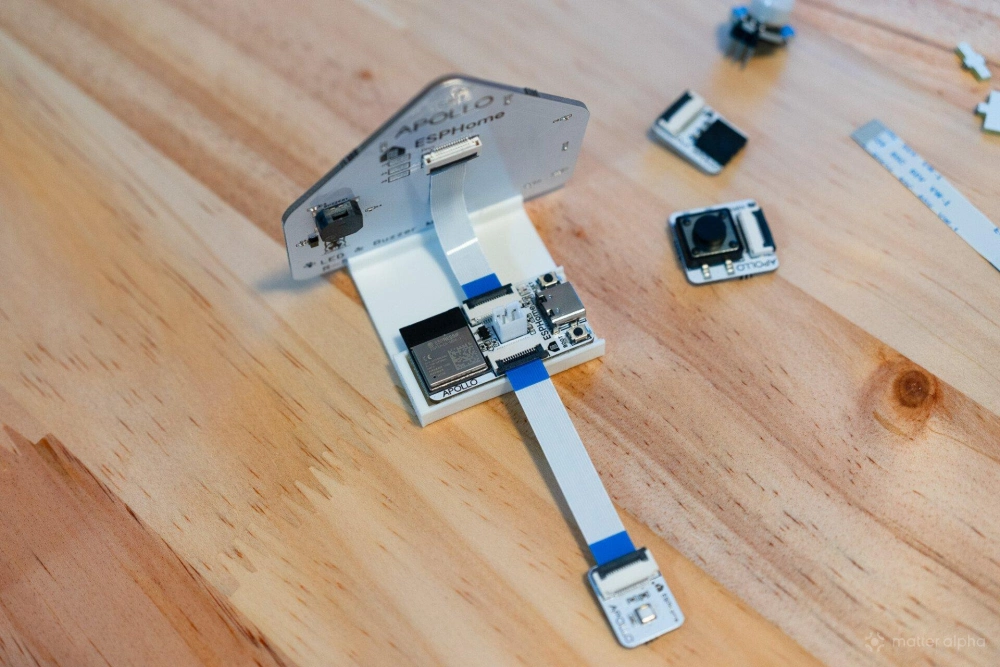
The modules use small locking connectors. Lift the latch, insert the ribbon cable, and click it back into place. One limitation I quickly noticed: the main board only has two connectors, so without additional tinkering, you have to choose which two accessories to use.
A few clicks with ESPHome Builder
The easiest setup is still Wi-Fi.
From the ESPHome Builder dashboard, creating a new device brings up a dedicated option for the Starter Kit. Most of the base configuration is already prepared, and you can then add the modules connected to the board.
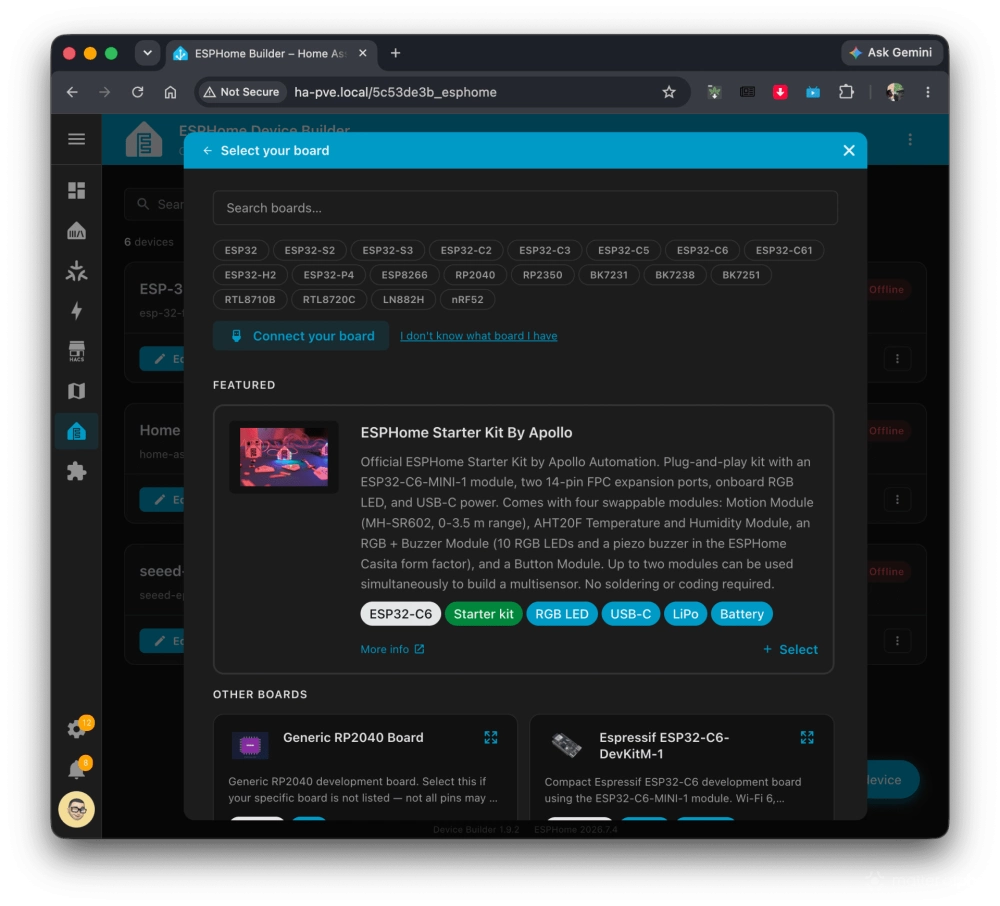
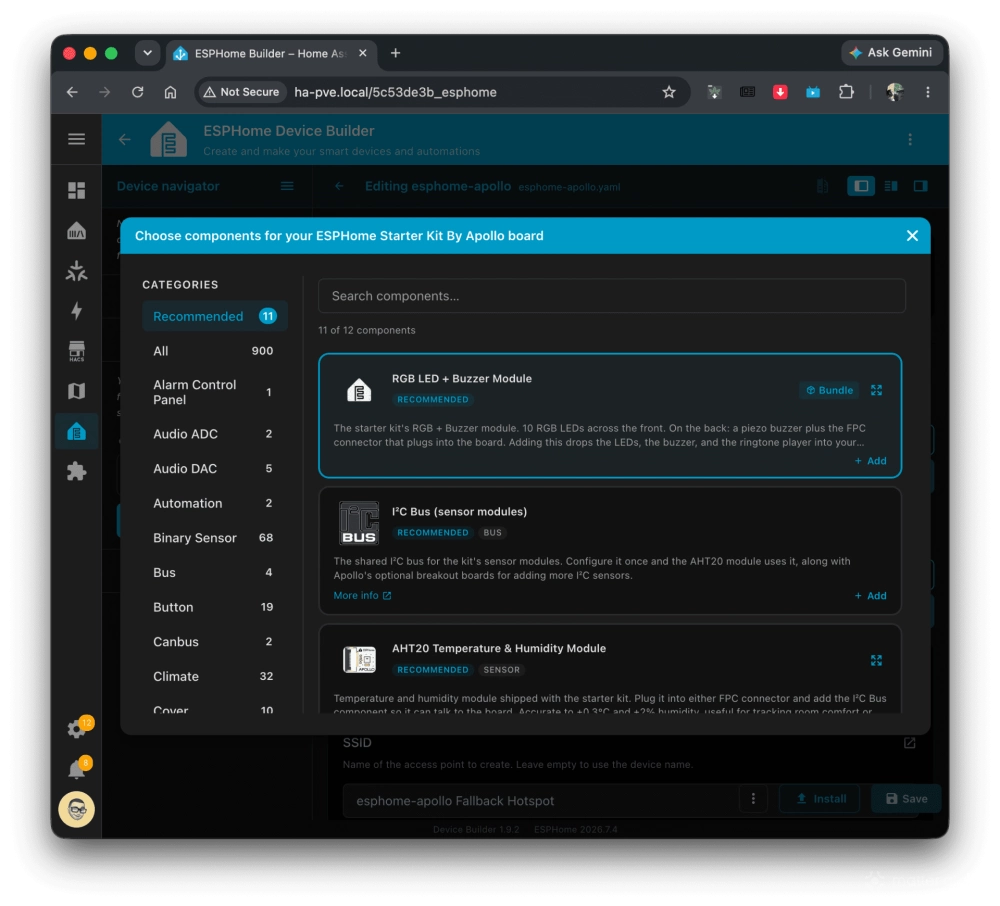
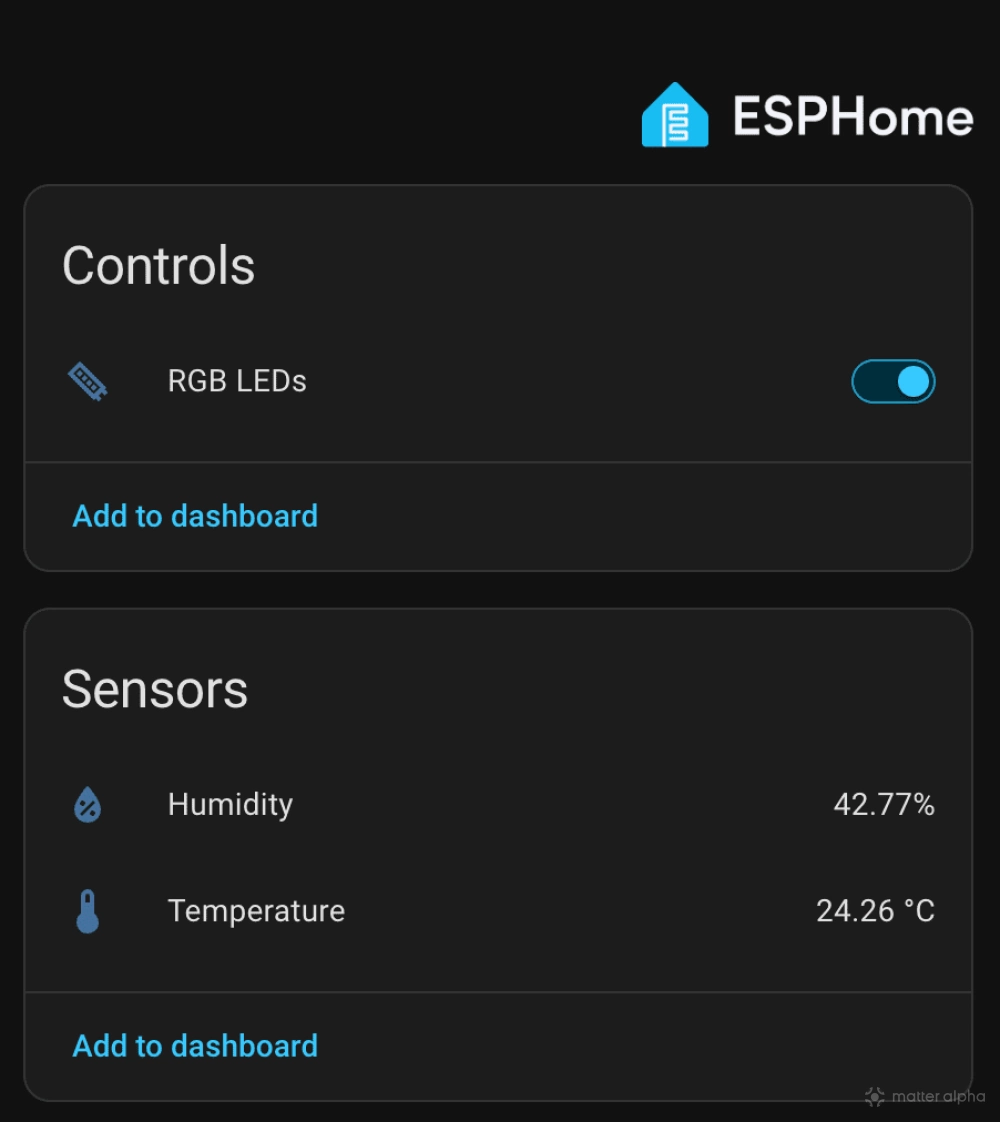
I used the temperature and humidity sensor alongside the LED board. Searching for them in the component panel brings up the required configuration, with Builder also taking care of dependencies.
If ESPHome already has your Wi-Fi credentials saved, there is little else to configure. Otherwise, you can enter the network name and password or connect through the device’s temporary hotspot.
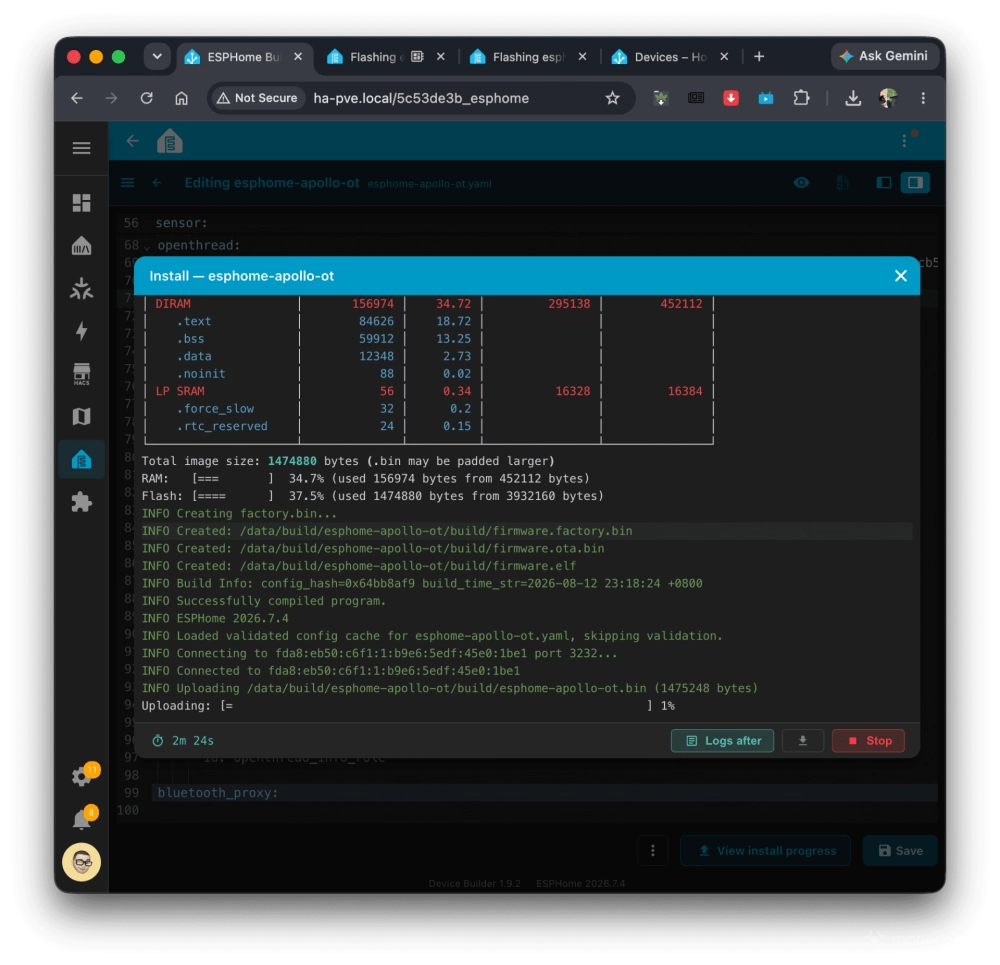
Once everything is ready, Builder compiles the firmware and flashes it to the board. ESPHome can also open a separate browser tab and automatically flash a board connected to the computer over USB.
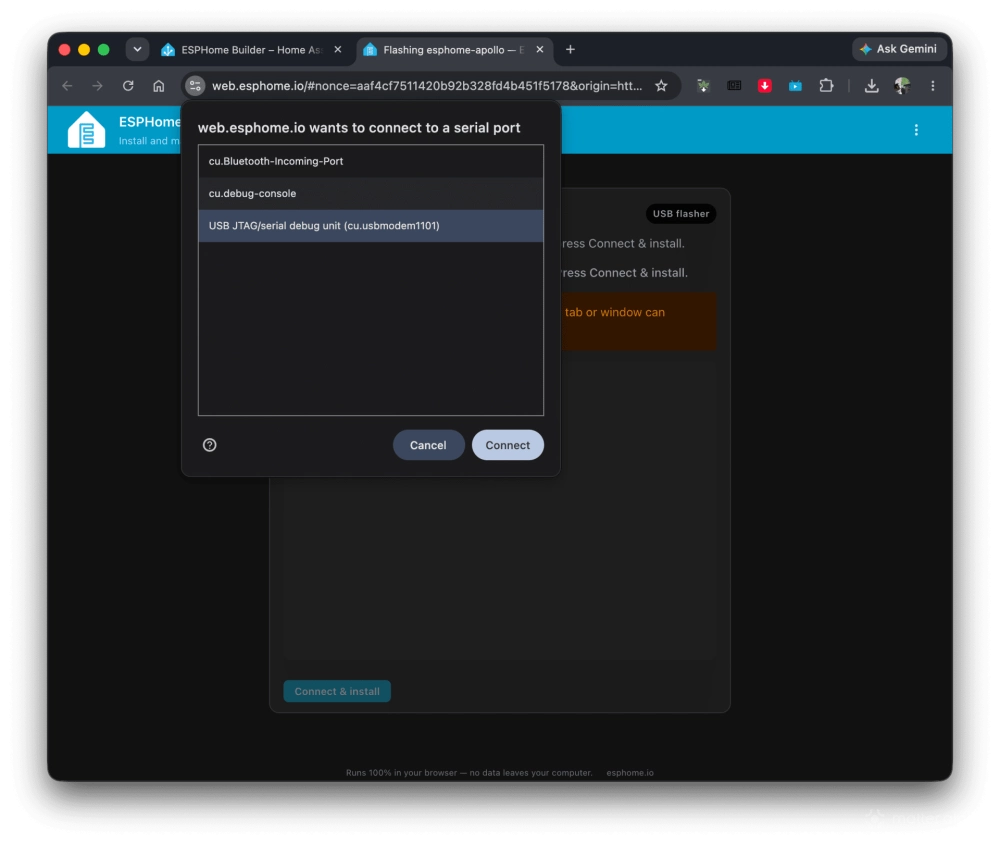
This is where the combination of the new Builder and Starter Kit works particularly well. ESPHome has always made custom devices relatively accessible, but the kit removes much of the hardware guesswork while Builder does the same for software.
Turning it into a Thread router
The ESP32-C6 makes the kit more interesting for Matter users because its 802.15.4 radio can run OpenThread.
To switch from Wi-Fi, I removed the Wi-Fi and web server components from the base configuration and added OpenThread. The device then needs credentials for the Thread network it should join.
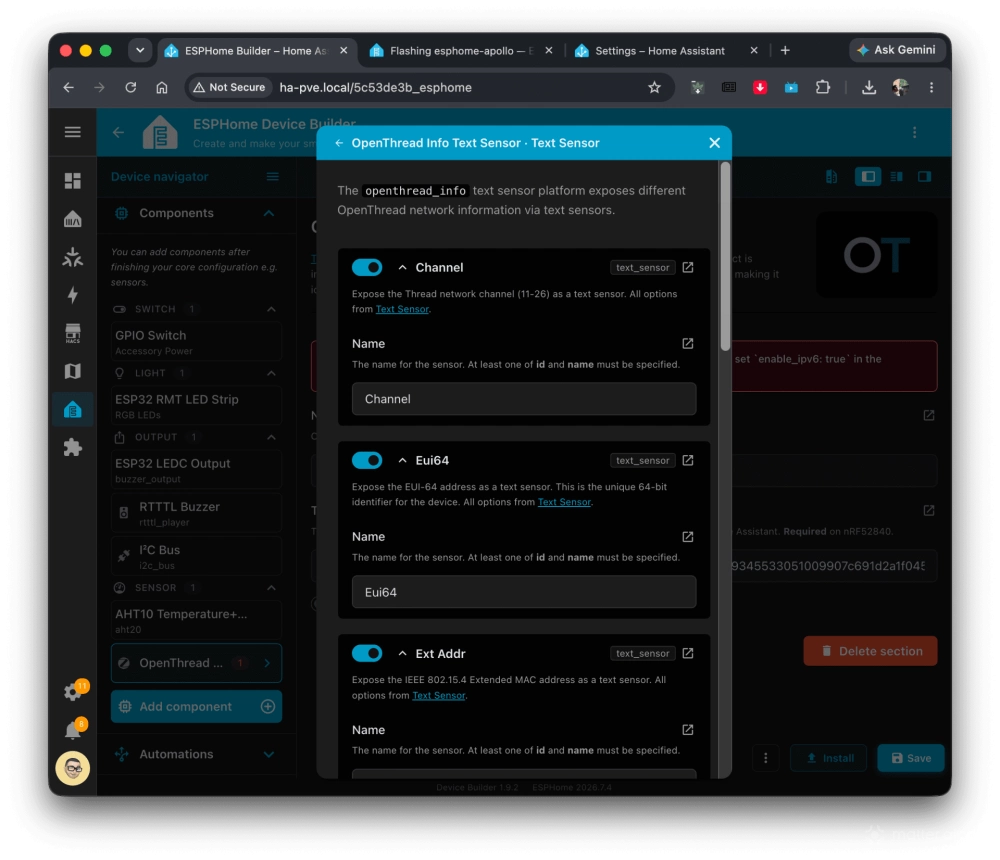
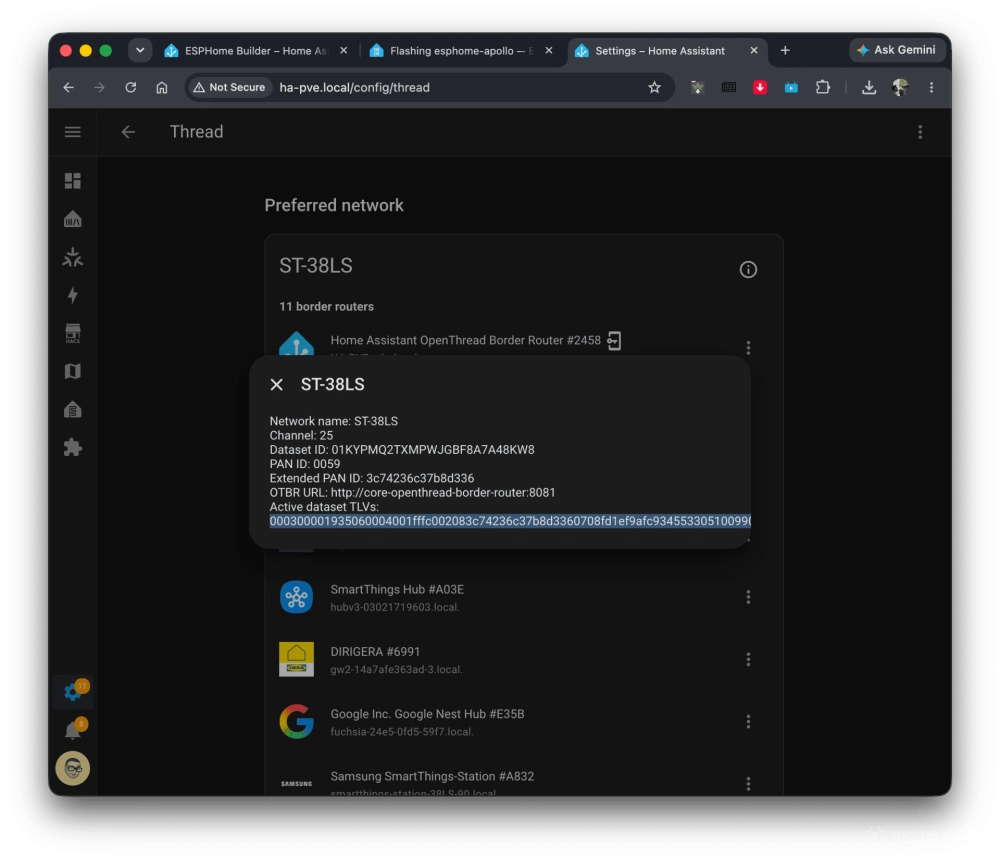
With Home Assistant, these can be found through its Thread integration. You may first need to import the preferred Thread credentials from your phone using the Home Assistant app. From there, you can retrieve the Thread dataset information needed by ESPHome.
After compiling and flashing the new firmware, the Starter Kit joined my existing Thread mesh. Home Assistant discovered it automatically and prompted me to assign its location.
You can then see information including its role and Thread channel from Home Assistant. Instead of acting as another border router, the kit can operate as a Thread router inside the existing mesh, forwarding traffic and potentially extending coverage to Matter-over-Thread devices farther away.
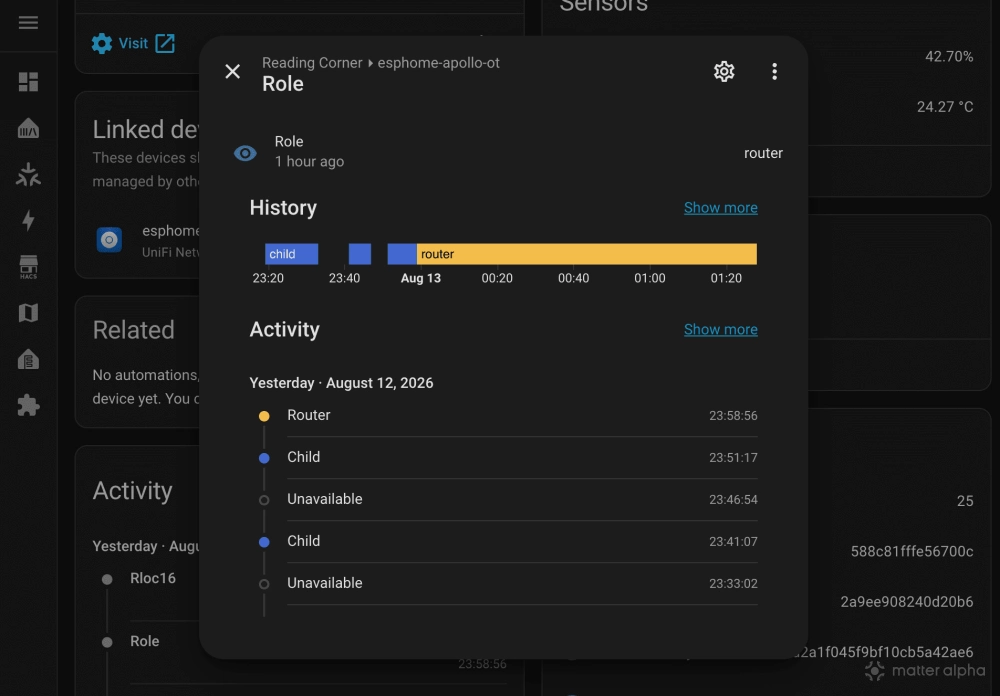
That turns what looks like a decorative sensor kit into something genuinely useful for a Thread-heavy home.
I also tested ESPHome firmware updates over Thread. They worked reliably, although noticeably slower (15 min or so) than Wi-Fi because of Thread’s much lower bandwidth. Still, OTA means the board does not need to return to USB every time I change its configuration.
BLE proxy adds another use
Like many ESPHome devices, the Starter Kit can also work as a Bluetooth proxy for Home Assistant.
Adding the Bluetooth proxy component extends Home Assistant’s BLE coverage, helping it reach Bluetooth devices such as SwitchBot sensors without placing the Home Assistant host nearby.
There is now another useful connection to Matter. Recent Home Assistant releases can use compatible Bluetooth proxies during Matter commissioning, allowing users to start setup from the Home Assistant web interface without relying on Bluetooth hardware in the server itself.
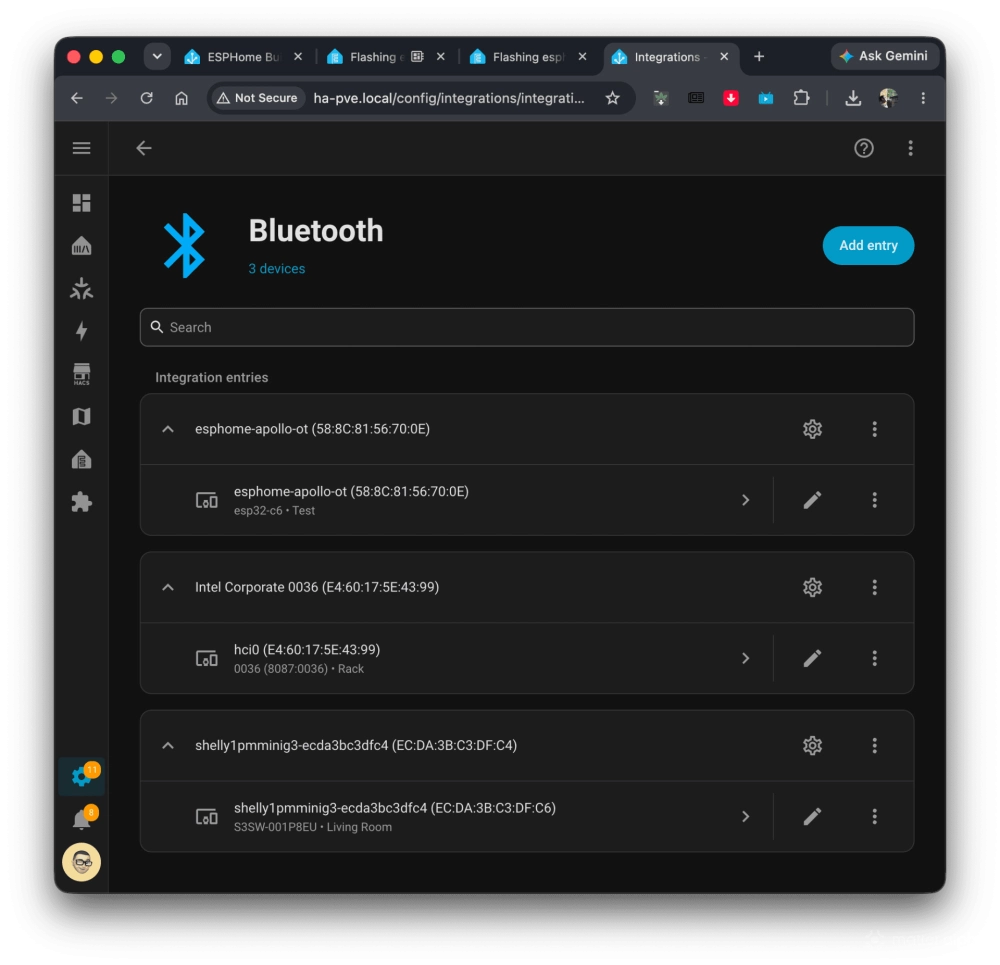
On the Starter Kit, the component can be added through ESPHome, followed by another firmware build and update. This makes the board an interesting little piece of infrastructure. Depending on the configuration, it can provide sensors, Bluetooth coverage, or additional Thread mesh coverage instead of being limited to the experiments included in the box.
More than an ESPHome kit
Underneath the friendly design is still a standard ESP32-C6 development board, so ESPHome does not have to be the end of the experiment.
The board can be reflashed with other compatible firmware and development environments, including Arduino-based projects and Tasmota. The ESP32-C6 also has native Matter capabilities, opening the door to turning the hardware itself into a Matter device.
Those routes require more configuration, coding, and troubleshooting, which somewhat defeats the Starter Kit’s click-to-use appeal. But having that option is part of what makes the hardware interesting. It is approachable enough for someone learning ESPHome, but it does not become limited when you want to build more with it.
Final thoughts
The cute PCB artwork and snap-apart design make it playful, while the Espressif ESP32-C6 underneath leaves plenty of room to experiment. For Matter and Thread users in particular, repurposing it as a Thread router or Bluetooth proxy gives the kit a practical second life in a real smart home.
It is rare for a development kit to end up as permanent infrastructure in my home. This one has a decent chance.
The ESPHome Starter Kit is available from Apollo Automation at $40 for the standard version.
(Source: Apollo Automation; Image: Matter Alpha/Ward Zhou)