Matter promised to make smart homes simpler, but troubleshooting a Thread network can still be a frustrating exercise, which is why I’ve been sticking with Wi-Fi.
While smart home platforms are great at telling you whether a device is responding, they’re rather unhelpful when it comes to explaining why it isn’t. Is it powered off? Has the parent node gone offline? Has it moved outside the range of the mesh? Who knows!?
But Ubiquiti’s latest UniFi Network update could change that, adding detailed Matter device monitoring and bringing Thread connectivity into the same network topology view as your conventional Wi-Fi and Ethernet devices. For anyone running UniFi equipment, this could be the saviour that Thread desperately needs.

What does UniFi Network 11 bring?
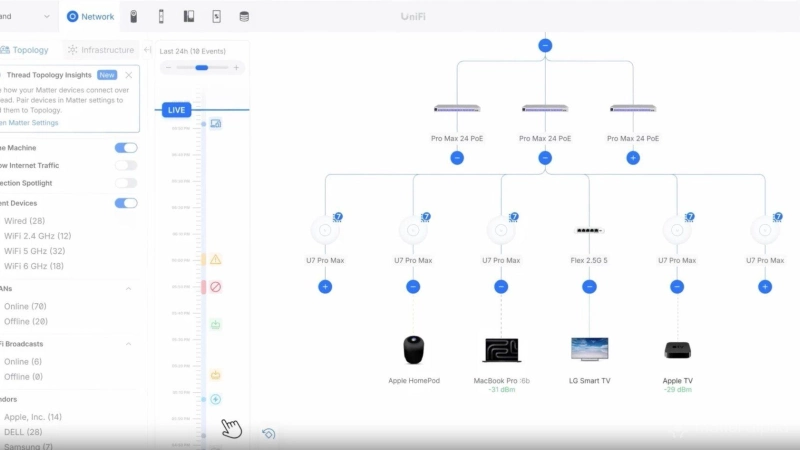
The headline feature is Matter device monitoring, with UniFi Network 11 allowing users to add compatible Matter-over-Thread devices using their pairing codes. Once connected, UniFi can display information including the manufacturer, model, firmware version, battery status and wireless signal strength, where supported by the device.
More importantly, Thread devices are integrated into UniFi’s existing network topology view, alongside conventional Ethernet and Wi-Fi devices. Rather than treating Thread as an entirely separate network, UniFi can show how those devices connect to the rest of your infrastructure through their Thread border routers.
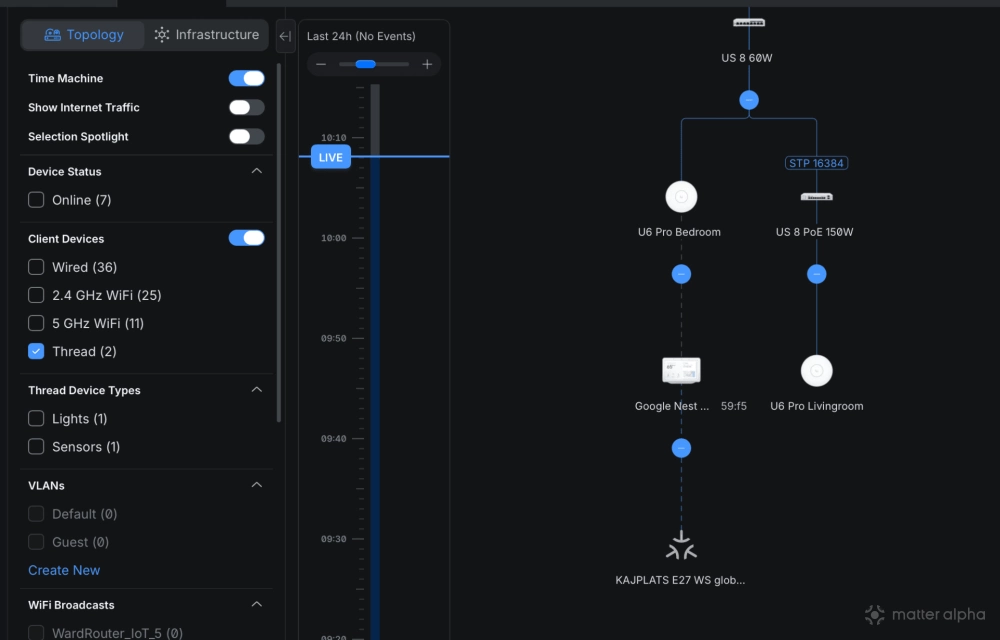
UniFi isn’t a new smart home platform. You won’t be using UniFi site manager to turn your lights on, create automations, or replace your Apple Home. The focus is on monitoring and diagnostics, which is something the Matter ecosystem needs more urgently than yet another way to control a light bulb.
UniFi Network 11 also introduces historical network topology through its Time Machine feature — allowing you to look back and see what changed just before before a device went offline.
But we already have Thread diagnostic tools, surely?
You’d think so. After all, if a Wi-Fi device doesn’t work, you can ping it, check your router’s logs, or measure the signal strength to see whether it has adequate coverage.
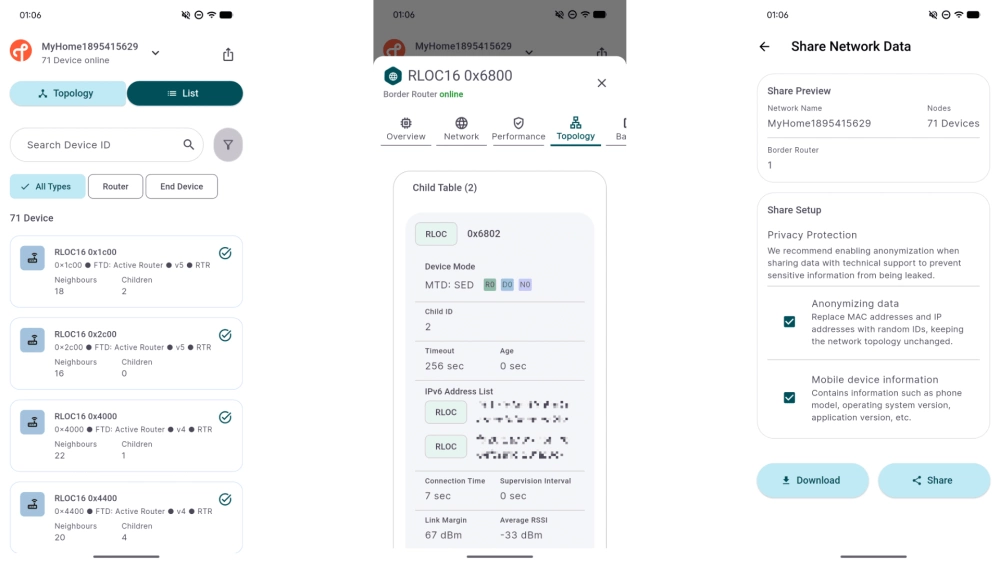
The Thread Group released its own Thread Tools app earlier this year, and you’d reasonably expect an app from the organisation responsible for Thread to be comprehensive and genuinely useful. Sadly, it’s anything but. The device names are meaningless, with little insight into what’s actually happening.
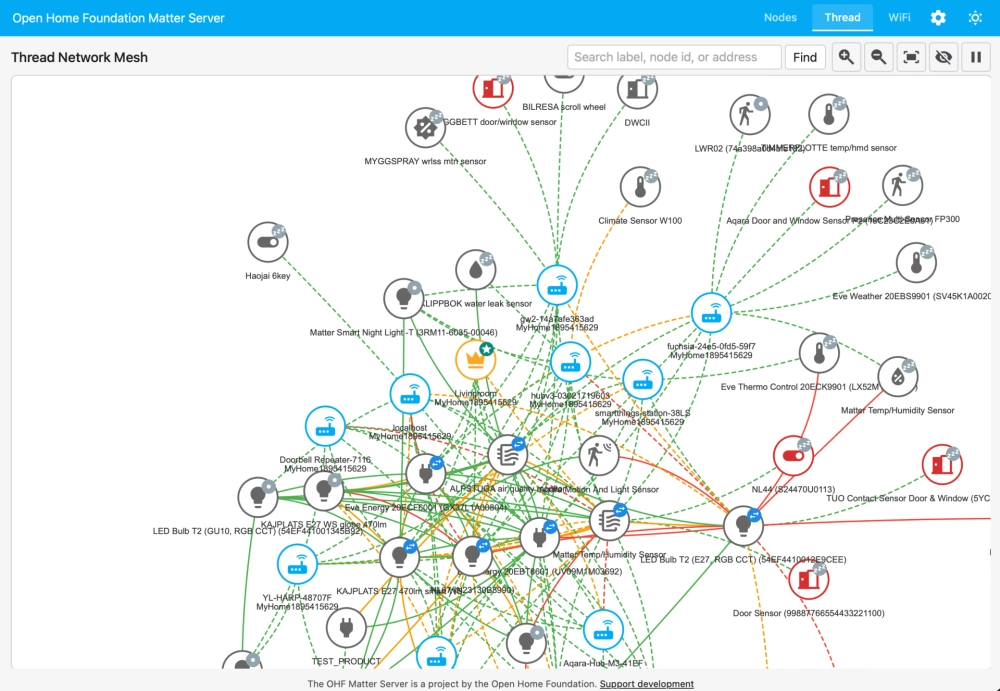
Home Assistant offers a more comprehensive view through its newer Matter.js server, and is probably the closest comparison to UniFi’s new tools. You need to add each Matter-over-Thread device you want to monitor, but it can provide useful diagnostic information. It doesn’t offer UniFi’s historical topology feature, though.
How is UniFi identifying Thread devices when other apps can’t?
Thread is a low-power wireless networking protocol built around IPv6. It handles communication between devices, keeping track of network addresses, neighbouring nodes, routing information and signal quality. What it doesn’t necessarily know is that a particular address belongs to the motorised curtains in your bedroom.
Matter sits above that networking layer, providing a common language for smart home devices. It can identify the manufacturer, product type, firmware version and other useful information, but accessing those details generally requires an authorised Matter controller.
That’s why conventional Thread discovery tools can struggle to identify individual products. They might know something is connected to the mesh without knowing what that something actually is.
UniFi appears to be combining information from both layers. The requirement to enter a Matter pairing code suggests it isn’t simply scanning the Thread network and identifying devices through passive observation. Matter supports multi-admin, allowing a device to belong to multiple smart home ecosystems simultaneously. A device can remain in Apple Home, for example, while also being commissioned into Home Assistant through a separate Matter fabric.
UniFi appears to be taking advantage of this capability to establish its own authorised connection, retrieving Matter device information and associating it with Thread connectivity data.
There is a catch, though. While UniFi automatically discovers existing Thread border routers, individual Matter devices must be added manually using a pairing code generated by your existing smart home controller. If you’ve already got dozens of Matter devices, that’s going to be a tedious process, and there’s currently no bulk import option.
You’ll also need a compatible UniFi OS gateway running version 6.0.10 or later, with IPv6 and mDNS enabled on the relevant network. Thread uses IPv6, while Matter relies on local network discovery mechanisms including mDNS. If you’ve separated your smart home devices onto different VLANs, getting everything communicating correctly can already be complicated.
Could UniFi become a serious smart home platform?
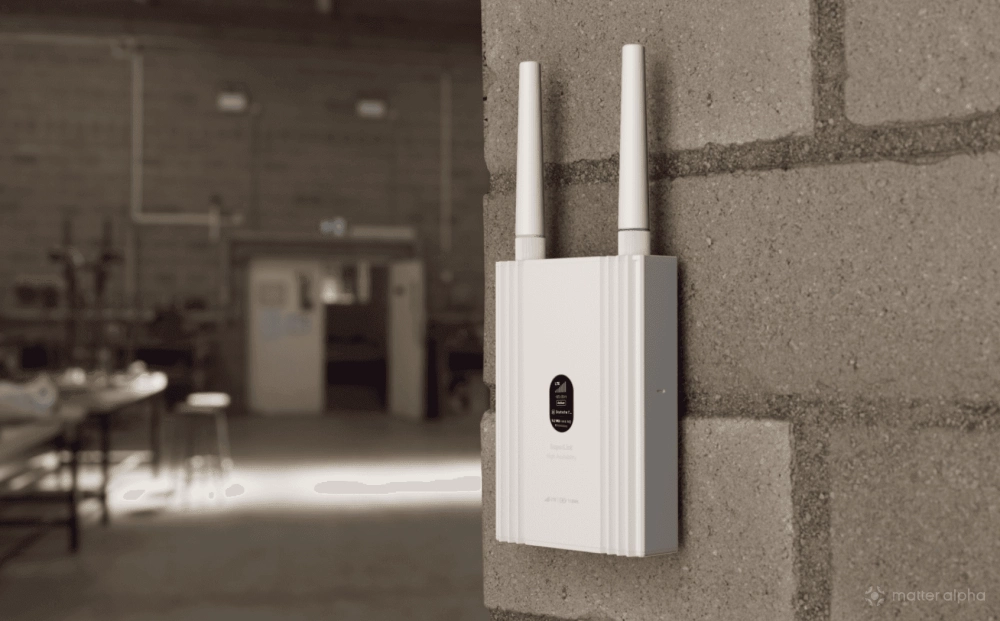
Back in July, we reported on Ubiquiti’s upcoming SuperLink Gateway HA, which combines the company’s proprietary long-range wireless technology with a standard Thread border router. At the time, the hardware looked promising, but the big unanswered question was whether Ubiquiti would provide the software needed to properly manage and troubleshoot Thread networks. With UniFi Network 11, we’re starting to see what that might look like, although Ubiquiti hasn’t confirmed how the two products will work together.
Whether Ubiquiti eventually expands into Matter device control or automation remains to be seen. For now, though, the appeal is obvious.
Matter and Thread were supposed to make smart homes more reliable and interoperable, but they’ve also introduced another layer of networking complexity that’s hidden from the very people trying to troubleshoot it. UniFi Network 11 won’t necessarily make your Thread devices work any better, but it might explain why they stopped working suddenly.