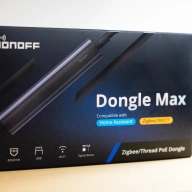
How to set up a PoE Thread dongle in Home Assistant
A guide to use Thread dongles with Home Assistant.
Ward Zhou
A guide to use Thread dongles with Home Assistant.
Adding a Matter smart bulb with Home Assistant is a great way to kick off your smart home
The smartest things don't need to wait for your commands.
Most smart home platforms offer a limited range of actions that a Matter button can initiate. But with the ultimate smart DIY tool of Home Assistant, you can achieve something much more impressive—without breaking your existing setup.
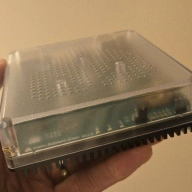
Home Assistant is great, once you know what you're doing. Let us help you get started.
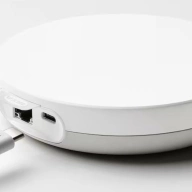
Thanks to IKEA, adding a new smart home device is so easy, my mum could do it.

Silicon Labs rolls out a new Arduino library version. Here are the highlights and a quick start with it.
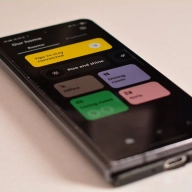
If you’re using a VPN on your mobile device, that’s great – but with the wrong settings, you could be messing up Matter enrollment.

Home Assistant is updating its Matter server with a Matter binding user interface in the latest beta version this week -- here's how to use it.
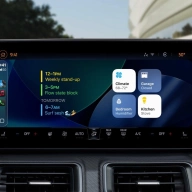
Take your smart home along for the ride on your next road trip with Apple CarPlay Widgets.
Learn how to boot your PC remotely with Matter using a Sonoff MINI-D Switch or SwitchBot Relay Switch 1.
Skip phone pairing woes with Home Assistant's hidden Matter setup. This guide details using Bluetooth/Thread dongles to add devices directly, bypassing app bugs and platform limits.
Bridge Zigbee2MQTT & Shelly to Matter via Matterbridge! Install on Docker or Home Assistant, configure plugins, and add devices to any Matter platform.
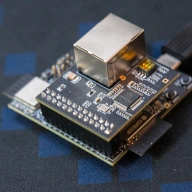
A guide to build a Thread 1.4 OpenThread border router and use it with Home Assistant, Google Home, and SmartThings.

Having trouble connecting your Matter devices to your Samsung SmartThings Hub? This guide provides quick and easy troubleshooting tips to get your smart home back on track.
Matter.js is a JavaScript implementation of the Matter smart home protocol, letting you create, simulate, and control devices using simple code. In this guide, I’ll show you how to build a virtual PC suspend switch to remotely put your computer to sleep.
Can't find the QR code for your Matter smart home device? Here are all the places you can find the QR code to enroll your new smart home gear.

You don't need fancy smart buttons to regain control of your smart home. Control all your devices by simply holding your iPhone to some 10-cent NFC stickers.
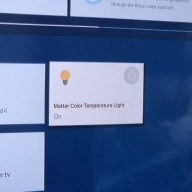
One of the most popular television brands, Samsung, has stealithy been adding Matter into households for the past few years. Via the SmartThings smart home panel on Samsung TVs, you can add and remove Matter-compatible and other smart home gear. Better still, Samsung SmartThings is easy to set up on your TV, too.
IKEA has joined the Matter revolution, adding support for the new smart home standard to its Dirigera hub. But how do you set up the Dirigera to work with Matter? We lay out all you need to know to get it operating without a hitch.